Mail enhancements
HCL Verse provides the following features and enhancements related to Mail.
Improved display of Sent messages in the message list
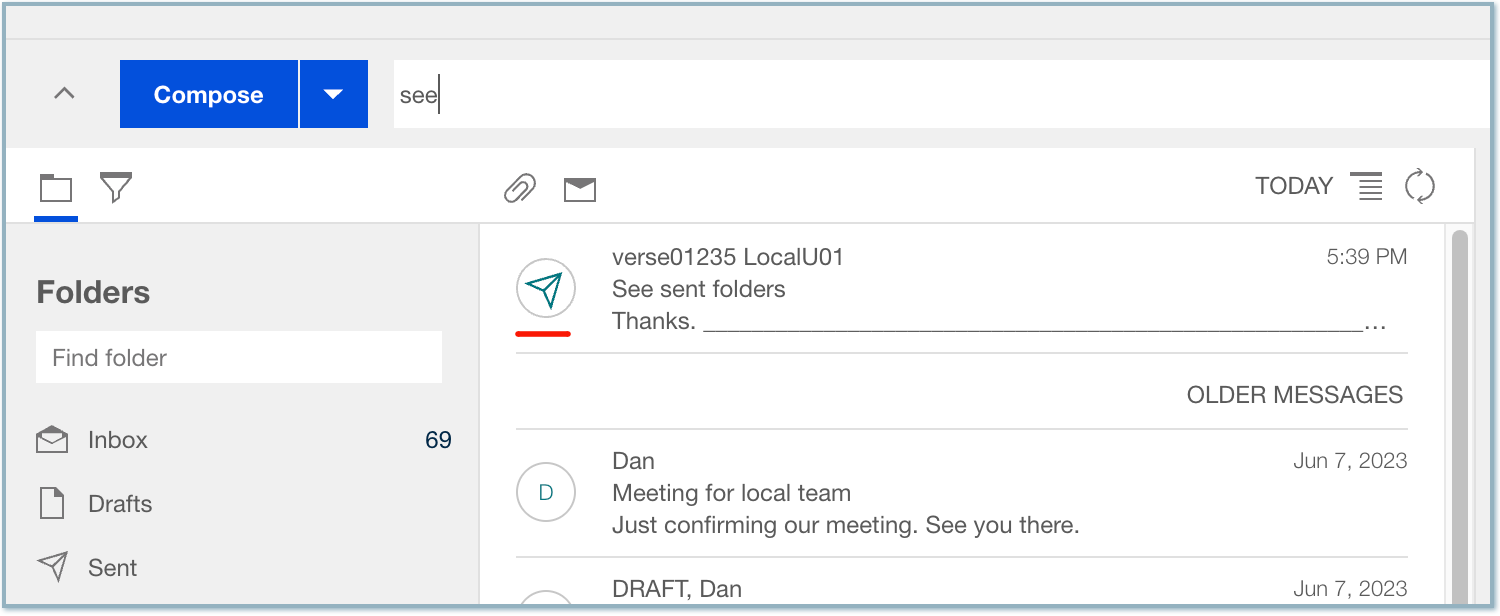
When viewing sent messages in folders outside the Sent folder or as part of a search result, the message list now displays the recipient’s name instead of "me," along with a distinct Sent icon instead of an avatar.
Improved experience with the 'Waiting For' action
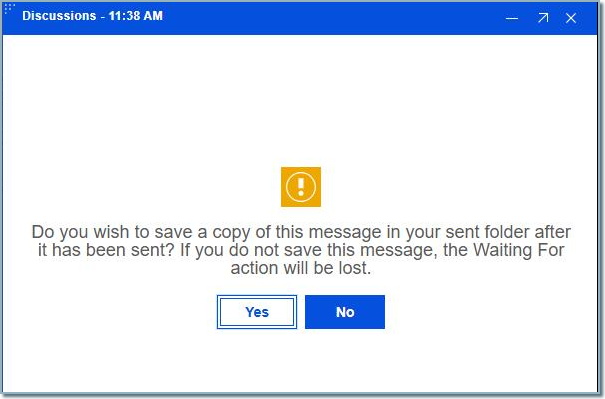
The Waiting For action will always display in the Compose window irregardless of what option the user has selected for their Save Sent Mail setting. If the administrator has pushed a Domino Policy that locks the Save Sent Mail setting to Never Save, the Waiting For action will not be displayed. If the user has their setting set to Never Save or
Ask if sent mail should be saved and they have selected the Waiting For action, they will be prompted to Save the message.
See How do I track when someone owes me a response? for more information on the Waiting For action.
Improved search filters for "To" and "From"
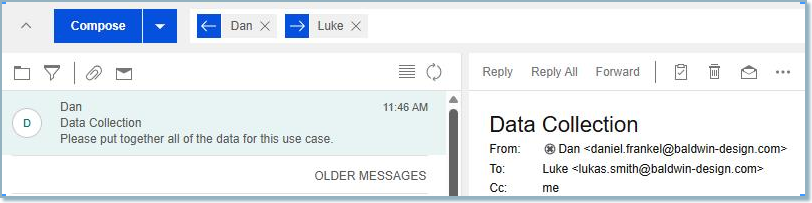
You can now search using both From: and To: at the same time to find emails sent between other people. For example, you can search for emails sent from Person B to Person A, even if you aren't either of those people. Previously, this kind of search returned zero results.
See How do I find what I'm looking for? for more information.
Parent topic: What's new in Verse 3.2.8?