Calendar enhancements
HCL Verse 3.2.8 provides the following features and enhancements related to Verse Calendar.
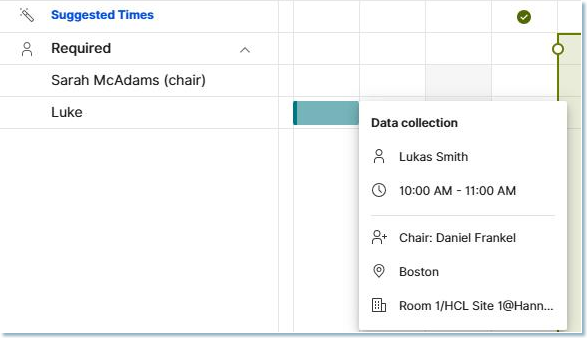
Improved details display when hovering over meetings in Find a Time dialog
When hovering over calendar events in the Find a Time dialog, you can now preview additional details—including the Subject, Location, Room, and Chair.
Note
-
Availability of this information is based on administrative server settings (see Collecting detailed information from user calendars) and individual user sharing configurations (see Who can see my schedule and free time information?).
-
User sharing configurations are not yet available in Verse Settings.
Improved availability notification
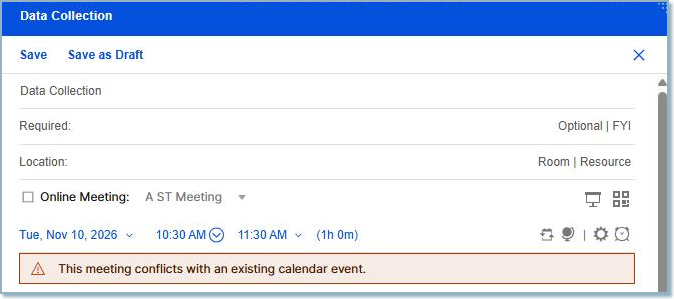
When scheduling or rescheduling a meeting, you'll now receive an immediate warning if:
- The meeting conflicts with another scheduled meeting.
- The meeting is outside your configured working/available hours.
For more on how to set your availability go to How do I set my availability preferences?
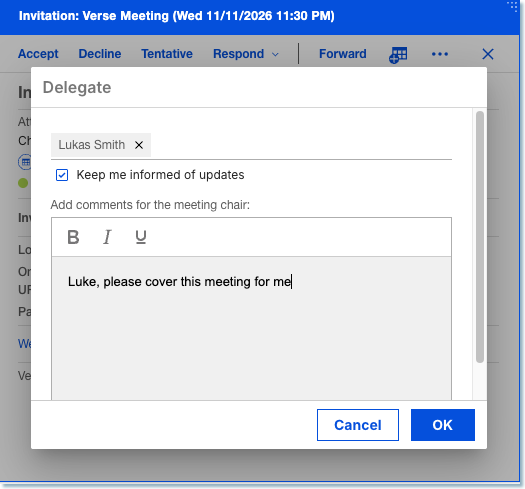
Receive updates for delegated meeting invitations
When delegating a meeting to someone else, you can now select a checkbox to keep receiving updates made for that meeting.
See How do I delegate a meeting? for more information.
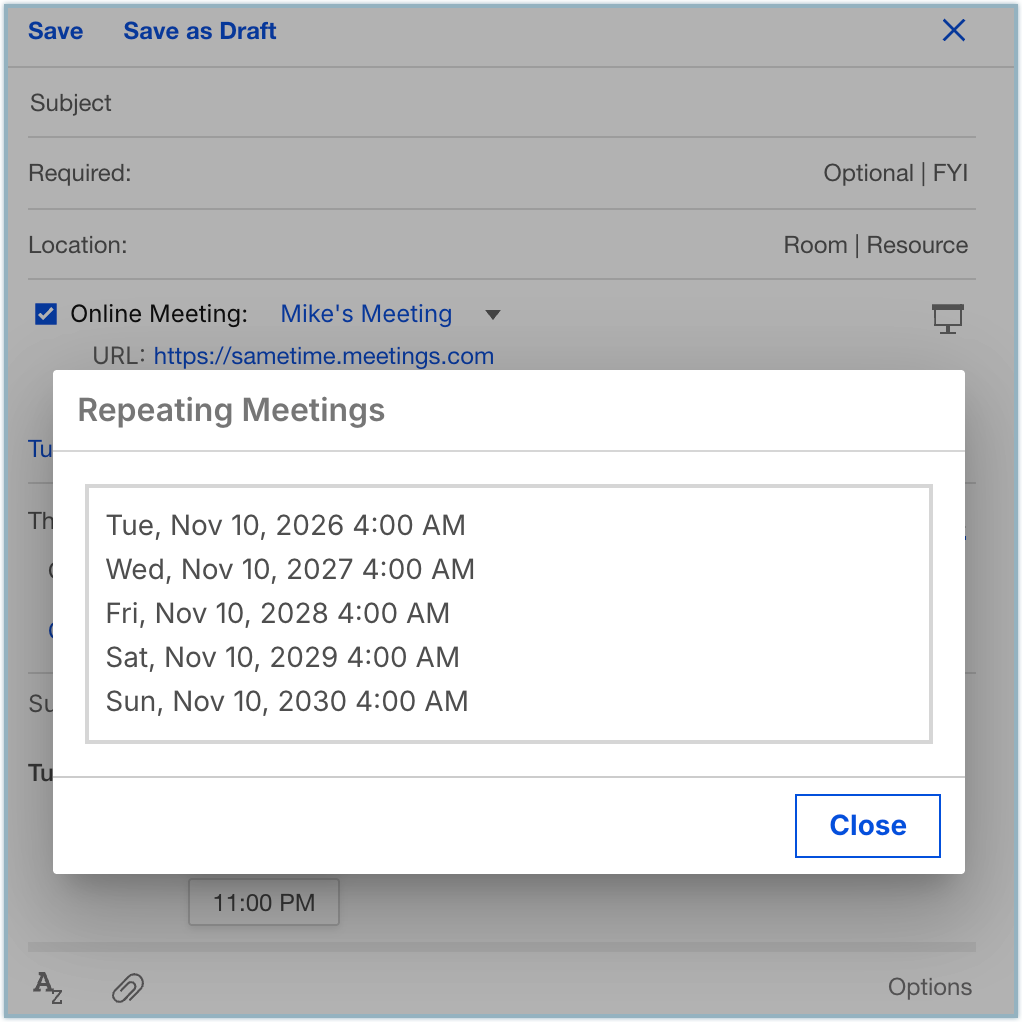
Display recurring meeting dates
When creating or editing a repeating meeting, there is a View Dates action. Clicking this action allows you to see the dates of the repeating instances.
See How do I schedule a meeting? for more information.
Parent topic: What's new in Verse 3.2.8?