Managing access to intranet page for non-admin users
This document provides detailed steps to set the access for non-admin users to Intranet page
Follow these steps to add access for non-admin users to Intranet page.
-
Sign in using an administrative account.
-
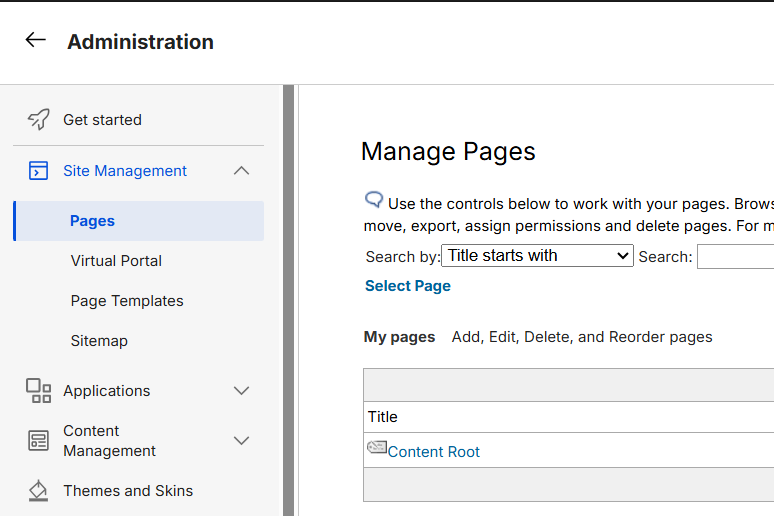
Navigate to Administration and select Pages from the Site Management menu.
-
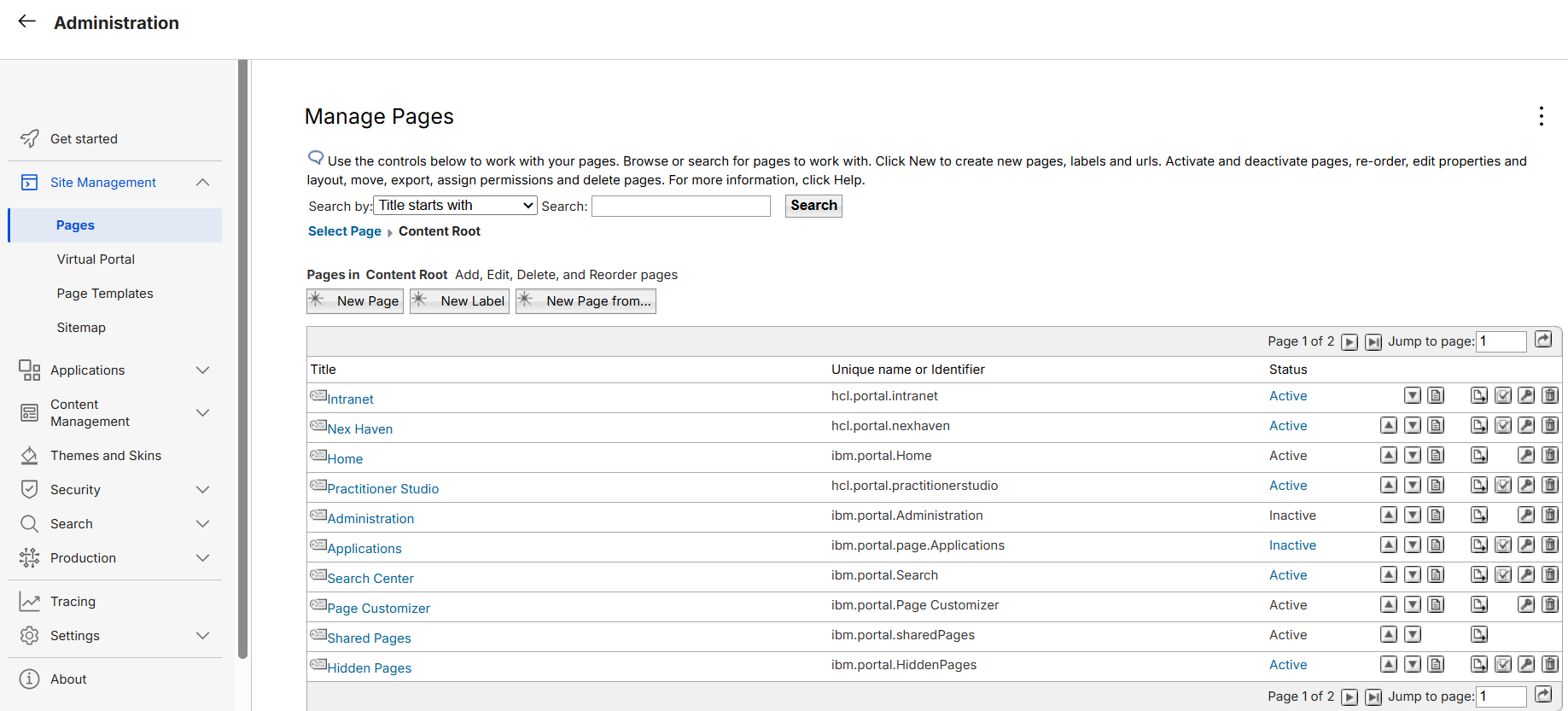
Select the Content Root link to open the page hierarchy.
-
Review the available page list for Intranet page, as shown below.
-
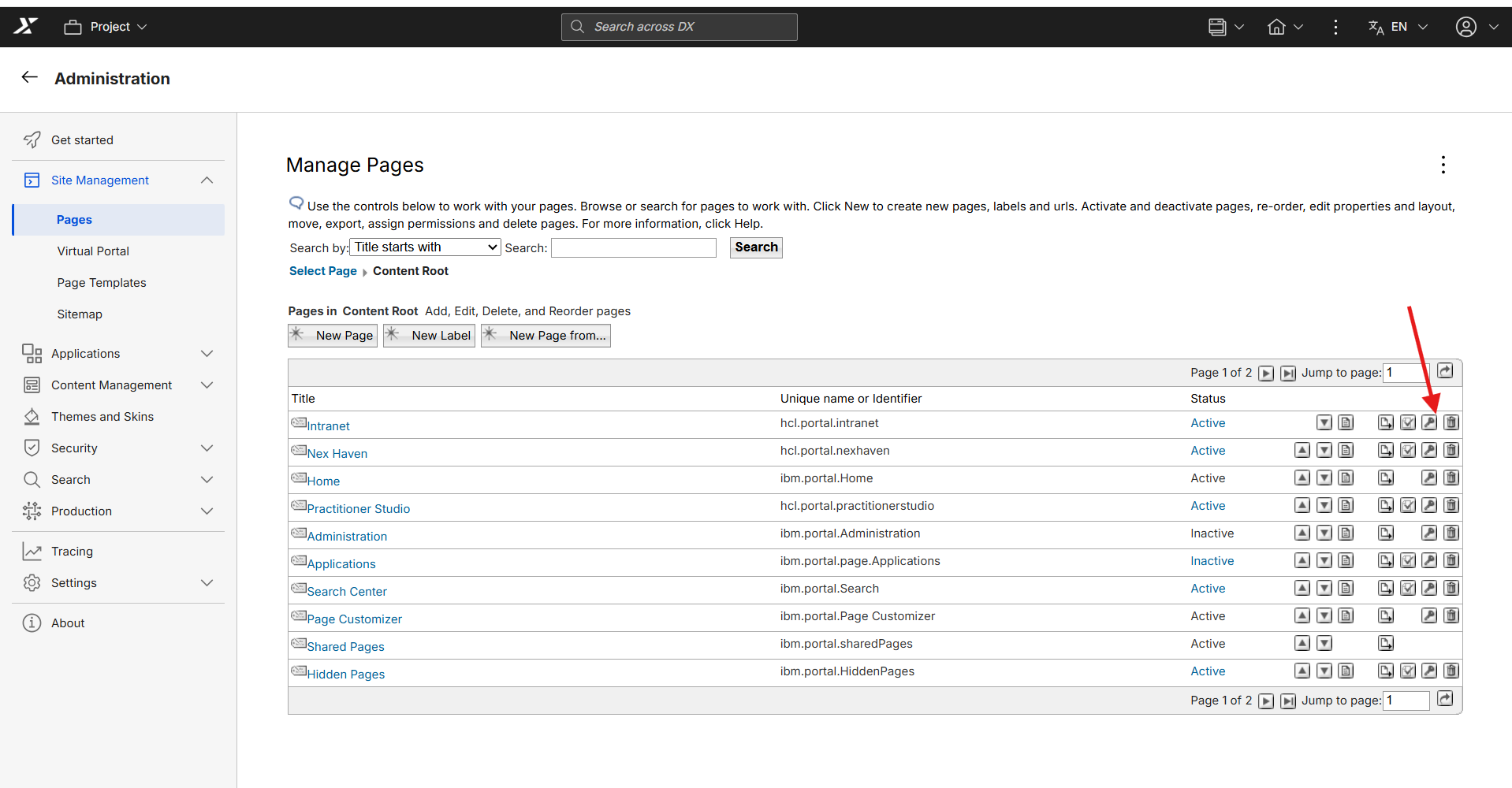
Click on Set page Permission (Key Icon) for Intranet Page.
-
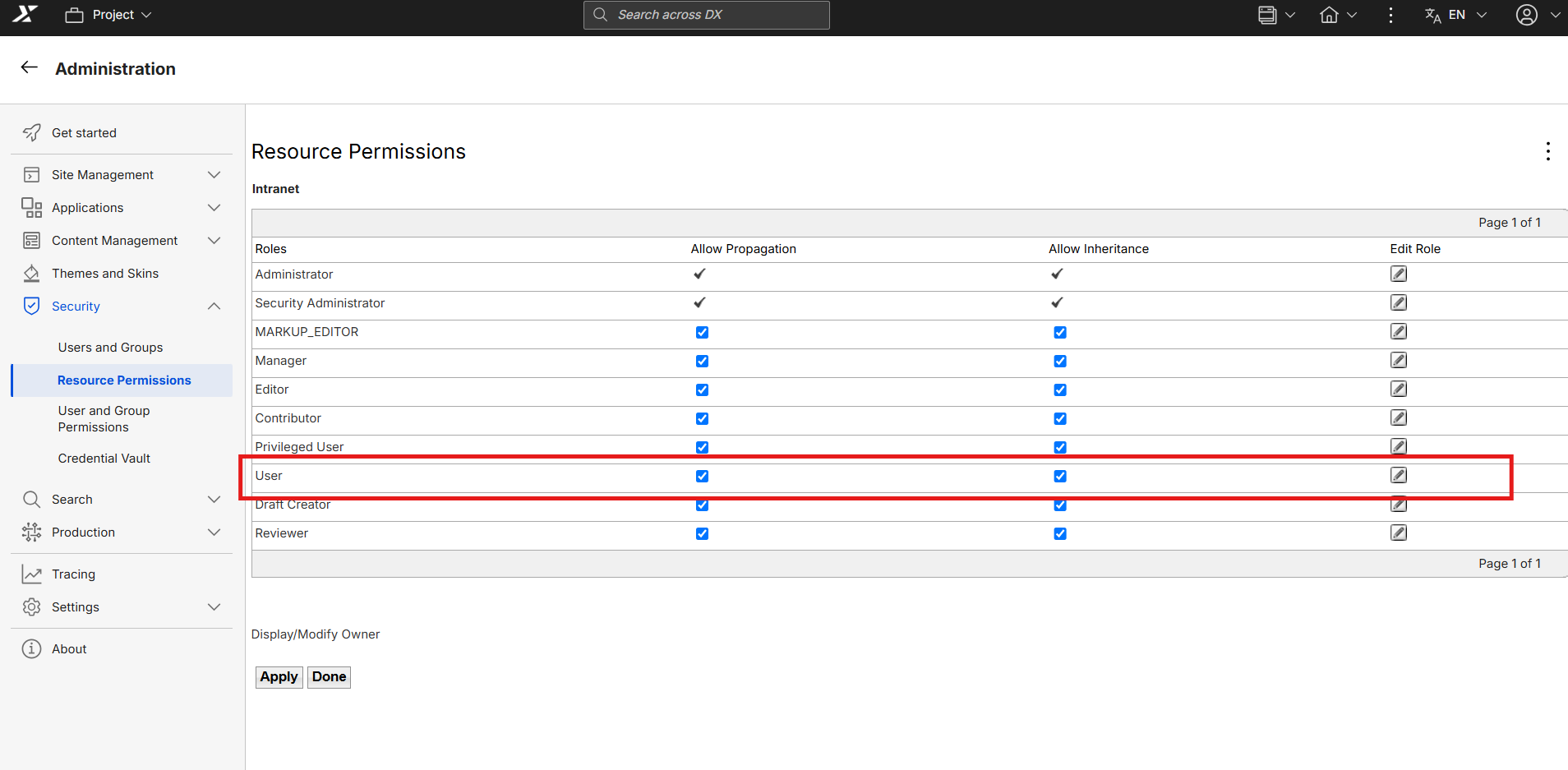
You will land on Resource Permissions page for Intranet.
-
Click on Edit role(Pencile Icon) for User
-
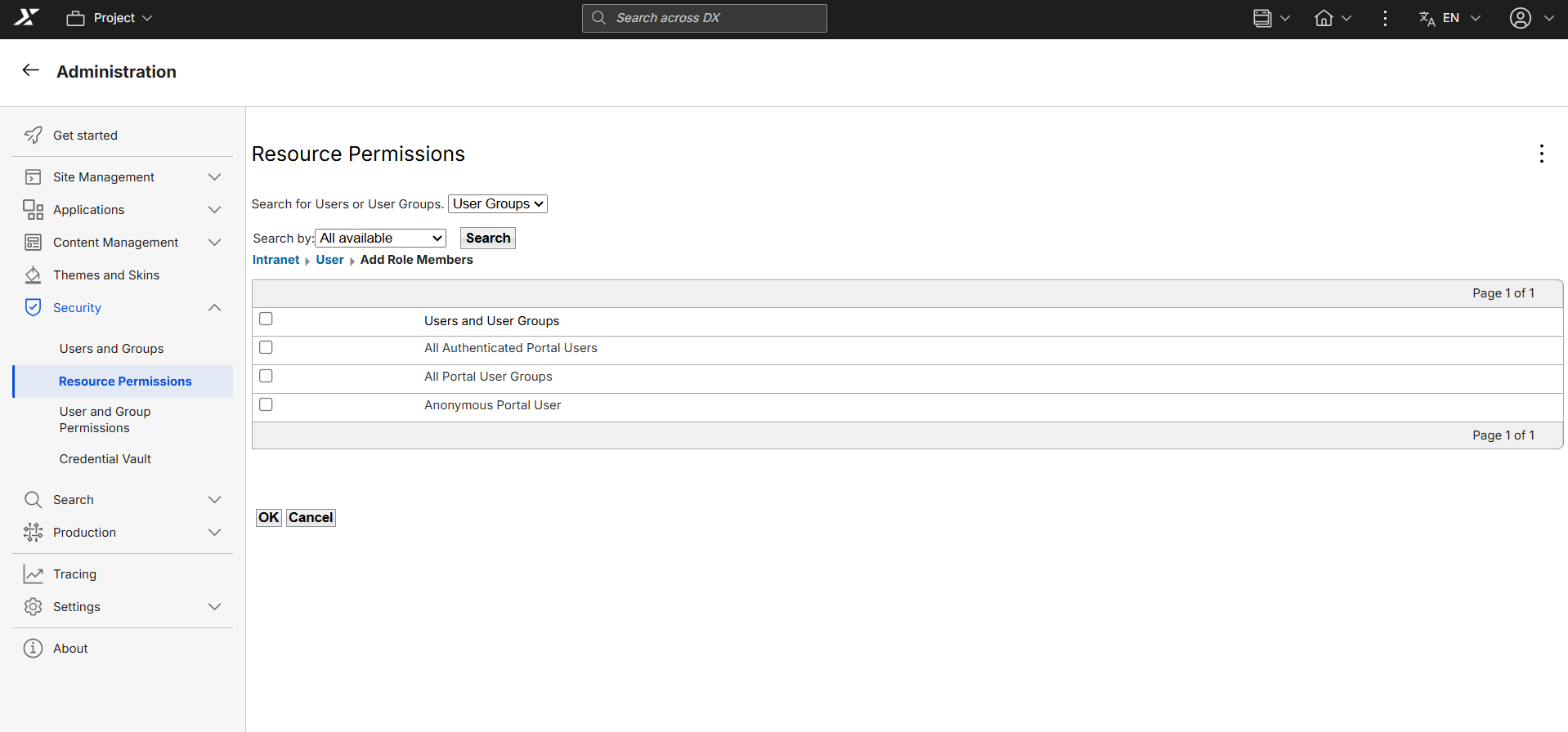
Click on ADD button to add All Authenticated Portal Users and All Portal User Groups to User permission
-
Check in the checkbox for All Authenticated Portal Users and All Portal User Groups and Ok
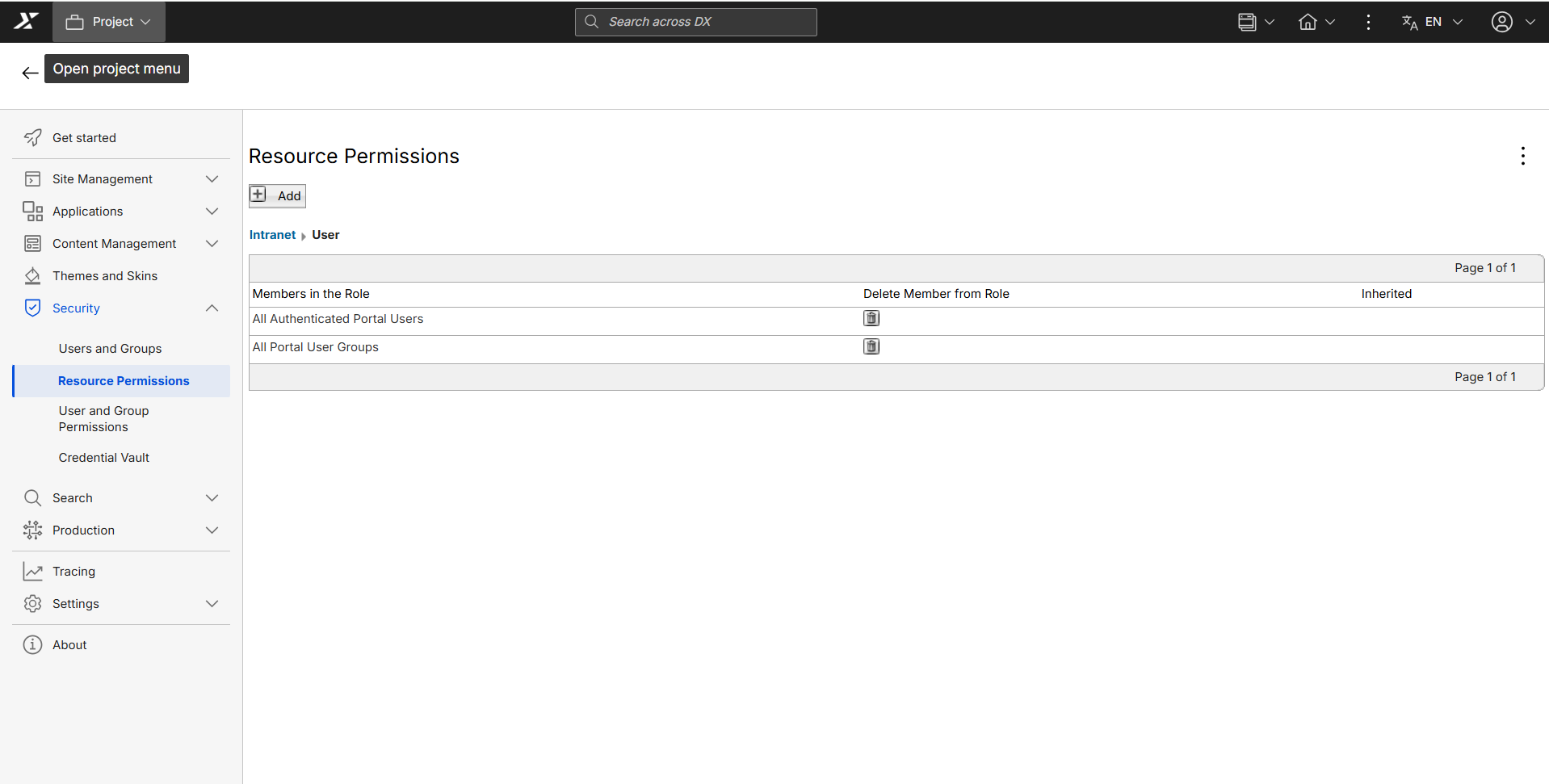
Verifying the configuration
Log out of CEC (WebEngine), then log in as one of the new portal user to test the changes.