Uninstalling the Tiny Editors Selector
Completely remove the Tiny Editors Selector application if you are no-longer using role-based editor deployment or if you are uninstalling Tiny Editors for HCL Connections completely.
Before you begin: The Tiny editors integration must not be configured to use role-based editor deployment or the Tiny editors integration has been uninstalled.
-
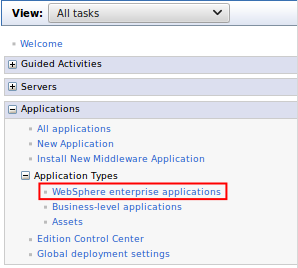
Navigate to Applications > Application Types > WebSphere enterprise applications.
-
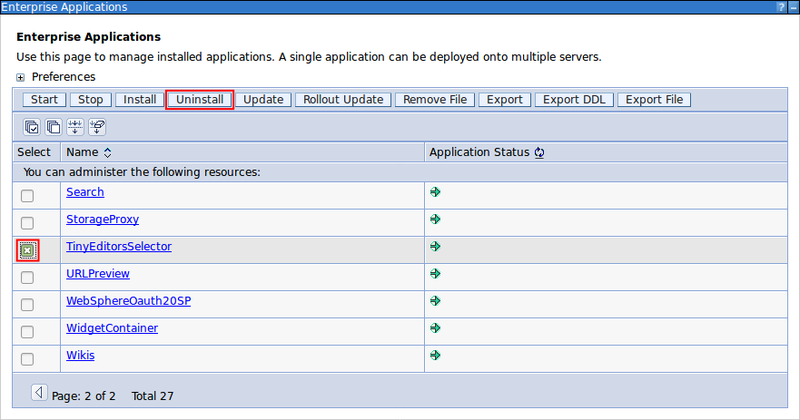
Select the checkbox for TinyEditorsSelector from the list of applications and click Uninstall.
-
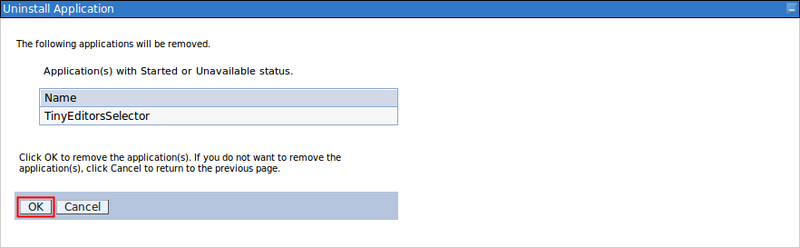
Click OK to confirm the uninstall.
-
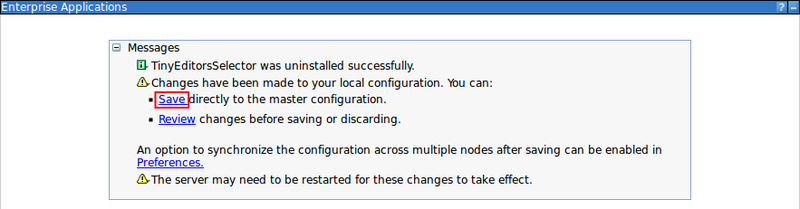
Click the Save link to finish the uninstall.
Parent topic: Uninstalling Tiny Editors for HCL Connections
Previous topic: Uninstalling the Tiny Editors Services