Starting the Tiny Editors Selector application
The Tiny Editors Selector application must be started before it can be used.
-
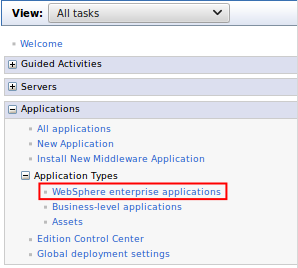
Navigate to Applications > Application Types > WebSphere enterprise applications.
-
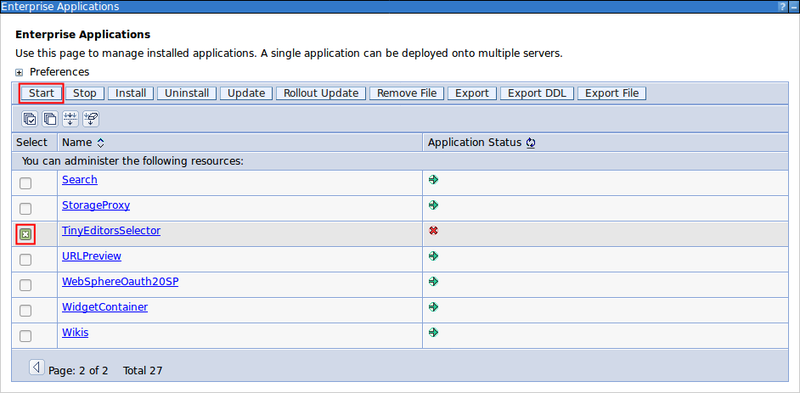
Select the checkbox for TinyEditorsSelector from the list of applications and click Start.
Parent topic: Optional: Installing Tiny Editors Selector
Previous topic: Installing the Tiny Editors Selector
Next topic: Regenerate the webserver plugin