
Manage Tokens
Tokens are treated as bearer credentials and they are supported by BigFix Platform starting from Version 11.0.6.
To learn more about bearer token authentication, see Configuring bearer token authentication.
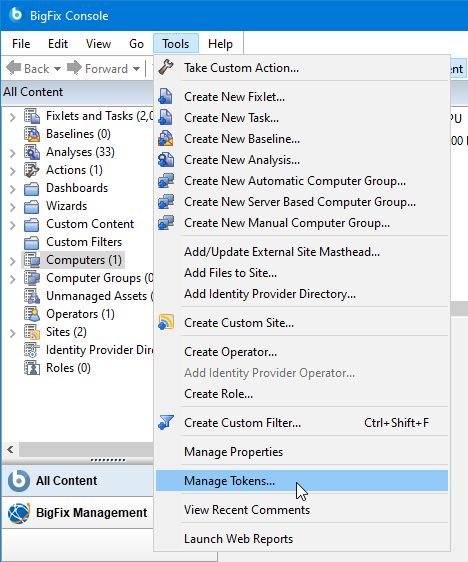
Using the BigFix Console, from the Tools menu, navigate to the Manage
Tokens... menu item.
The Manage Tokens dialog allows you to add, edit or delete
tokens.
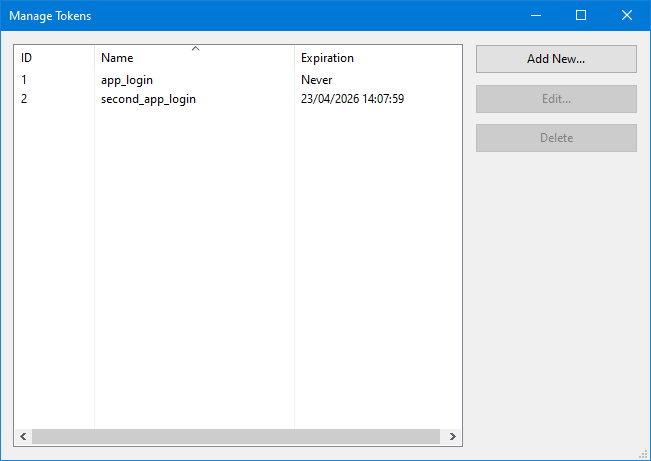
When clicking Add New..., the Add Token
dialog is displayed.
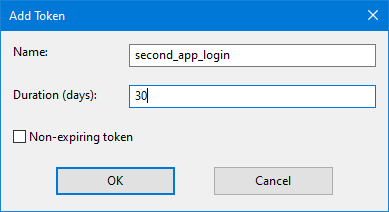
In this dialog, you must set the following values:
- The name for the newly created token.
- The expiration for the token, specified in number of days. Otherwise, if the token should never expire, select the Non-expiring token check box.
When clicking Edit..., the Edit Token
dialog is displayed.
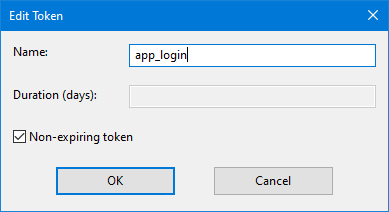
In this dialog, you can modify the following values:
- The name for the already created token.
- The expiration for the already created token.
Click Delete from the Manage Tokens dialog, if you want to remove an existing token.