Task Management
Task Comment Notifications with Visual Highlights
The task commenting experience has been enhanced to ensure requesters stay informed whenever support teams add relevant updates.
When a support user adds a comment and keeps the Internal option unchecked, the comment is now automatically shared with the requester, an email notification is sent, and the comment is visually highlighted in the task view for easy identification. This removes the need for requesters to manually check the My Requests page for updates and ensures they never miss important information.
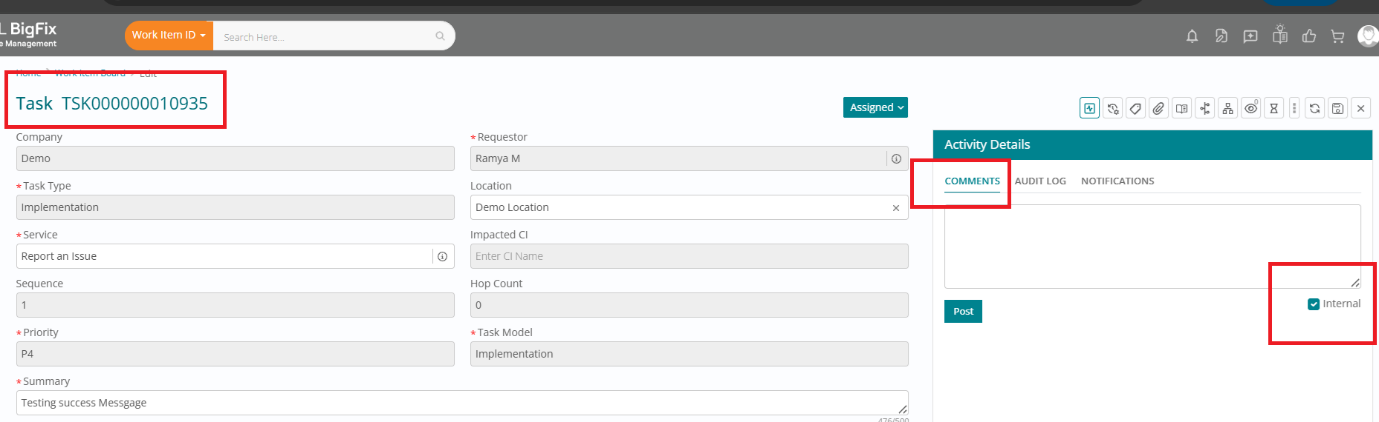
Previously, comments added without selecting Internal did not trigger any notification, requiring users to proactively open their requests to see updates. With this enhancement, external-facing comments are both clearly marked and proactively communicated, improving transparency and overall user experience.
Editable Task Template Name
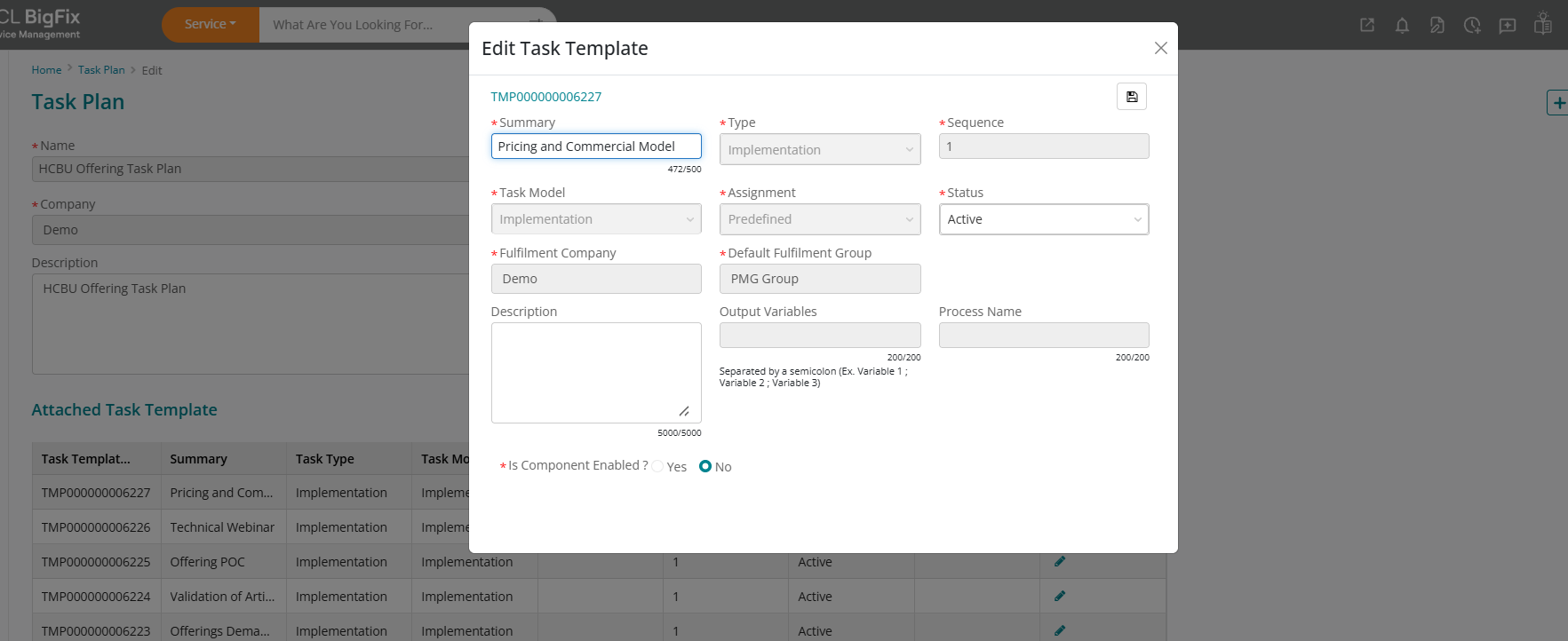
Edit the Summary (Task Name) of a Task Template or Task Plan even after it has been created. This removes the earlier limitation where the Summary/Task Name field became non-editable once the template was saved and allows you to update the name whenever a mistake is made or changes are required.
This enhancement is particularly useful when the wrong Task Name was entered during creation, the task scope has changed and the name needs to be updated, or a typo or formatting issue needs correction. It helps save time by avoiding the need to recreate the entire Task Plan and reduces confusion caused by incorrect task names.
To update a Task Template name, simply go to the Task Template list page, open the relevant Task Template, click Edit Task Template, update the Summary (Task Name) field, and save your changes.
Task Email Notifications at all Lifecycle Events
This enhancement enables email notifications for all Task events, bringing Task behavior in line with other D2C modules, including support for notifications when a Task is in Draft status and assigned to a group.
Previously, no notifications were sent for Tasks in Draft status, which meant assigned groups were often unaware of newly created or pending tasks until later stages. This gap led to delays in acknowledging work, slower response times, and, in several cases, SLA breaches due to missed or late action.
With this release, notifications are now triggered for Tasks at Draft status when they are assigned to a group, ensuring the responsible team is informed early and can act promptly. Email notifications are also available for all other Task events, aligning Task notifications with the rest of the D2C modules and creating a consistent experience across the platform.
This enhancement is driven by multiple customer requests to improve Task visibility and SLA adherence. By notifying the assigned group as soon as a Draft Task is created and for subsequent Task events, organizations can reduce the risk of missed SLAs, improve operational responsiveness, and enhance overall customer satisfaction.
| Events | Usecase | To |
| Task created on Assigned status | Assign to group | Group |
| Task created on Assigned status | Assign to individual | Individual |
| Group Re assigned | Mail to group | Group |
| Individual Re assigned | Mail to assigned individual | Individual |
| InProgress | Status Transition to Group | Group |
| InProgress | Status Transition to Individual | Individual |
| On hold | Status Transition to Group | Group |
| On hold | Status Transition to Individual | Individual |
| Completed | Status Transition to Group | Group |
| Cancelled | Status Transition to Group | Group |
| Review | Notify Reviewer upon task submission for review | Reviewer |
| Reviewed | Status Transition to Individual | Individual |
| Task created on Draft status | Assign to group | Group |
| Task created on Draft status | Assign to individual | Individual |
| Post comments | Internal check | Group |
| Post comments | Internal uncheck | Requester + Group |