Foundation
Enhanced Time zone Selection and Display
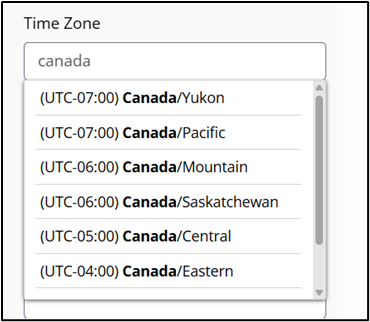
Time zone attributes across the platform have been enhanced for improved clarity and user experience. The updates include:
- Time zone labels now include offset and region details.
- The Time zone input field has been converted to a typeahead dropdown, allowing users to easily search for and select the required time zones.
- The list is sorted by default on the basis of time offset.
- All platform attributes referencing time zones now reflect these new, standardized labels.
Country – State – City Management in Foundation
Administrators can now view and manage demographic data for countries, states, and cities through a dedicated user interface. These modules are located within the Foundation menu.
- Country records require a Country Name and a Country Code (short text).
- State records require selecting a Country from an existing list and entering a State Name.
- City records require selecting a Country, State, and Time zone from existing lists and entering a City Name.
- The status for countries, states, and cities can be toggled between active and inactive depending on the use.
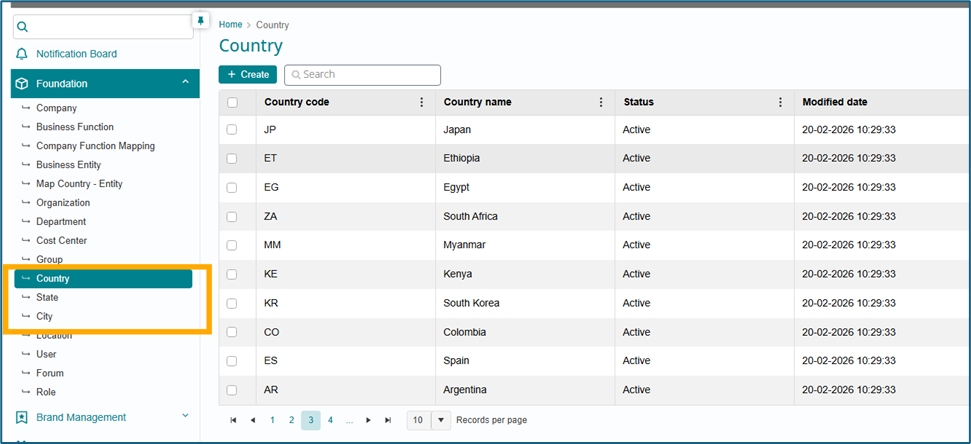
This data is global across the instance rather than company-specific; changes will apply to all organizations within the environment.
User Location Function Mapping
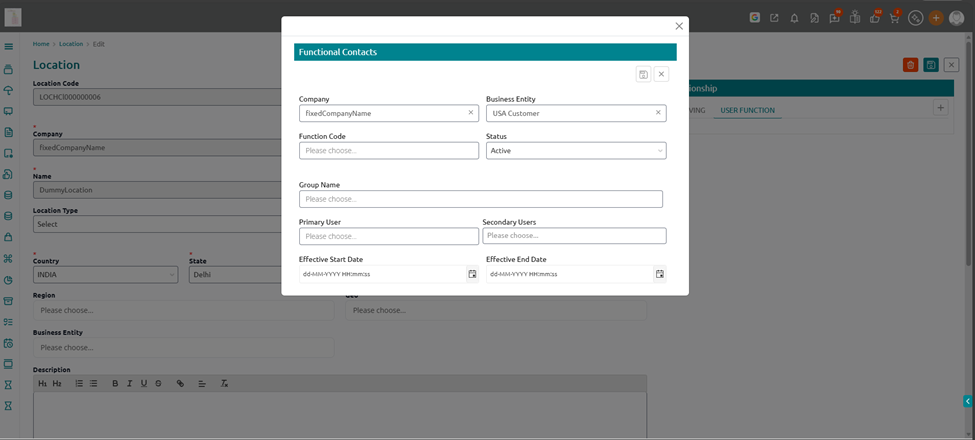
For each Serving Location, the system maintains a User Function Mapping that identifies the designated SPOC for key functions like Assets, HR, Facilities, and IT. This mapping stores the responsible user or group, their role, and contact details, and is used to auto-route tickets, approvals, and notifications to the correct function owner for that location. It ensures that employees and stakeholders always know who is accountable for a given function, reduces hand‑offs between departments, and supports clear governance of location-based services.
How to map function users to the location
- Navigate to location module in foundation
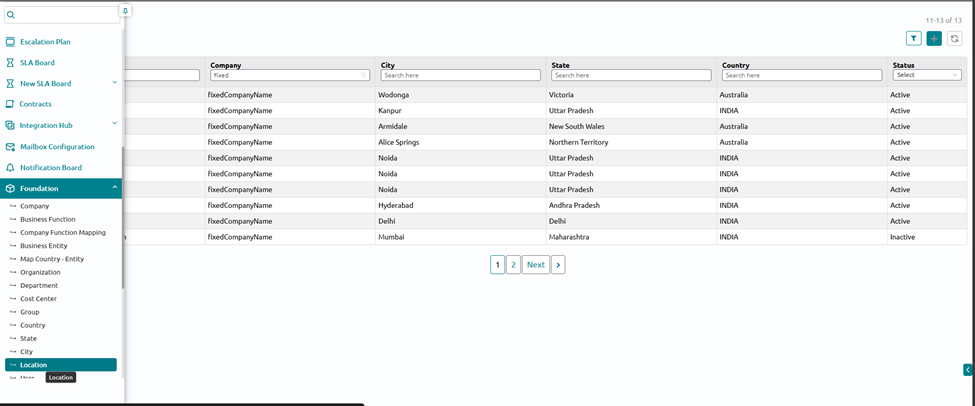
- Click on the location record for which user functions needs to be defined and then click on edit
- On the right side click on “ User functions ” and fill in the details. It will create the spocs for each function for that location.