Patch Work Bench
Patch Workbench provides a unified interface in Service Management to plan, request, and track patch deployment for infrastructure CIs discovered and managed by BigFix.
It allows users to start from either a list of CIs or a list of patches, automatically derive the corresponding targets, create a standardized Change, and orchestrate execution with the BigFix team via the Integration Engine
Data model and prerequisites
Configuration Items (CIs)
- CIs discovered and managed by BigFix are stored in CMDB
- Each CI includes key attributes required for patching:
- Hostname, IP, OS, OS version
- Environment (Prod/Non‑Prod), Location, Application/Service owner
Patch catalog in CMDB
- Patches are stored in a CMDB-based patch catalog. This data coming via integration from BigFix UEM
Patch Workbench user flows
Patch Workbench supports two starting points:
- CI‑driven patching: “I have these servers; show me applicable patches.”
- Patch‑driven patching: “I have these patches; show me which servers to apply them on.”
CI‑driven flow
Steps:
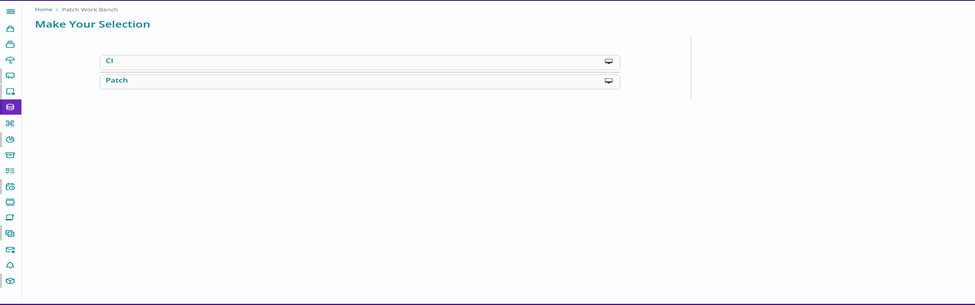
- The user opens Patch Workbench and selects “ CI”.
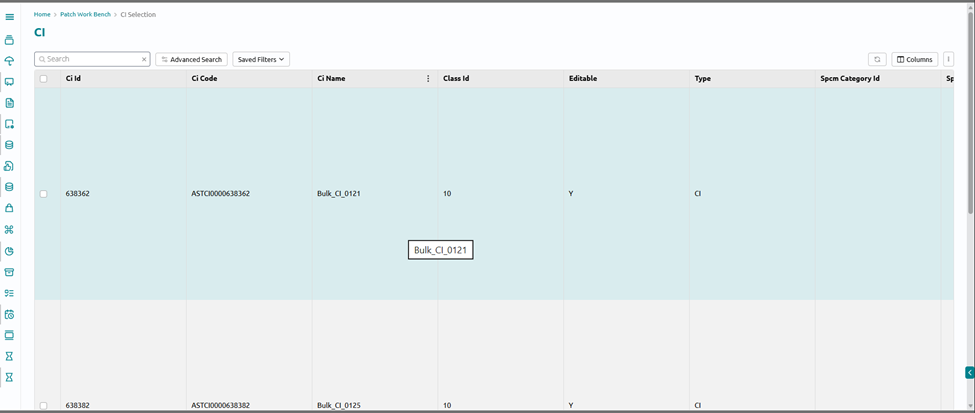
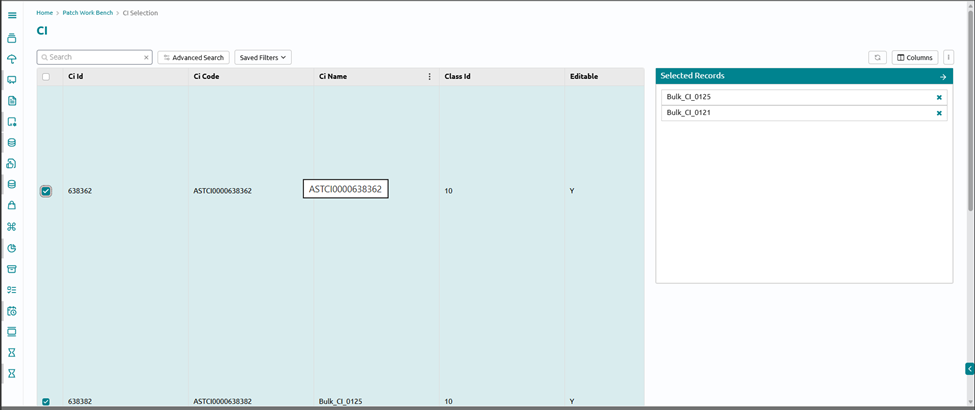
- User filters and selects one or more CIs from the CMDB list using Advanced filters or saved filters.
- The System fetches the applicable patches on those CI from the Patches data and takes the user to “ Create Patch change request”
- User reviews and fill in details related to change
- The user submits the patching request.
- A Change record is created with:
- Affected CIs populated
- Chosen patches attached or referenced
- Implementation and back‑out details templates pre‑filled based on patch type and policy.
Patch‑driven flow
Steps:
- The user opens Patch Workbench and selects “ Patch”.
- User filters and selects one or more patches from the CMDB patch catalog by advanced filters
- System automatically:
- Identifies the list of CIs where these patches are applicable (using Patch data)
- Populates the CI list section with target devices.
- User reviews
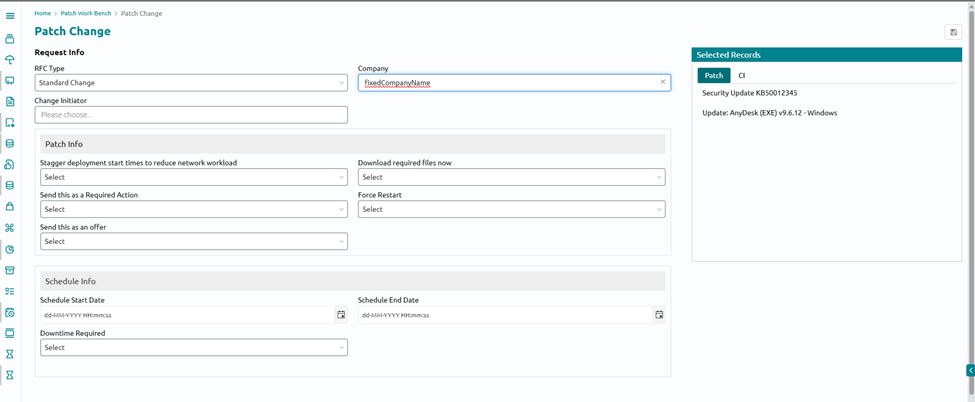
- Add more details related to change
- The user submits the patching request.
- A Change record is created with:
- Selected patches
- Derived list of affected CIs
- Implementation and back‑out details templates pre‑filled based on patch type and policy.
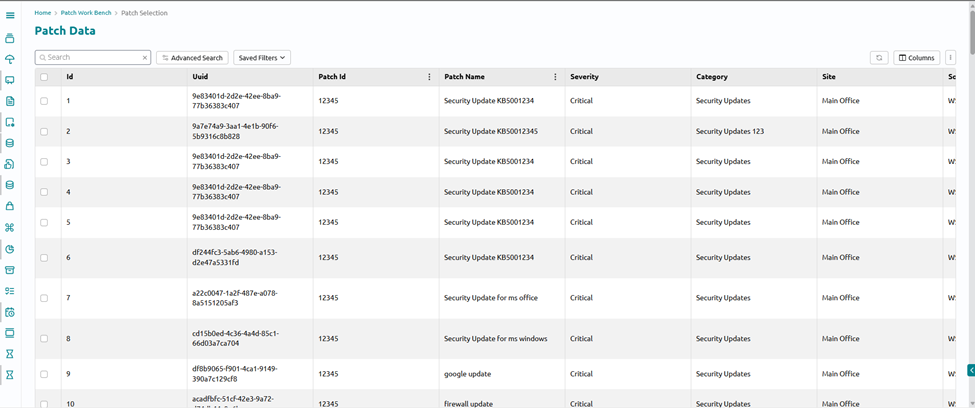
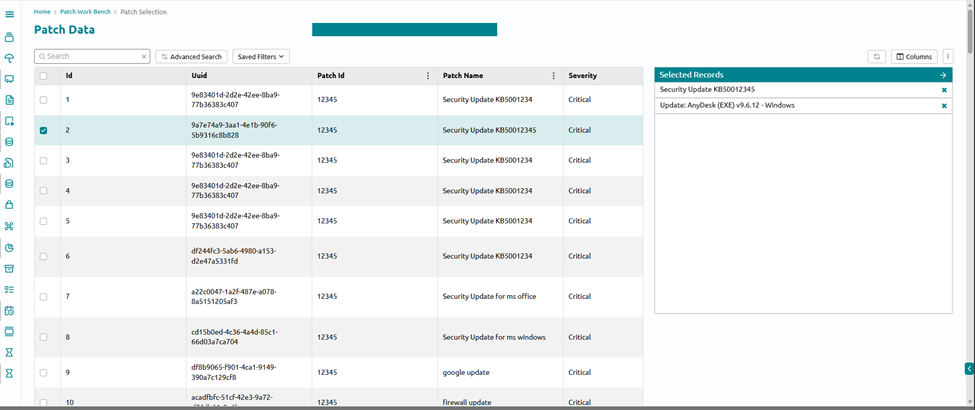
Create Change Screen
- After the user fills all the required details for the creation of change Request, The change will be created in Change Module. It will be sent for approvals if approvals are configured or required. Else it will be sent to IE
Integration with BigUEM via IE
Once the Change reaches the appropriate state (for example, “Scheduled” or “Approved”):
- Change Module calls the Integration Engine and passes the Patch change creation payload
- IE send the change payload to BigFix UEM and in response gets the Action ID
- IE saves the action id in change request external attributes
- Once the Change End time is past. IE polls the BigFix UEM status API to fetch the status of Patch Deployment
- The change request gets closed as per the status received “Successful , Partial or Failed.