Catalog Management
Multi-Currency Support for Service Catalog
Multi-currency pricing capability has been introduced for the service catalog, enabling global organizations to present services and components in locally relevant currencies while maintaining centralized service definitions.
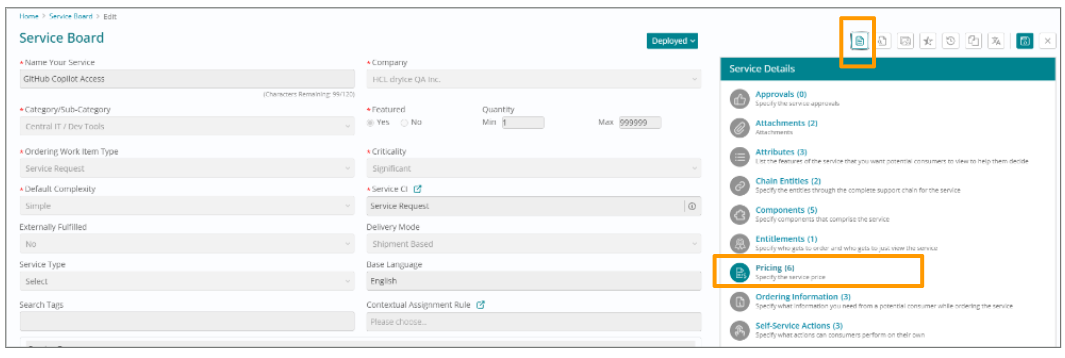
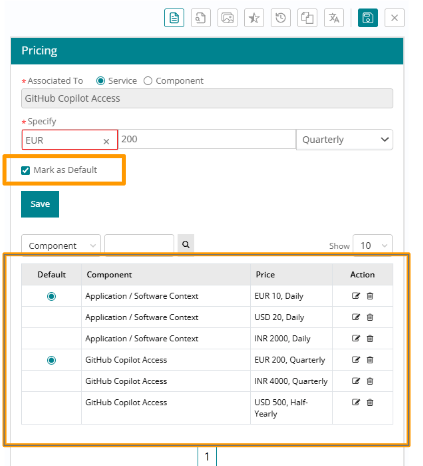
Catalog Managers can now define pricing for services and service components in multiple currencies within the 'Pricing' section of the Service Record. This eliminates the need to create duplicate service definitions for different regions or customer segments operating in different currencies.
While multiple price points can be added for various currencies, one currency must be designated as the Default. This default serves as the fallback when a user's preferred currency is not available or when no preference has been set.
When end users browse the service catalog, they are automatically displayed prices based on the currency preference configured in their User Profile. This creates a personalized, locally relevant catalog experience.
If a user's preferred currency is not defined for a specific component, or if no currency preference is set in their profile, the price will display in the designated Default currency.
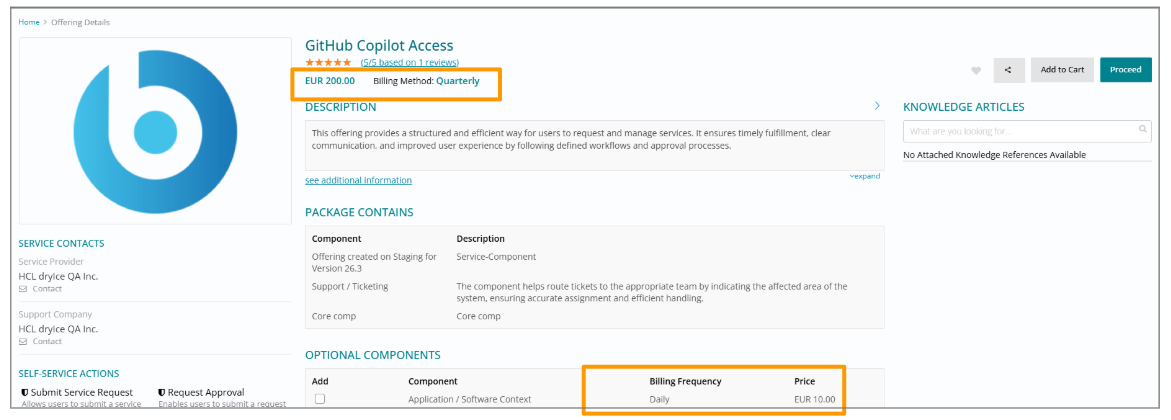
Global service catalog management from a single source of truth, improved user experience through localized pricing presentation, elimination of manual currency conversion errors, support for region-specific pricing strategies while maintaining service consistency, simplified catalog management, accurate budget and approval workflows using user's local currency, and enhanced financial reporting.
Service Offering Publish and Expiry Dates
Catalog Managers can now schedule Service Offerings for publishing and expiry by setting a Publish Date and Expiry Date.
- Only future dates are allowed, and the Publish Date must precede the Expiry Date.
- Select the Auto-publish or Auto-expire checkbox to automatically move the Service Offering to 'Published' or 'Suspended' status on the respective dates. Manual action is required if these options are unchecked.
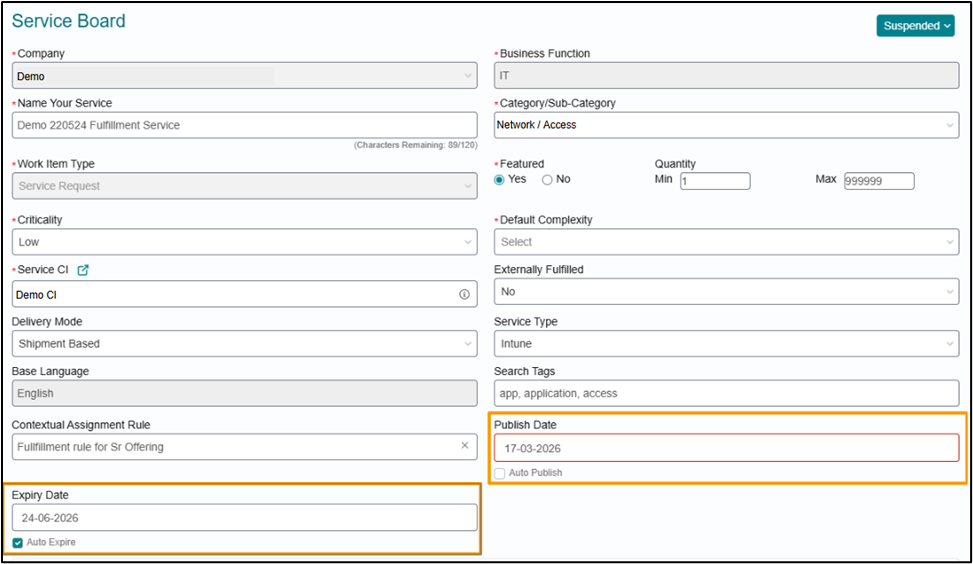
Reminders for Publish and Expiry of Service Offerings
Catalog Managers can set up scheduled reminders for approaching Publish or Expiry dates directly within the 'Reminders' section of Service Details.
- Select the date for which you need a reminder, specify the number of days before you wish to be reminded, and select a frequency.
- Reminder notifications are sent to the Service Offering creator (To), the Service Owner (CC), and the user who last updated the service (CC).
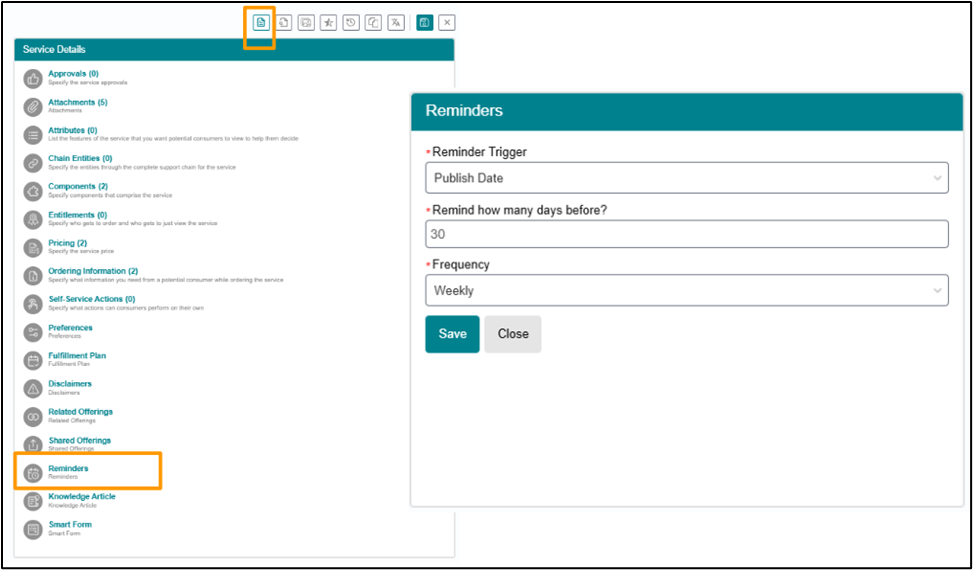
Controls are in place to ensure a valid frequency is selected based on the lead time. You will be prevented from selecting a frequency that exceeds the available lead time.
Available Frequencies and Allowed Lead Time:
| Lead Time (days) | Allowed Frequencies |
| ≥ 30 | Daily, Weekly, Fortnightly, Monthly |
| ≥ 15 and < 30 | Daily, Weekly, Fortnightly |
| ≥ 7 and < 15 | Daily, Weekly |
| < 7 | Daily only |
User Type added as Data Source
User type has been added as a Predefined Data Source. When catalog managers configure service offerings, they can set up a question to get User type info from the end users during the ordering process.
Preserved Dependent Question Mapping on Parent Question Edit
Updating responses in a parent question no longer requires manual retagging of dependent (child) questions.
- Adding New Responses: When a new value is added to a parent question's dropdown, dependent questions automatically retain their existing tagged values.
- Editing Existing Responses: When an existing response in a parent question is edited, the respective values in the dependent questions are automatically updated.
CI Pricing on Service Board
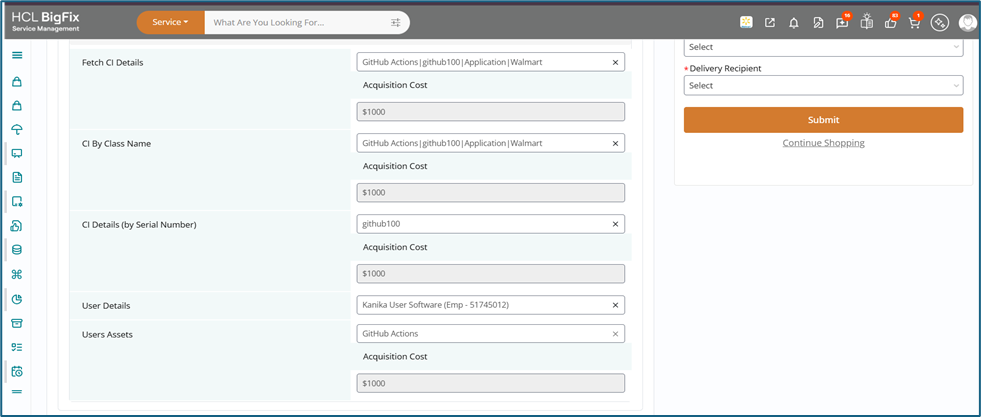
The purpose of this feature is to enable events such as the trigger and integration mechanism for fetching pricing data of Configuration Items (CIs) from CMDB/Asset Board systems and reliably populating the Pricing Information (PI) section of Service Offering against the particular CI.This feature works automatically updated without manual intervention
The CI acquisition cost can be filled in CMDB CI form under the field “Acquisition Cost”
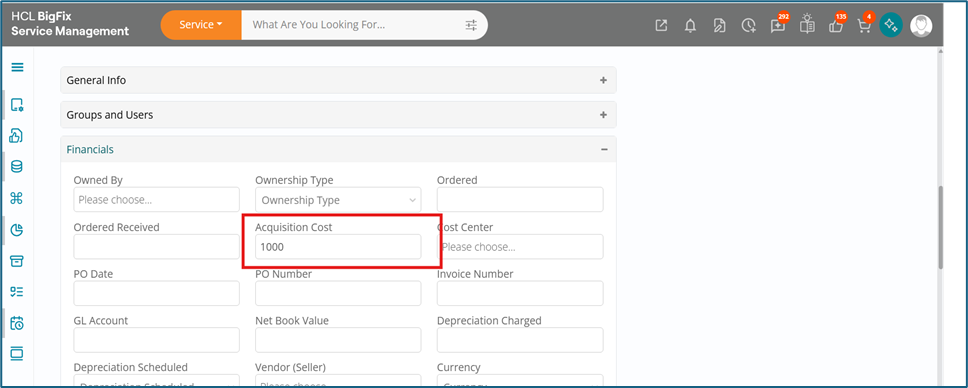
This information can be fetched in the PI section of an offering against a question. For Ex- if there is a question to select CI and the acquisition cost can be displayed automatically