Analytics & Reporting
Hyperlinks in Reports & Dashboards
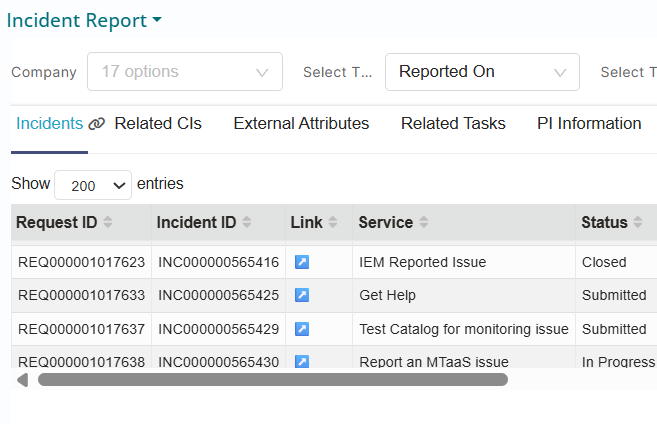
Dynamic hyperlinks can now be embedded within Analytics reports, allowing users to navigate directly from dashboard visualizations to detailed record views for Incidents, Problems, Changes, Fulfillment requests, Tasks, CMDB Configuration Items, and Knowledge articles.
This capability transforms static analytical reports into interactive operational tools, enabling users to drill down from aggregated metrics to the underlying transactional records with a single click. Report consumers can now investigate anomalies, validate data, or take action on specific records without leaving their analytical context.
Company-Specific Reports and Dashboards
Reports and dashboards can now be created and viewed per company, instead of being visible to all authorized users on an instance. Reports are company-isolated by default, with visibility extended only via C2C (Company-to-Company) or U2C (User-to-Company) relationships, and access is role-based: Report Users can only view reports and dashboards; Report Managers and Administrators can view dashboards and the configuration page and create/edit reports for their own and associated companies; Report Admins can additionally create/edit reports for the Default Company.
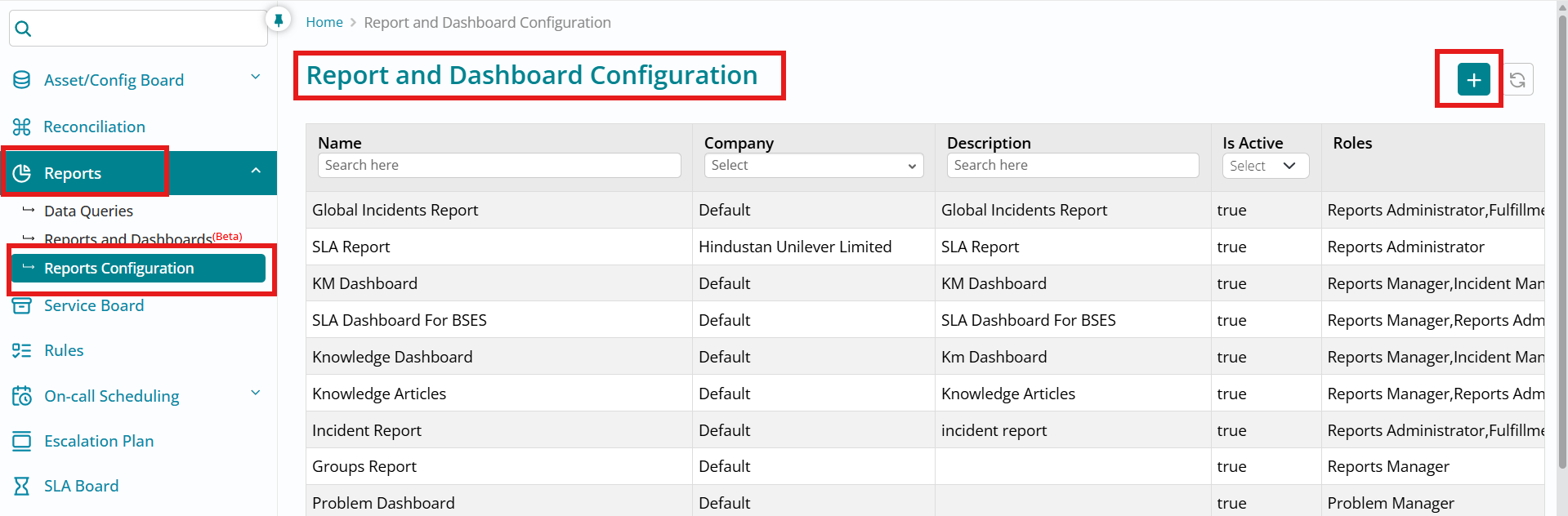
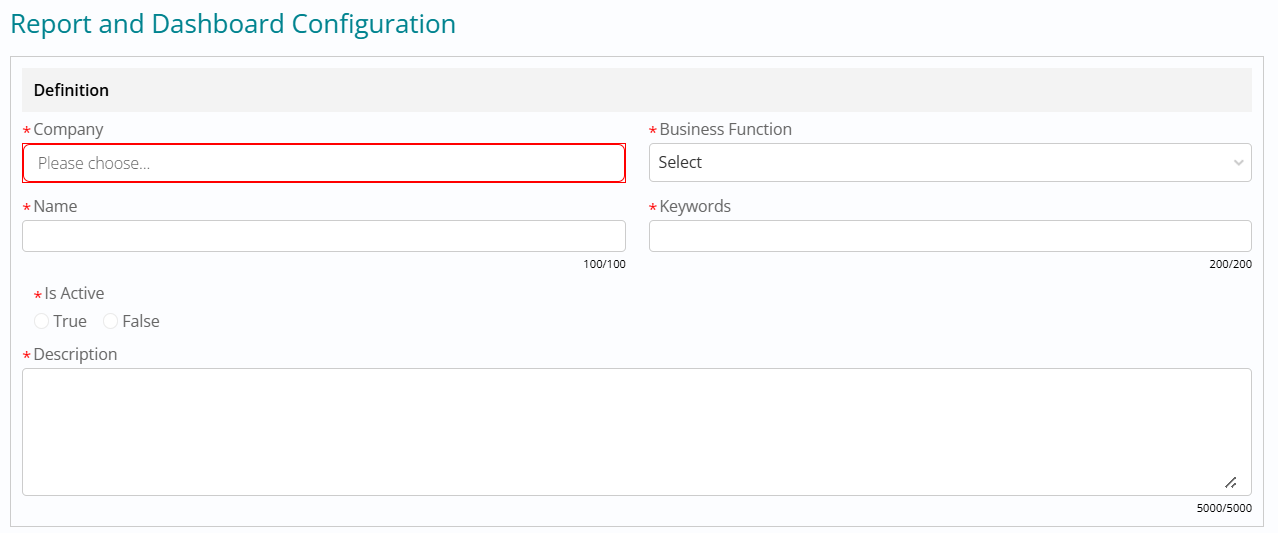
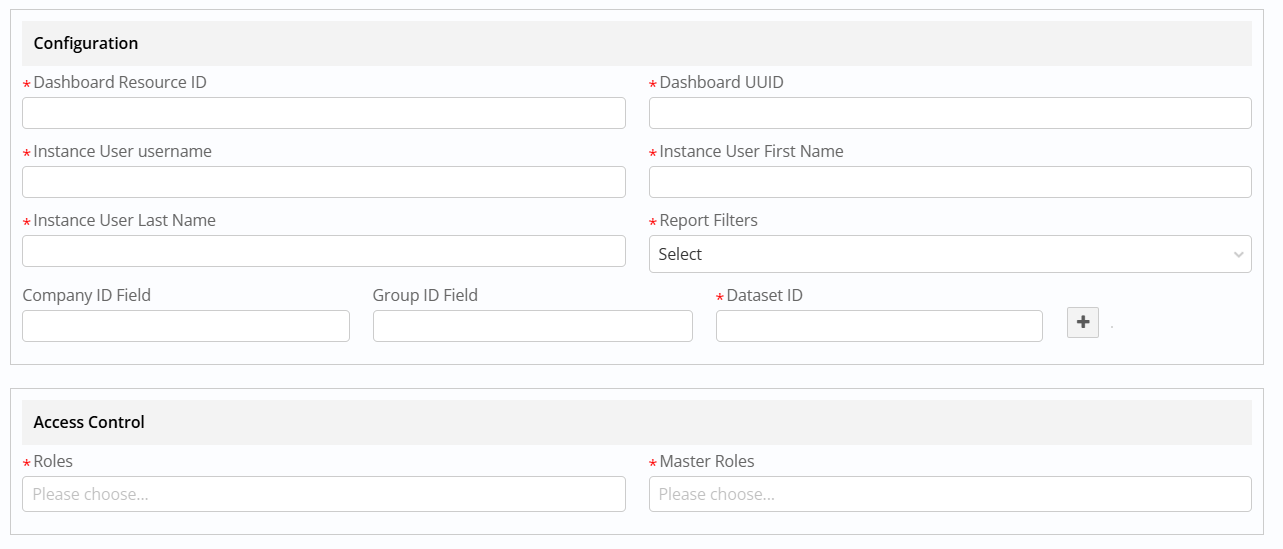
On the Create Report configuration page, users (with permission) define report name, company, type, filters, and other parameters, and can now also use the new Company, Keyword, and Description fields—where Company controls which users (self + associated) can see the report, Description is shown on the Reports and Dashboards page, and Keywords support searching within that page.
Once saved, the report appears on the Reports and Dashboard page under Custom for company-specific reports or Default for platform reports, with only Report Admins allowed to create or edit Default Company reports.

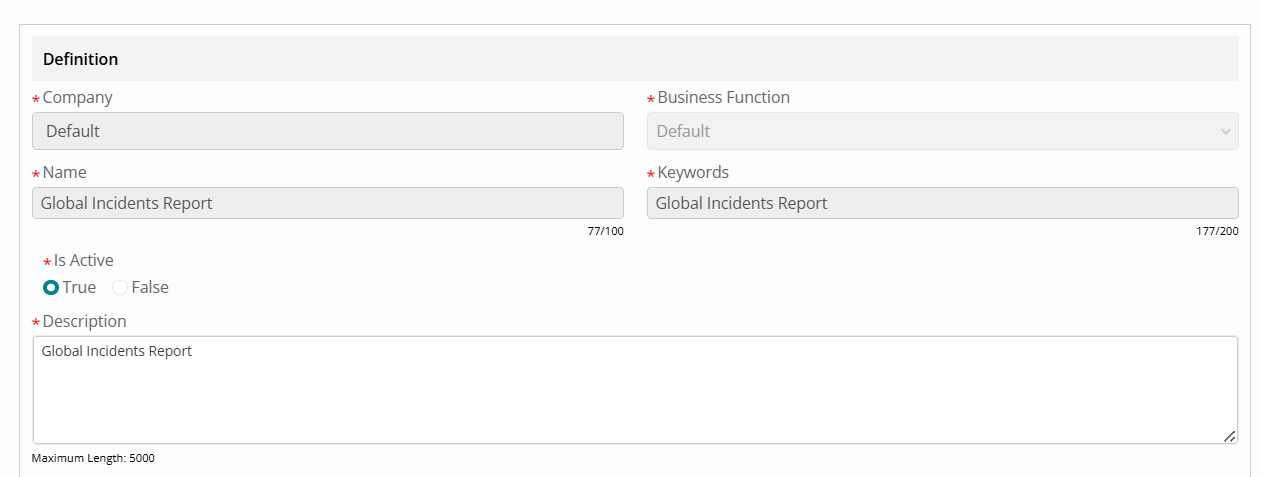
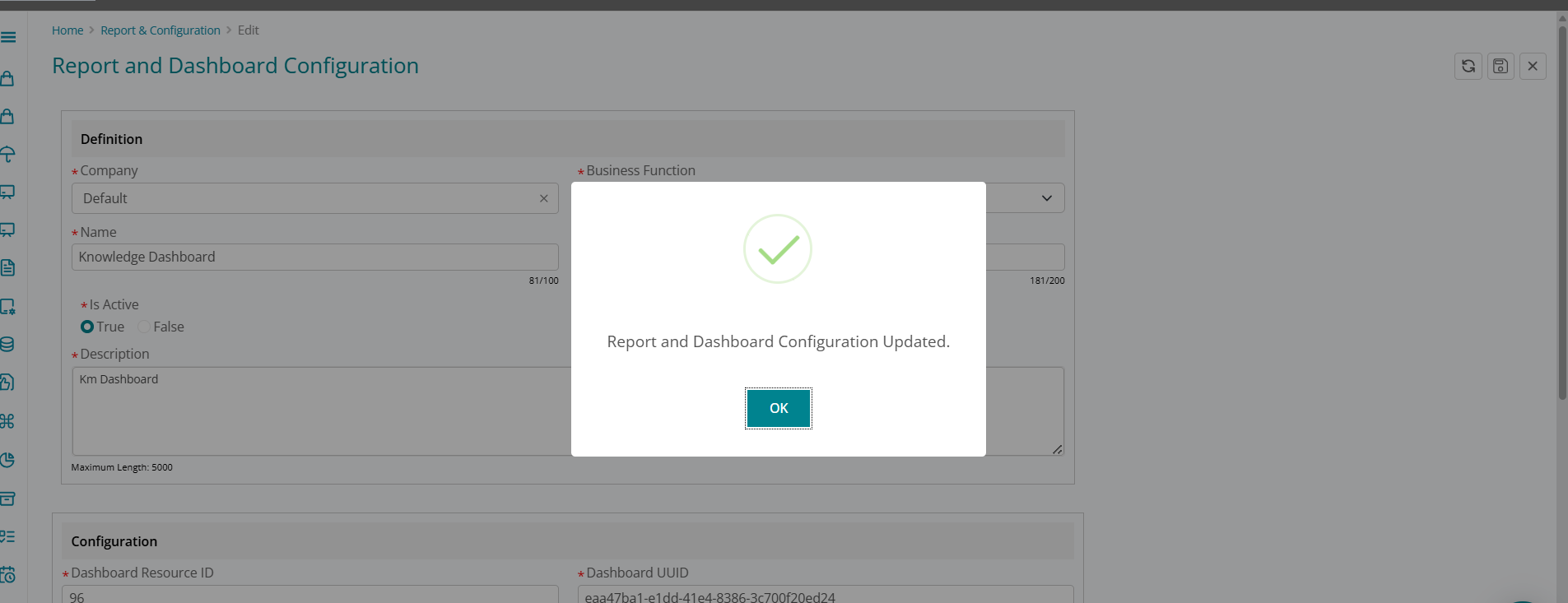
The Edit Report page lets authorized users update existing report configurations (name, type, filters, keywords, description, etc.), with changes reflected immediately across Reports and Dashboards. For Default Company reports, only limited attributes (such as status and description) can be modified, whereas for company-specific reports all attributes except the Company field are editable by Report Admins or Report Managers, preserving tenant isolation while still enabling flexible reporting setup.
Report Sequence Starting From 1
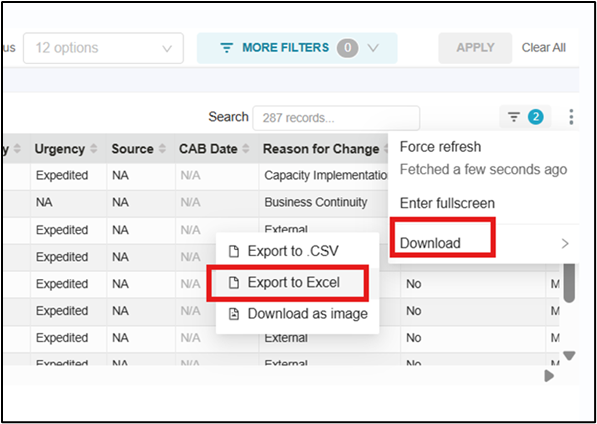
Exported reports are now more user-friendly and aligned with business expectations. Technical sequence columns that previously started from 0 have been removed from report outputs where they held no business relevance. This enhancement ensures cleaner, more intuitive reports, improving readability and overall user experience.
Scheduled Report Delivery
- Navigating to Alerts & Reports
Once you log in to Superset, the "Alerts & Reports" section is in the top navigation bar.
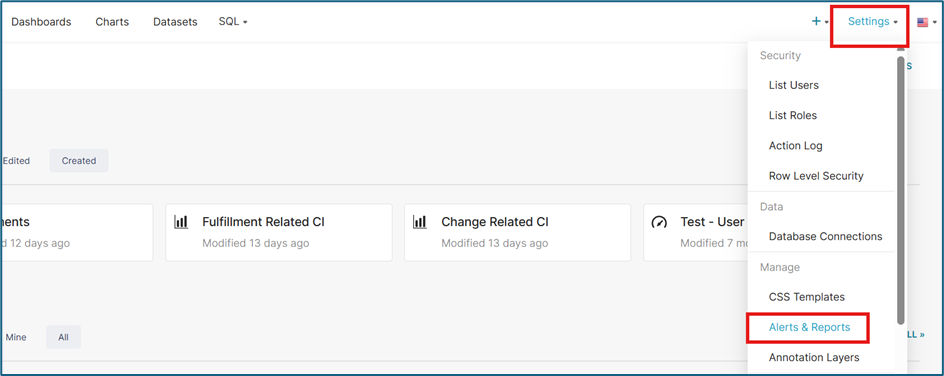
- Click on the Settings gear icon or the Settings menu in the top right.
-
Select Alerts & Reports from the dropdown list
- Creating a New Report Schedule
On the Alerts & Reports page, you will see a list of existing configurations. To create a new one:
- Click the + REPORT button (usually located in the top right corner).
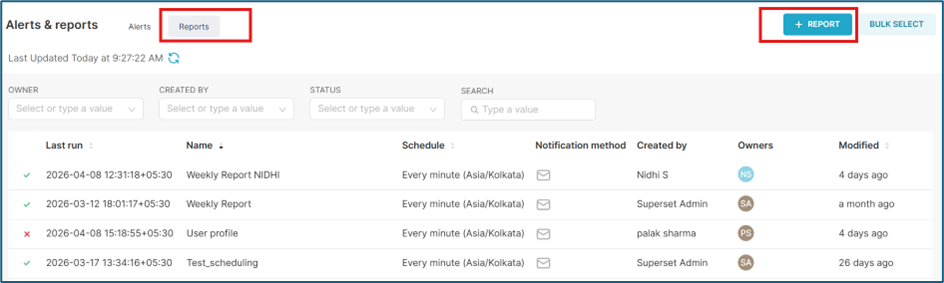
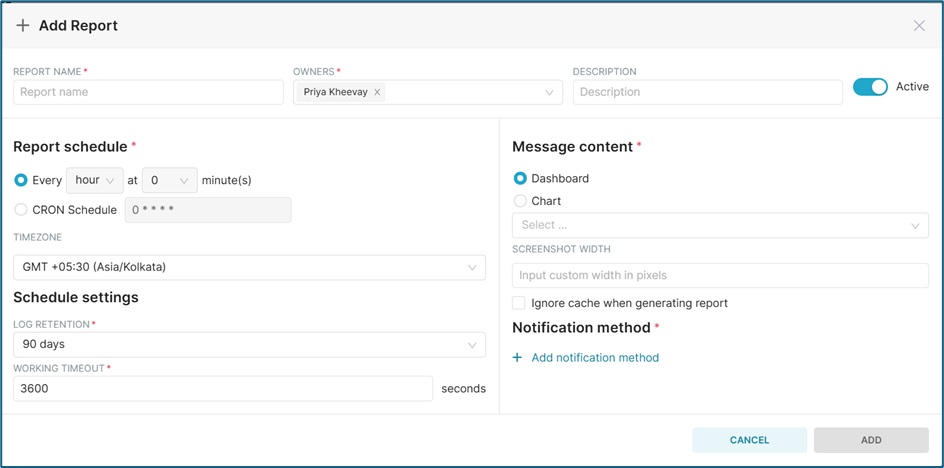
- A configuration form will appear. Fill in the following key sections:
- Click the + REPORT button (usually located in the top right corner).
General Information
- Name: Give your report a descriptive name (e.g., "Weekly Sales Summary").
- Owners: By default, you are the owner. You can add other admins here.
-
Description: (Optional) Brief notes on what this report contains.
Content Configuration
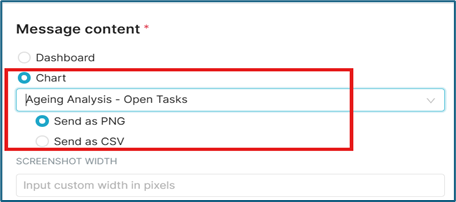
- Content Type: Choose either Dashboard or Chart.
- Source: Select the specific Dashboard or Chart you want to send from the dropdown.
Setting the Schedule (Frequency)
Superset v3 uses Frequency or CRON expressions for precise scheduling.
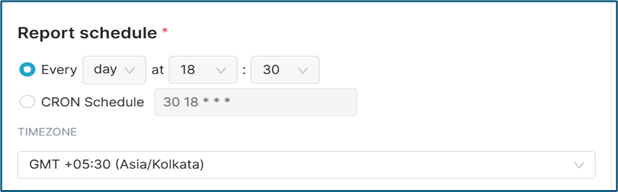
- Every : Select the required Frequency
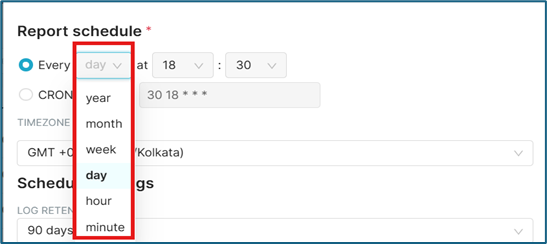
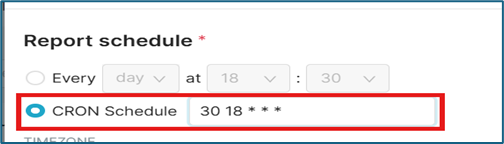
- CRON Schedule: Enter a CRON expression.
- 0 9 * * 1 — Every Monday at 9:00 AM.
- 0 0 * * * — Every day at midnight.
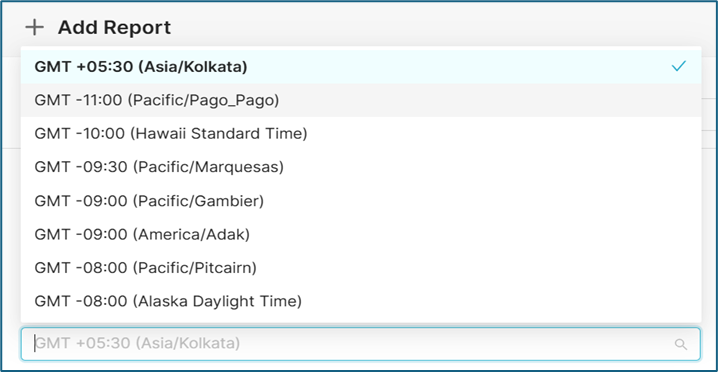
- Time zone: Ensure you select the correct time zone (e.g., UTC or your local time)
so the report arrives when expected.
 Tip:
Tip:If you aren't familiar with CRON, use external tool to generate one.
- Notification Method & Formats
This is where you define how and to whom the report is delivered.
Delivery Method
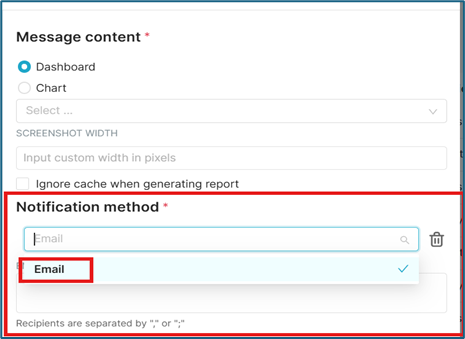
- Email: Enter the recipient's email addresses (separated by commas or semicolons).
- Slack: If configured, you can send reports directly to a Slack channel.
Note:BigFix Service Management offers only scheduling via Email at the moment.
Allowed Formats
Dashboards : Dashboards are sent as image embedded in the email body . Only first tab of the Dashboard is sent in the email .
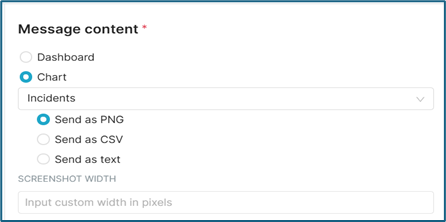
Charts: You can choose how the data is presented in the email:
- Visualization (Image): A high-quality PNG screenshot of the dashboard/chart.
- CSV: A raw data export (best for Charts where the recipient needs to manipulate the numbers).
- Saving Alert :
Once all the details are added click on ADD button at the bottom of the configuration screen . The added schedule will appear in the list under Reports section .

Activate the schedule to enable sending the scheduled emails containing the report details.
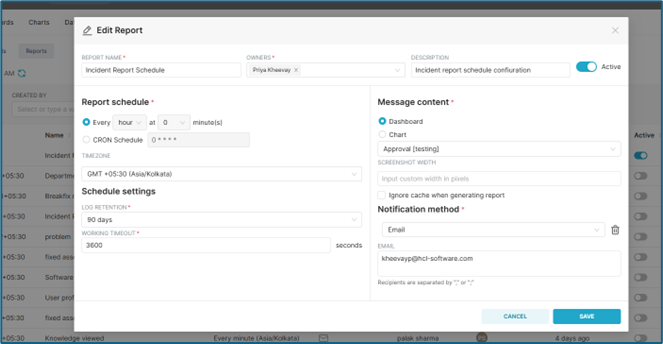
Edit Alerts and Reports :
Click on the edit action for the alert you want to edit

Configuration screen will open to allow the users to edit
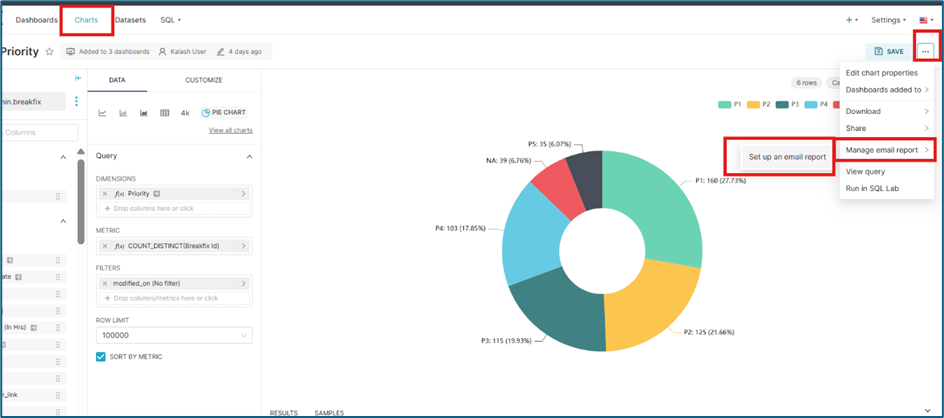
- Scheduling via Charts tab
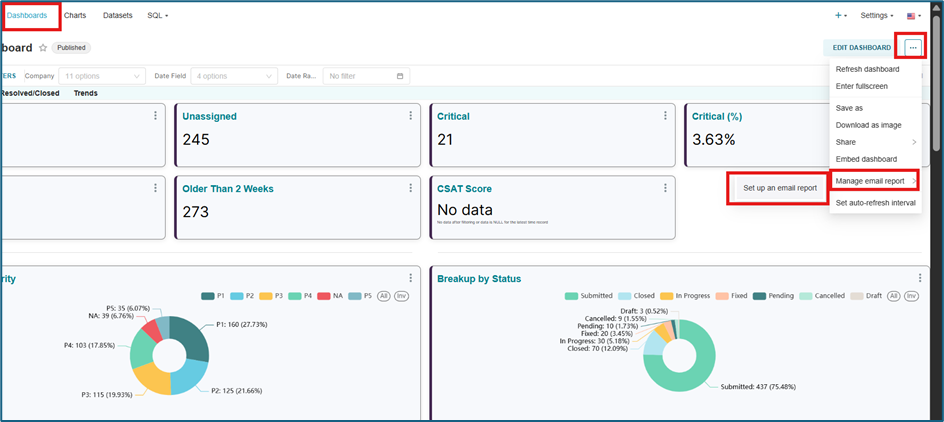
- Click on the Charts Tab on the homepage at the top .
- Choose the Desired Chart and open it
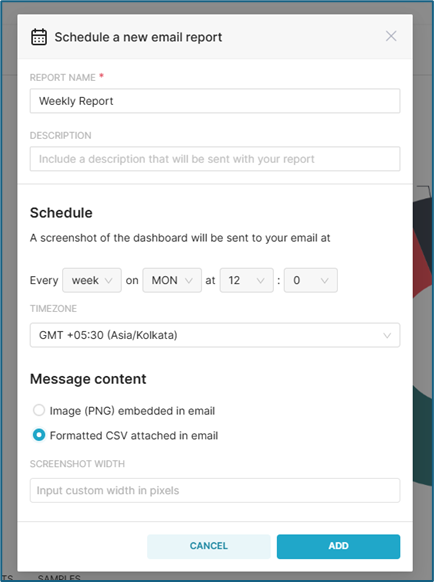
- Click on the Ellipses menus > Manage email report > Set up an email report
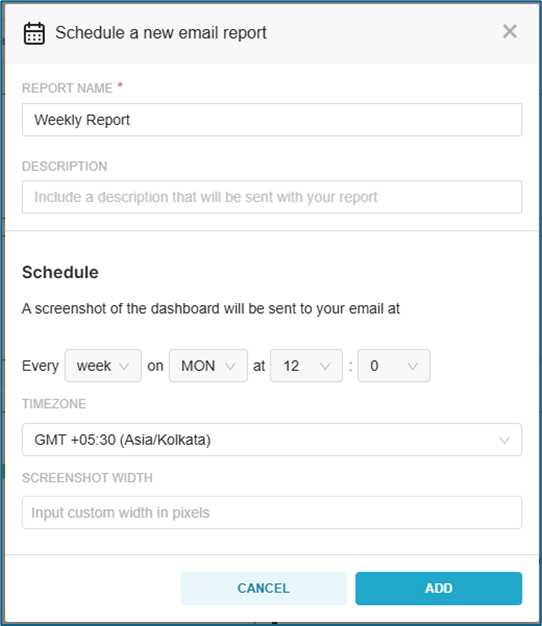
- Set the required confirmation for schedule and click on ADD button
 Scheduling via Dashboards Tab
 - Click on the Dashboards Tab on the homepage at the top .
- Choose the Desired Dashboard and open it
- Click on the Ellipses menus > Manage email report > Set up an email report
- Set the required confirmation for schedule and click on ADD button
Note:Only first tab will be sent in the email as image.