AI- powered Service Management (AISM)
MCP (Model Context Protocol) Integration Gateway
BigFix Service Management now includes a conversational assistant experience leveraging MCP Server capabilities to perform ITSM tasks directly within the interface. Instead of navigating multiple forms and modules, users can simply describe what they need in natural language—such as creating an incident, updating a change, or checking an approval—and the assistant executes the action securely on their behalf.
This enhancement is powered by a Large Language Model (LLM) connected via MCP (Model Context Protocol), which acts as a smart bridge between the assistant and BigFix Service Management tools. MCP allows the AI to safely translate user intent into specific BigFix Service Management API calls across Incidents, Changes, Problems, Tasks, Approvals, CMDB, Knowledge, Foundation, and Service Catalog modules, turning BigFix Service Management into an intelligent, conversational service desk.
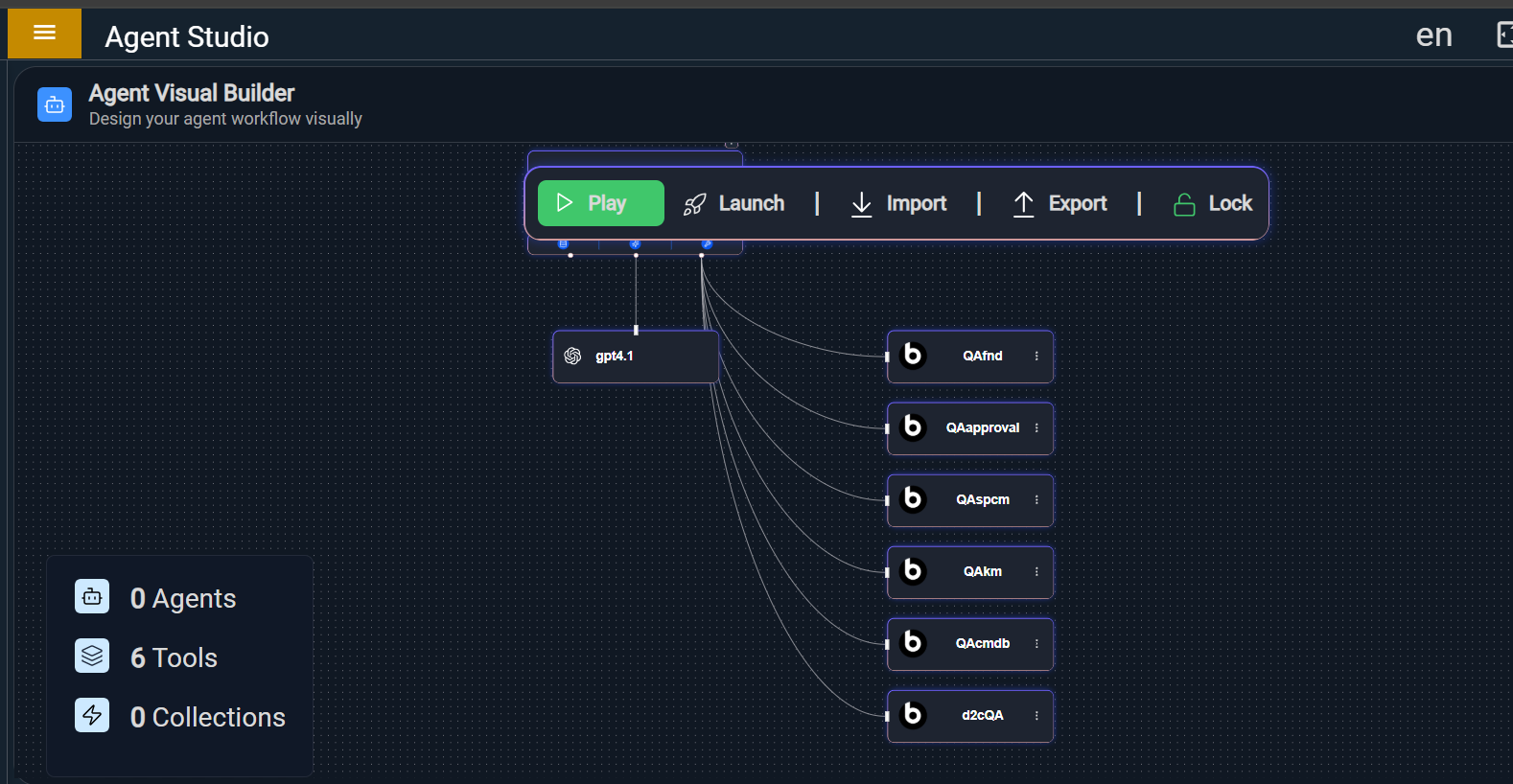
When a user enters a request in the conversational Assistant window, it sends the prompt to the Agent Studio, which determines the right tool to use and routes the instruction through the MCP Server. MCP then invokes the relevant BigFix Service Management API (for example, to create an incident, fetch an approval, or update a CI), and the result is returned to the same conversational pane so the user can immediately see the outcome and continue the interaction.
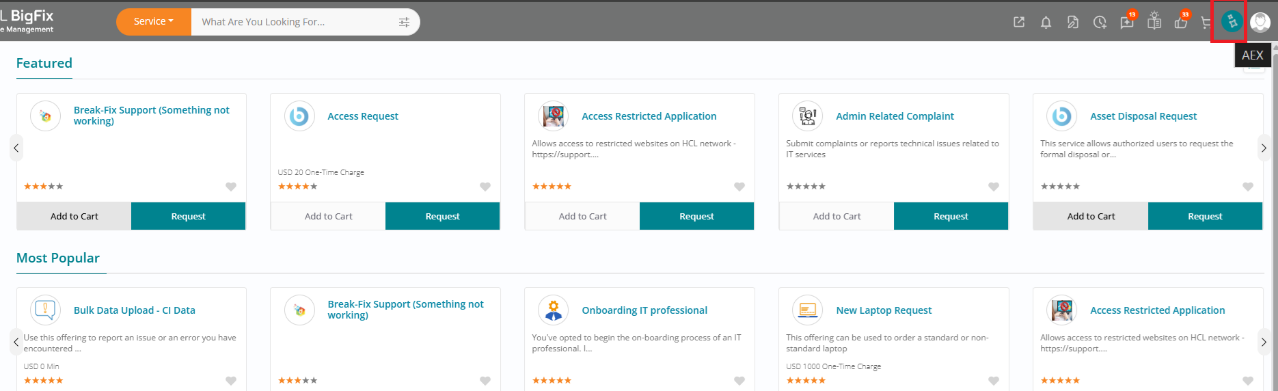
The conversational assistant is fully embedded in the BigFix Service Management UI and is accessible from the BigFix Service Management home page. With no extra installation or separate console required, users can open the assistant window from the top-right of the page, type requests in plain English, and let the AI handle the underlying workflows, record updates, and lookups.
With this release, the MCP integration covers seven major BigFix Service Management tool packages, allowing users to work across D2C (Incidents, Changes, Problems, Service Requests), Task Management, Approvals, CMDB, Knowledge Management, Foundation, and Service Catalog through simple prompts. Typical actions include creating and updating tickets, adding or viewing comments and attachments, linking related work items and CIs, managing tasks, and acting on approvals—all without leaving the chat interface.
The assistant brings strong productivity gains for service desk and operations teams by streamlining core workflows like incident and change handling, task management, and problem analysis. Front-line users can self-log and track issues, approvers can act quickly from chat, and knowledge authors can search, create, and update articles (including generating new articles from incidents or problems), speeding up resolution and reducing repeated effort.
For asset and service visibility, the integration extends to CMDB and Service Catalog, enabling users to look up and update CIs, view relationships, and link assets to work items via conversational queries. Users can also browse service offerings and receive deep links to relevant service requests, making it easier to discover and request the right IT and business services without needing to understand internal catalog structures.
To clearly articulate value, the release includes a capability matrix that maps what users can do with each module to the resulting business benefits. Examples include faster incident logging and resolution, streamlined change intake, faster root cause identification, reduced task backlogs, accelerated approval cycles, more accurate asset tracking, richer knowledge capture, improved assignment accuracy, and easier service request initiation.
With the MCP Server integration, users can interact with 7 major BigFix Service Management tool packages using simple, natural language commands:
| Tool Package | What It Covers |
| D2C (Incident, Change, Problem, Service Request) | Incidents, Changes, Problems, Service Requests |
| Task Management (TMS) | Tasks — create, update, comment |
| Approval | View and act on approval requests |
| CMDB | Configuration Item (asset) details and relationships |
| Knowledge Management (KM) | Knowledge articles — find, create, update |
| Foundation | User and group information |
| Catalog (SPCM) | Service catalog — browse offerings |
A clear overview of the full set of capabilities available in this release, what users can do with them, and the business value each delivers.
| Capability | What Users Can Do | Business Benefit |
| Incident Management | Create, view, and update incidents; add comments; link related work items; view attachments — all via natural language | Faster incident logging and resolution; less time spent navigating forms; front-line staff can self-log issues without IT help |
| Change Management | Create and update change requests with scheduling, descriptions, and status changes | Streamlines change intake; reduces back-and-forth between requestors and IT teams |
| Problem Management | Create and update problem records linked to recurring incidents | Helps IT teams identify and resolve root causes faster |
| Service Request | Create and track service requests; view related work items and CIs | Empowers employees to request IT services without knowing internal workflows |
| Task Management | Create, update, and comment on tasks with flexible filters | Reduces task backlog; keeps teams aligned without manual status chasing |
| Approval Workflow | View approval status; take action (approve/reject/refer back) directly from the chat | Speeds up approval cycles; approvers no longer need to log into multiple screens |
| CMDB (Asset Management) | Look up configuration items; update asset details; link CIs to work items | Ensures accurate asset tracking and better incident context with minimal effort |
| Knowledge Management | Search, create, and update knowledge articles; auto-generate articles from incidents | Builds the knowledge base faster; reduces repeat incidents by making solutions discoverable |
| User & Group Lookup | Find user profiles, active users, and group details by name or ID | Saves time in ticket routing and escalation; improves assignment accuracy |
| Service Catalog | Browse available service offerings and get direct links to submit requests | Makes it easy for users to find and request the right services without guesswork |
Security and governance are built into the MCP architecture: all actions executed via the assistant respect BigFix Service Management’s role-based authorizations, ensuring that users can only perform operations they are permitted to perform. The AI never directly accesses the database; it only interacts through predefined, secure APIs exposed as MCP tools, with all actions fully logged for audit and compliance, and the LLM kept separate from direct record manipulation.
This enhancement adds create knowledge with minimum input capability through MCP and Chat Assistant interactions, helping users complete common knowledge, CMDB, and task activities more quickly with natural-language driven actions.
How to Use
- Open Chat Assistant
- Type a simple request
Example Prompts
- “Create knowledge article for VPN issue”
- “Create KM for laptop not connecting to Wi-Fi”
System Behavior
- Auto-fills mandatory fields
- Applies default configurations (category, status, etc.)
- Creates a valid knowledge article
Benefits
- Speeds up knowledge creation with minimal user input.
- Reduces dependency on users knowing all mandatory fields.
- Encourages faster documentation through Chat Assistant.
Users can attach files to:
- Incident
- Change
- Problem
- Service Request (Fulfillment); enabling Faster file uploads, Better ticket context with No manual navigation required
How to Use
- Provide attachment command in Chat Assistant
- Select/upload file
Example Prompts
- “Attach file to INC00012345”
- “Upload screenshot to RFC00056789”
System Behavior
- Validates file size and format
- Uploads securely via MCP
- Links file to the correct record
Fetch relationships between Configuration Items (CIs); allowing better impact analysis & Improved troubleshooting.
How to Use
- Ask for CI relationships using Chat Assistant
Example Prompts
- “Show related CI for ASTCI00012345”
- “List CI relationships for application server”
System Behavior
Retrieves dependency and relationship data & Displays structured CI connections
Users can add comments to CMDB assets directly by Entering comment command via Chat Assistant.
Example Prompts
“Add comment ‘Server restarted’ to ASTCI00012345”
System Behavior
- Saves comment against asset
- Updates asset history
We can now fetch all comments linked to a CMDB asset by asking for comments via Chat Assistant.
Example Prompts
- “Show comments for ASTCI00012345”
As a response, it displays complete comment history, allowing the benefit of Full visibility of asset activity & Easier auditing.
By requesting for related KM articles to the Chat Assistant, user can Fetch knowledge articles related to:
- Incident
- Change
- Problem
- Service Request
Example Prompts
- “Show related knowledge articles for INC00012345”
- “Get KM for network issue”
The process in the backend Matches ticket details with KM articles & displays relevant suggestions, allowing Faster resolution, Promoting knowledge reuse.
Example Prompts
- “Link INC00012345 to KA000001234”
- “Suggest KM for this problem ticket”
User receives Suggested relevant KM articles and can allow user to confirm linking.
- Users can Retrieve all associated files with access to view/download files attached to CMDB assets by asking Chat Assistant for asset attachments. This feature enables Easy document access & Better asset documentation.
Example Prompts
“Show attachments for ASTCI00012345”
For Better task visibility & quick access to supporting files user can now fetch files attached to tasks.
A simple ask like “Show attachments for TSK00012345” will retrieve all task related files.