
Merge Entities
Mergers are a feature which is available to merge related entities. As data can be uploaded from different repositories, many a times the same entity is referred by different names across repository, so here those entities can be selected and merged and tagged by a common name, so that the details can be used while defining correlation rule to correlate data coming from different repository.
In that case if users use Entity (Master) from the fields list in the Group By field of the field of the correlation rule screen, all data associated to the entity across different data sources will be grouped together.
To know more about defining correlation rules refer to the Correlation Rules section.
- Click on the check boxes next to the entities to be merged. Like while deleting,
as entities are selected, all icons in the footer will be enabled.
Figure 1. Select Entities for Operation 
- Click on the Merge button.
Figure 2. Merged Entities 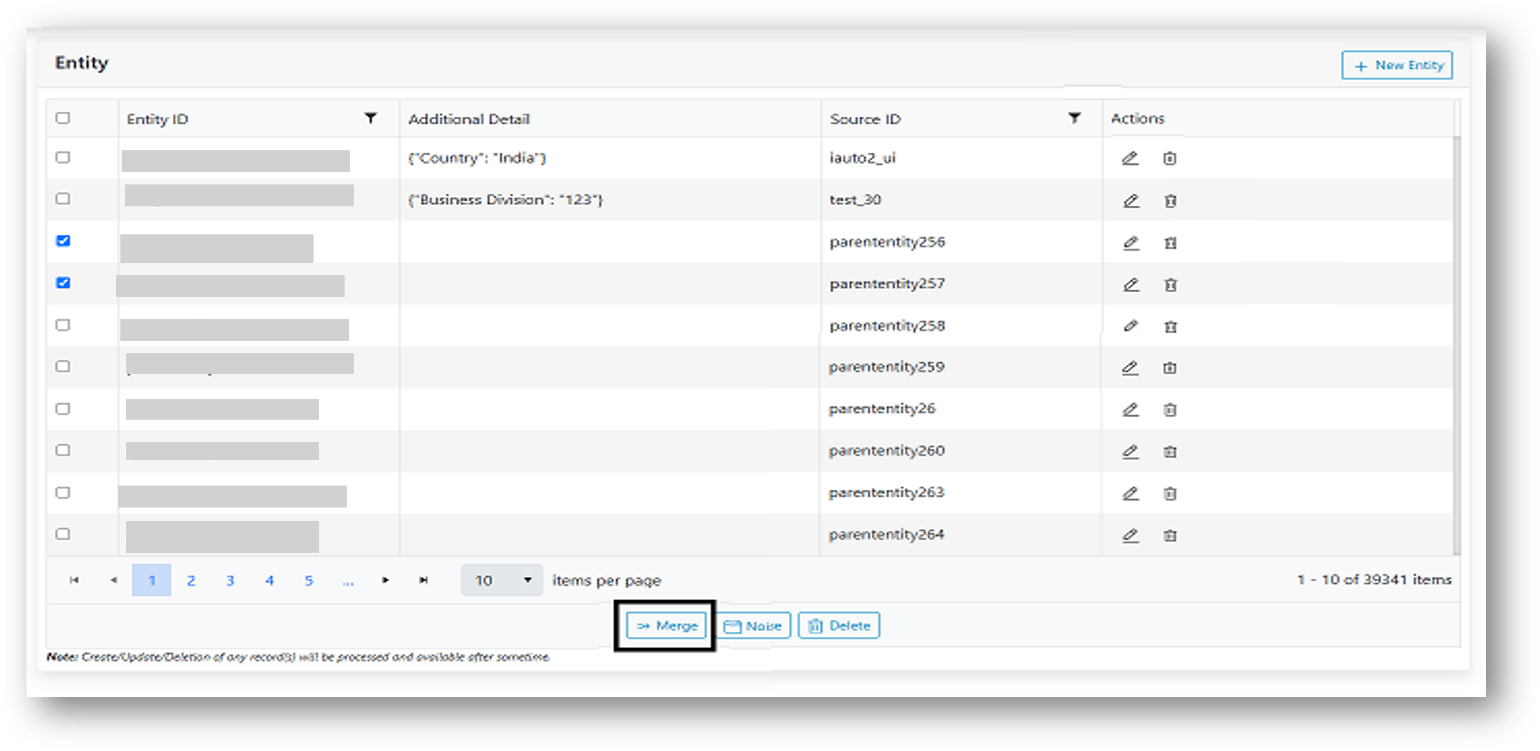
- A pop up appears with the names of all selected entities appearing in the dropdown.
Figure 3. Merge Rows 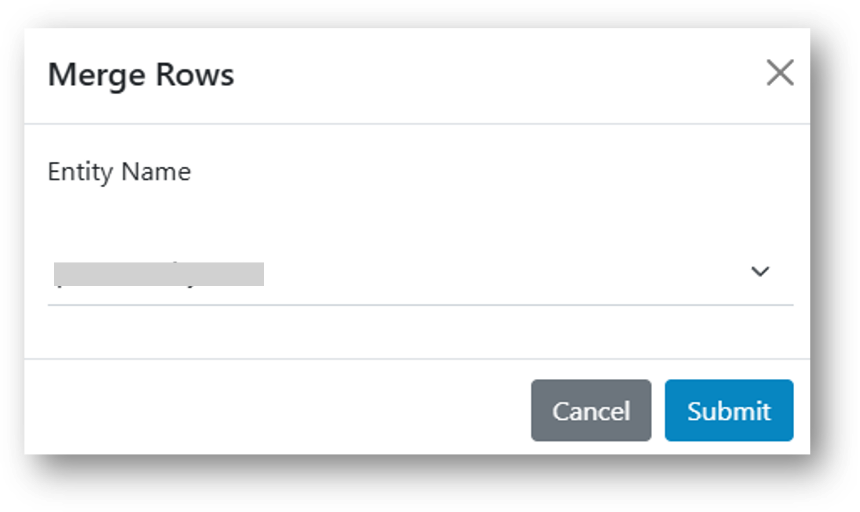
- Select the name which will be primarily used for identifying these selected entities. For example, parse any one of the entity names from the dropdown, so that selected entity names will be changed to the entity name which is selected in the dropdown.
- Click Submit, a confirmation box will be displayed.
Figure 4. Alert Message 
- Click Cancel and refresh the grid. All the entities, entity ID field will start appearing
the same.
Figure 5. Cancel Button .png) Note:
Note:Source entity field is not changed, just the entity name changes to the referenced entity name.