
Service Hierarchy
A service represents a business capability or functionality that is provided by the IT infrastructure.
A service is composed of various components, and there are dependencies between these components.
Understanding the relationships between components helps in mapping the service landscape and identifying potential points of failure.
In this section user define the service hierarchy. In here user create a service view and map it to the actual entities on which the alerts are created.
This helps in populating the customer specific service view enabling the user to view the impact of events getting generated in the environment on the services in his/her environment.
Like other screens the user can perform actions based on their role.
- Click the customer onboard section, for customer click on customer action edit
section. Click on the Service Hierarchy page, Records for the selected customer will be
displayed in the grid view as shown.
Figure 1. Service Hierarchy Page 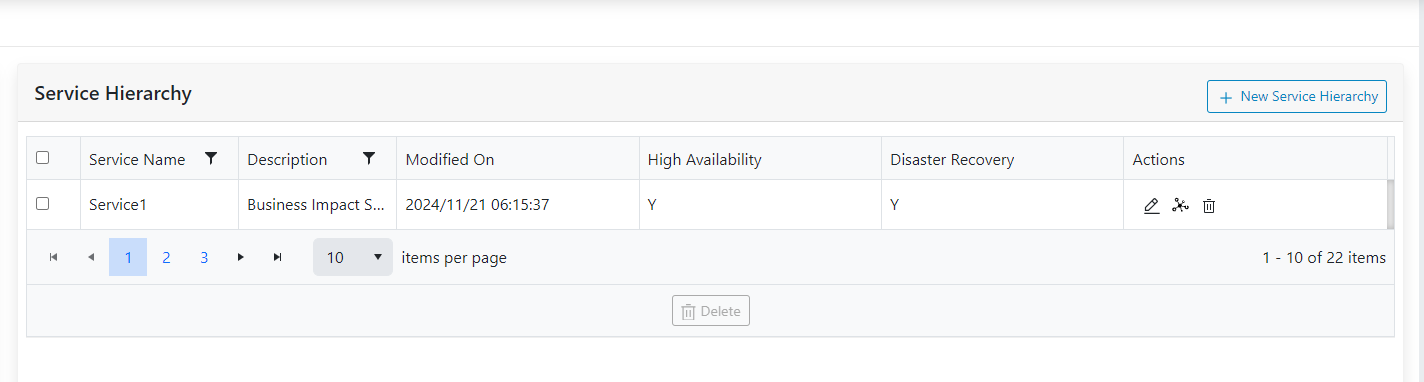
- Use the customer dropdown to change the customers and view data defined for it.
- The following actions can be performed on the page:
- Add New
- Edit
- Delete
- Manage Relationship and Entities
- Apply Filters