SSO Configuration
Single Sign-On (SSO) configuration in IEM refers to the setup and integration of a
Single Sign-On solution within the platform. SSO is a mechanism that enables users to access
multiple applications or services with a single set of credentials, eliminating the need to
remember separate usernames and passwords for each system. With SSO, users can establish a
secure method for authenticating users when they access IEM. Here, it is mainly used for SAML
Authentication for a customer.
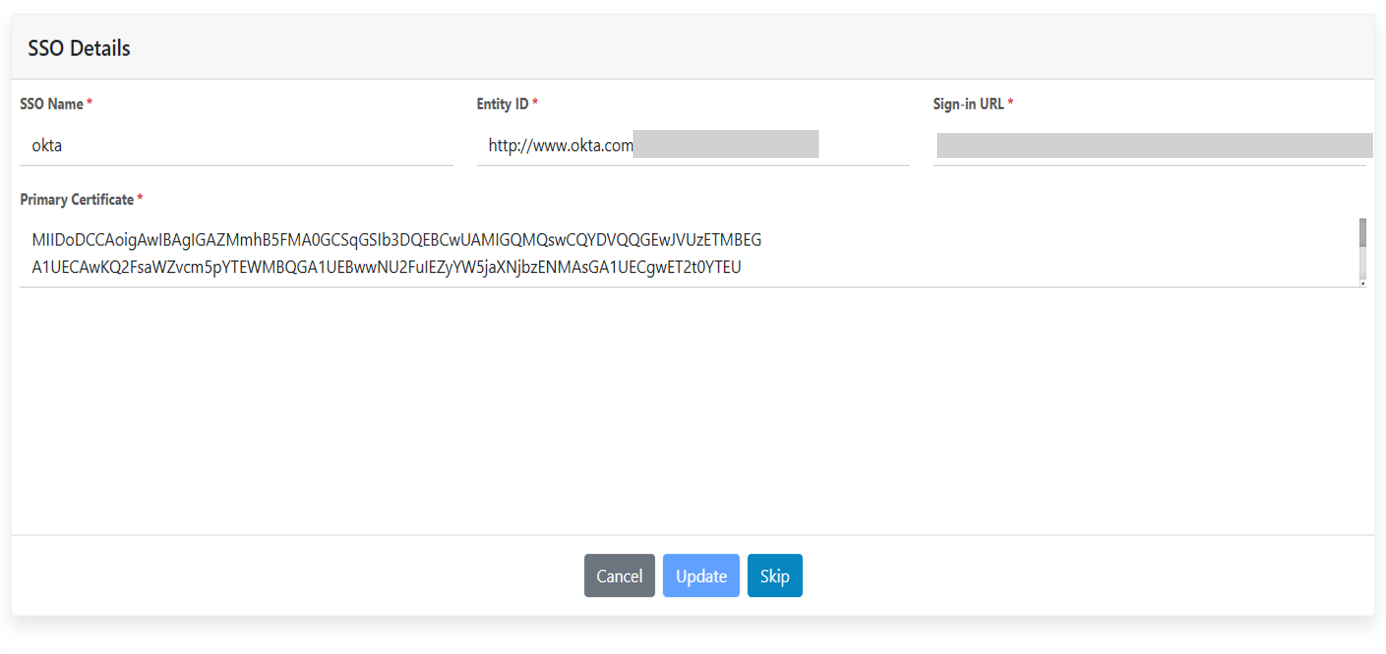
- When you click SSO Configuration, the new form will appear.
- In that form users need to add the relevant data required in the fields.
- Click on update. A confirmation message “Data updated successfully” is prompted to user.
- Click on the close button. Clicking on Skip takes the user to the Role screen.
Figure 1. SSO Configuration Page