Delete Entity
If the entities are wrongly mapped or created, or need to be removed, provision of bulk delete is available on the page.
- Click on the check boxes next to the entities to select the entity that is to be
deleted.
Figure 1. Entity Page 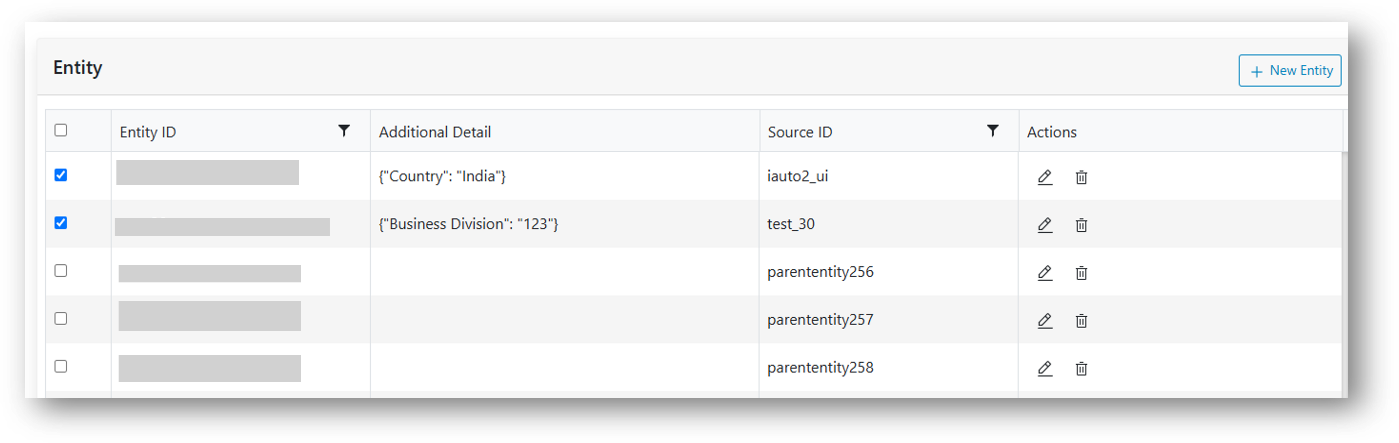 Note:
Note:Clicking the checkbox in the header will select all the entities displayed on the page.
- When the entities are selected, the available icons at the bottom of the grid get
enabled.
Figure 2. Delete Entities 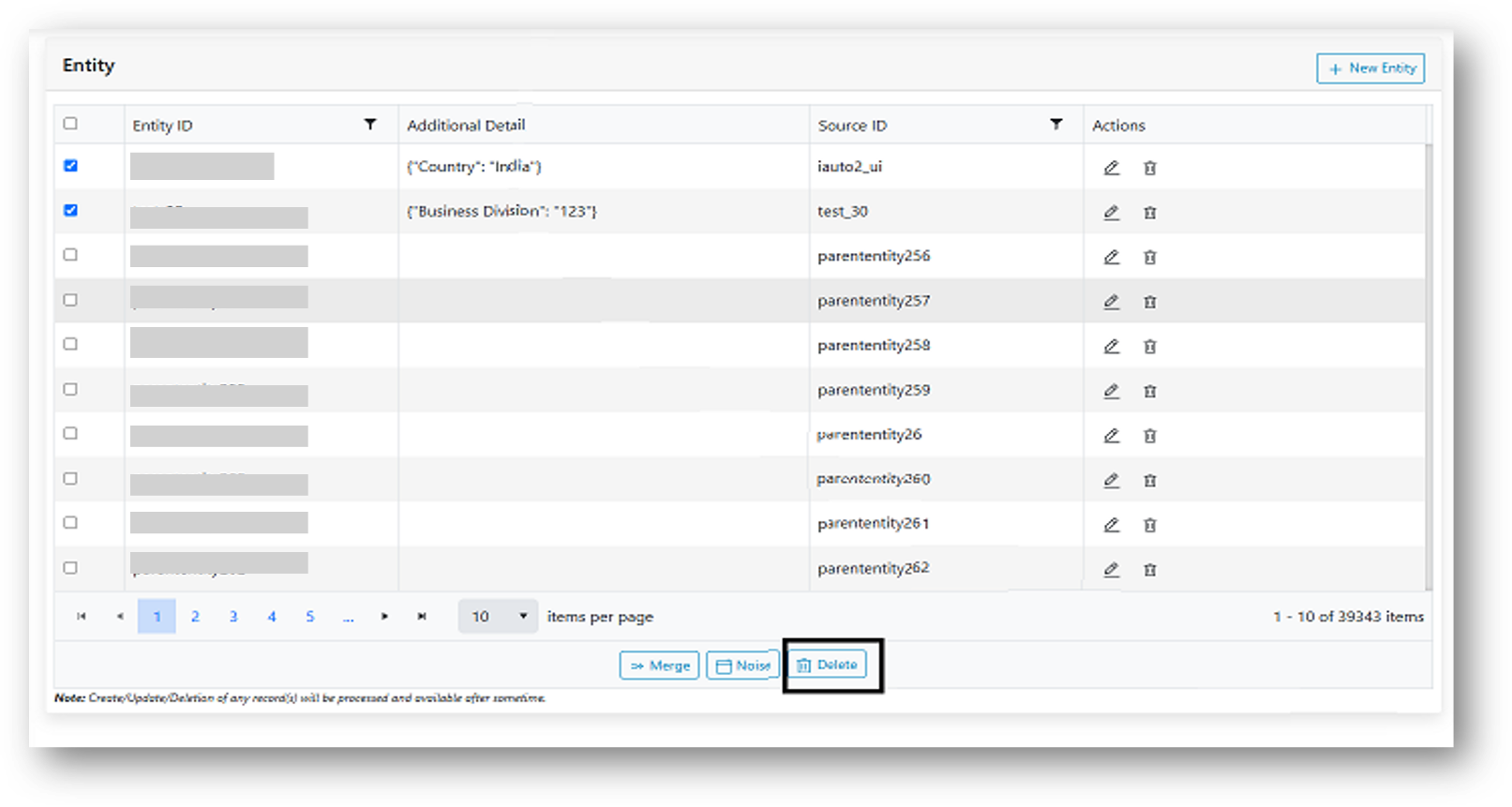
- Click on the Delete button. A confirmation box appears:
Figure 3. Confirmation pop-up. 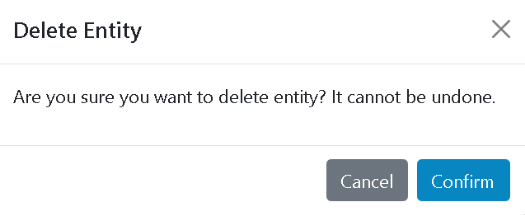
- If sure of the selected entities’ deletion, click Confirm else, click Cancel to revisit the selections made.
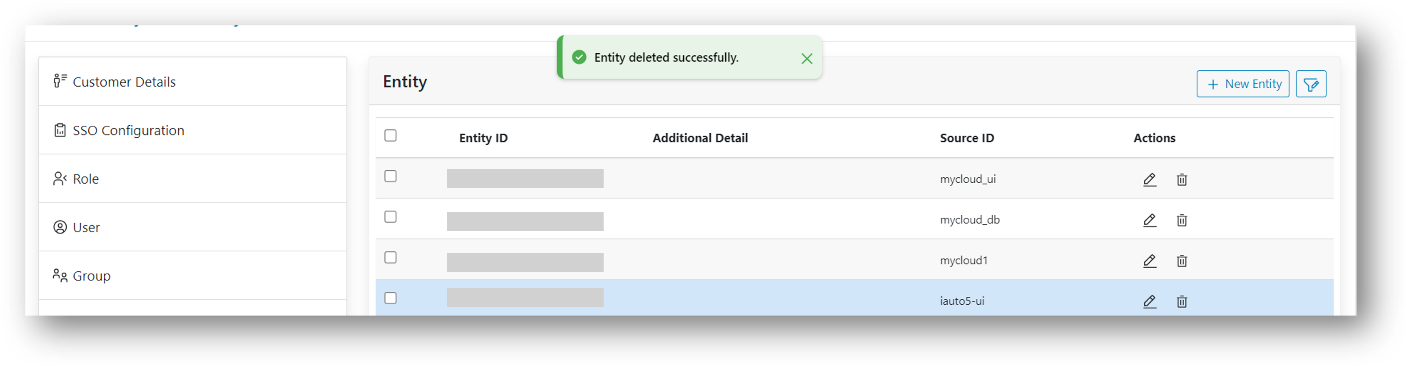
- As Confirm is clicked, deletion process gets started. On successful deletion of the records, the rows are removed from the grid and a confirmation message box is prompted.
- Click Close. The rows are no longer available in the grid.
Figure 4. Alert Message 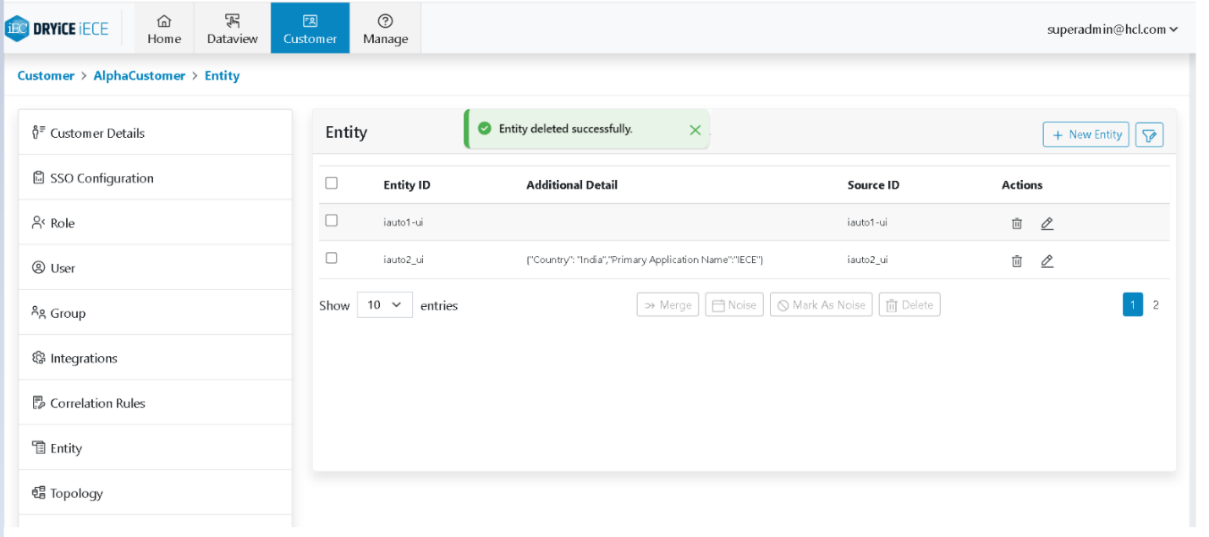
Figure 5. Entity Removed from the Data Grid