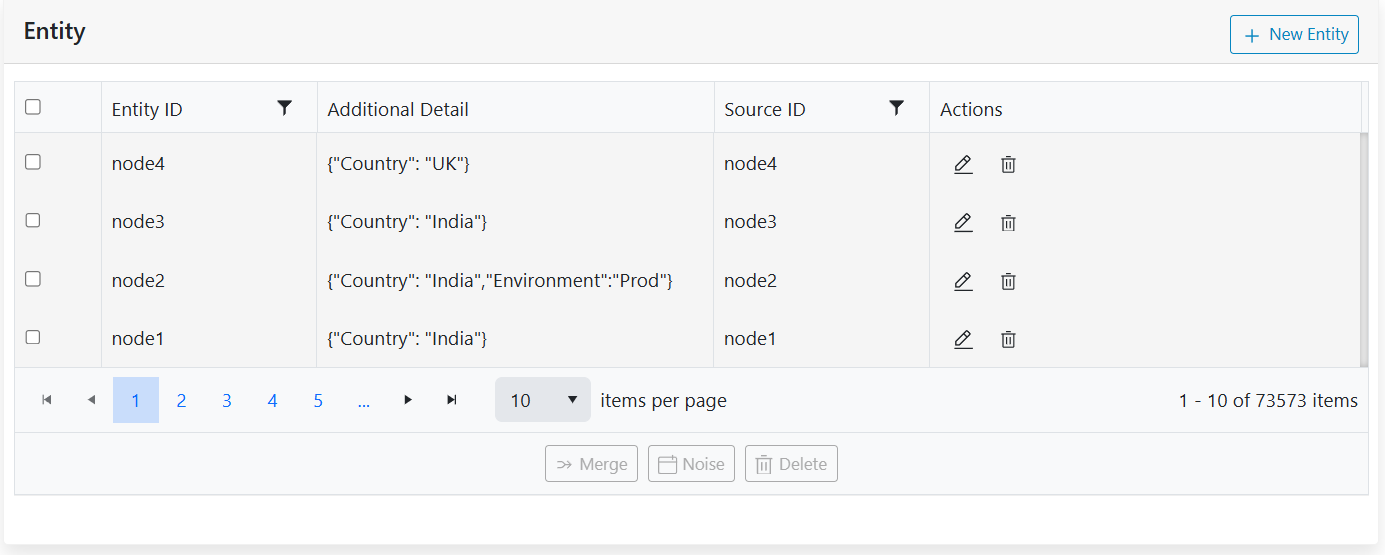
Edit Entity
Once the entities are added, the edit icon next to the entity record can be used to update its details.
- Click on the Edit icon next to the entity record which is to be updated.
Figure 1. Edit Entity 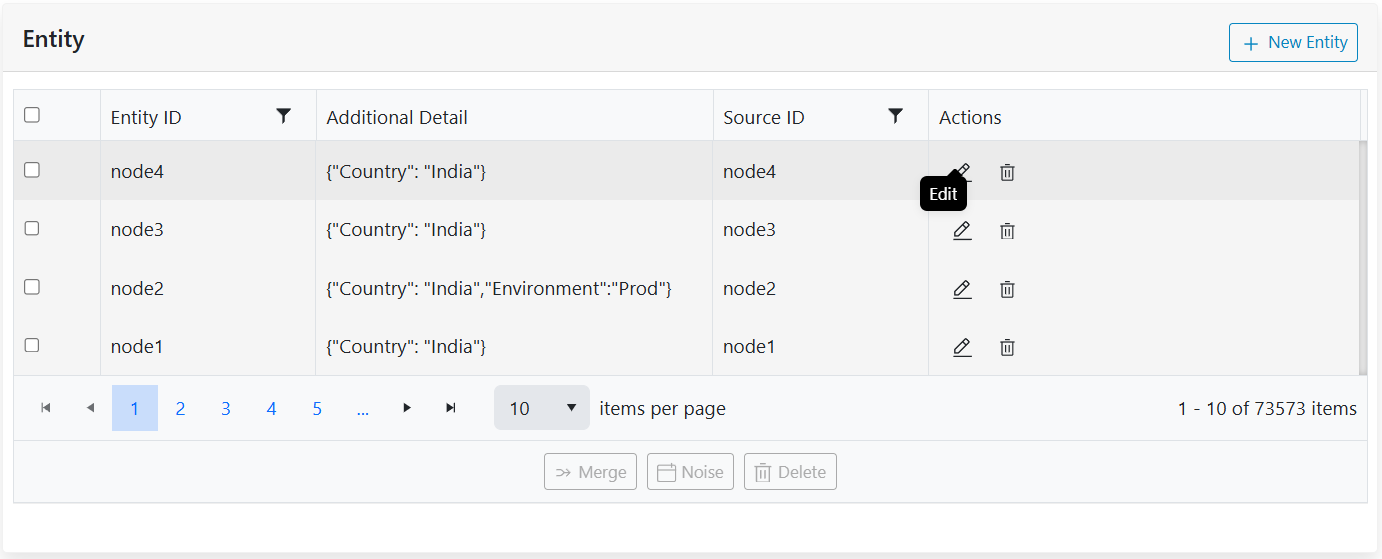
- The form appears filled with details. Users can add/edit/remove the additional details
options. For example, parse let’s add details of primary application, remove the state and
update country to UK. Post changes, the form appears as below:
Figure 2. Edit Details 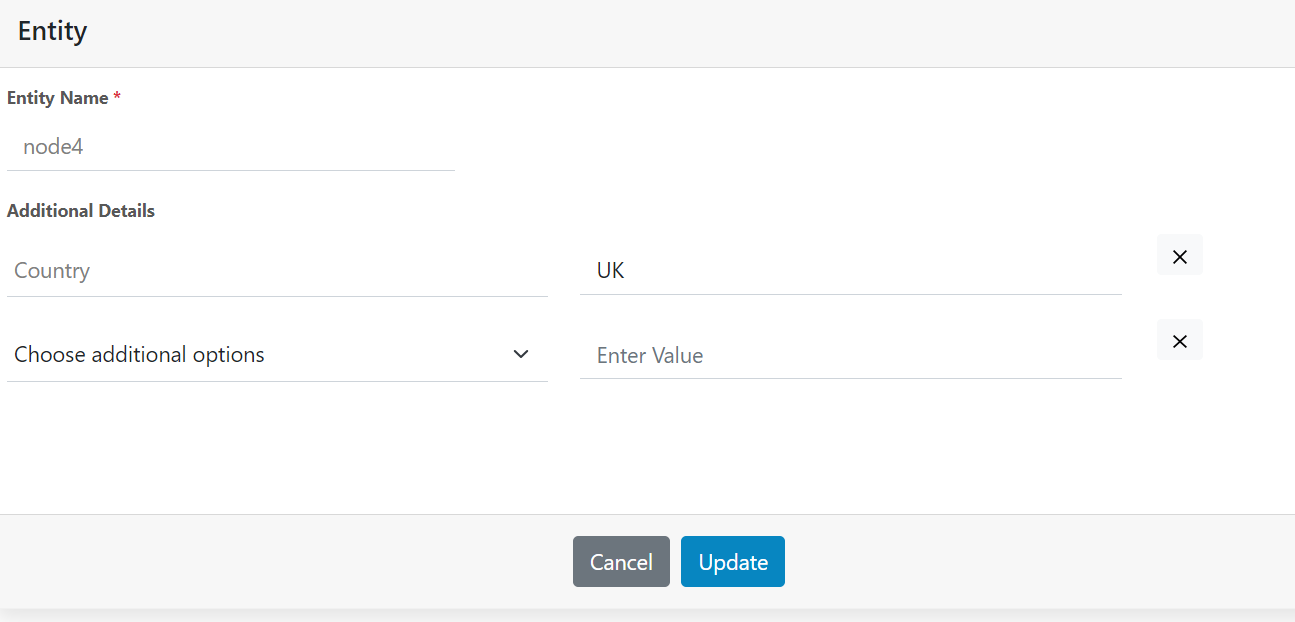
- Once complete click on Update. On successful update the following prompt is displayed.
Figure 3. Alert Message 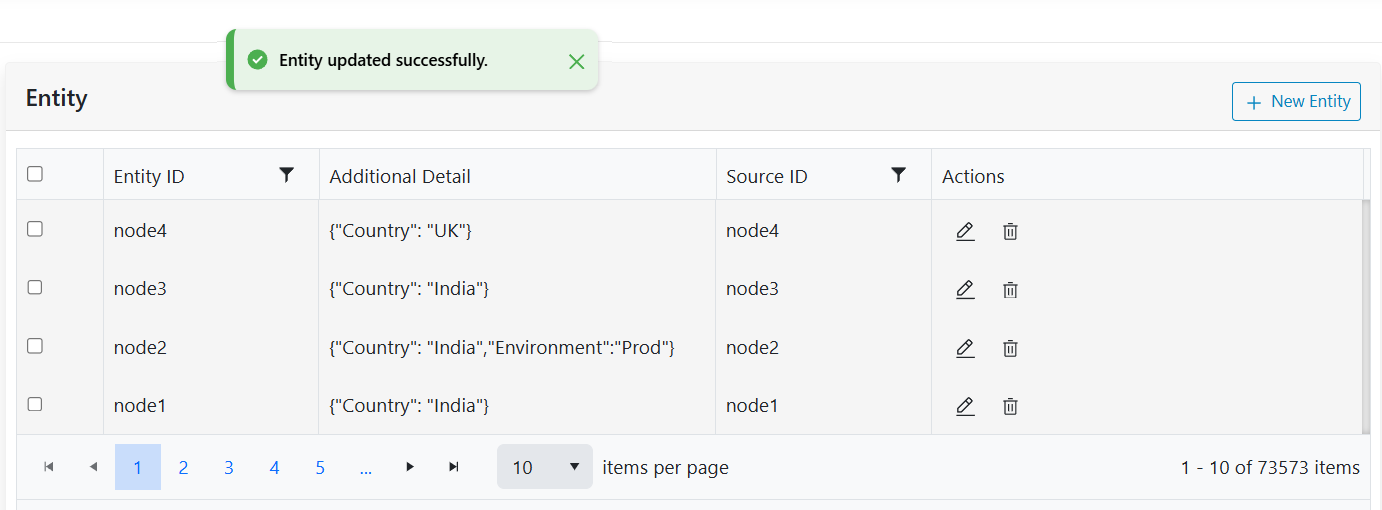
- Click on close, the updates will be visible in the grid view as shown below.
Figure 4. Grid View for Entity