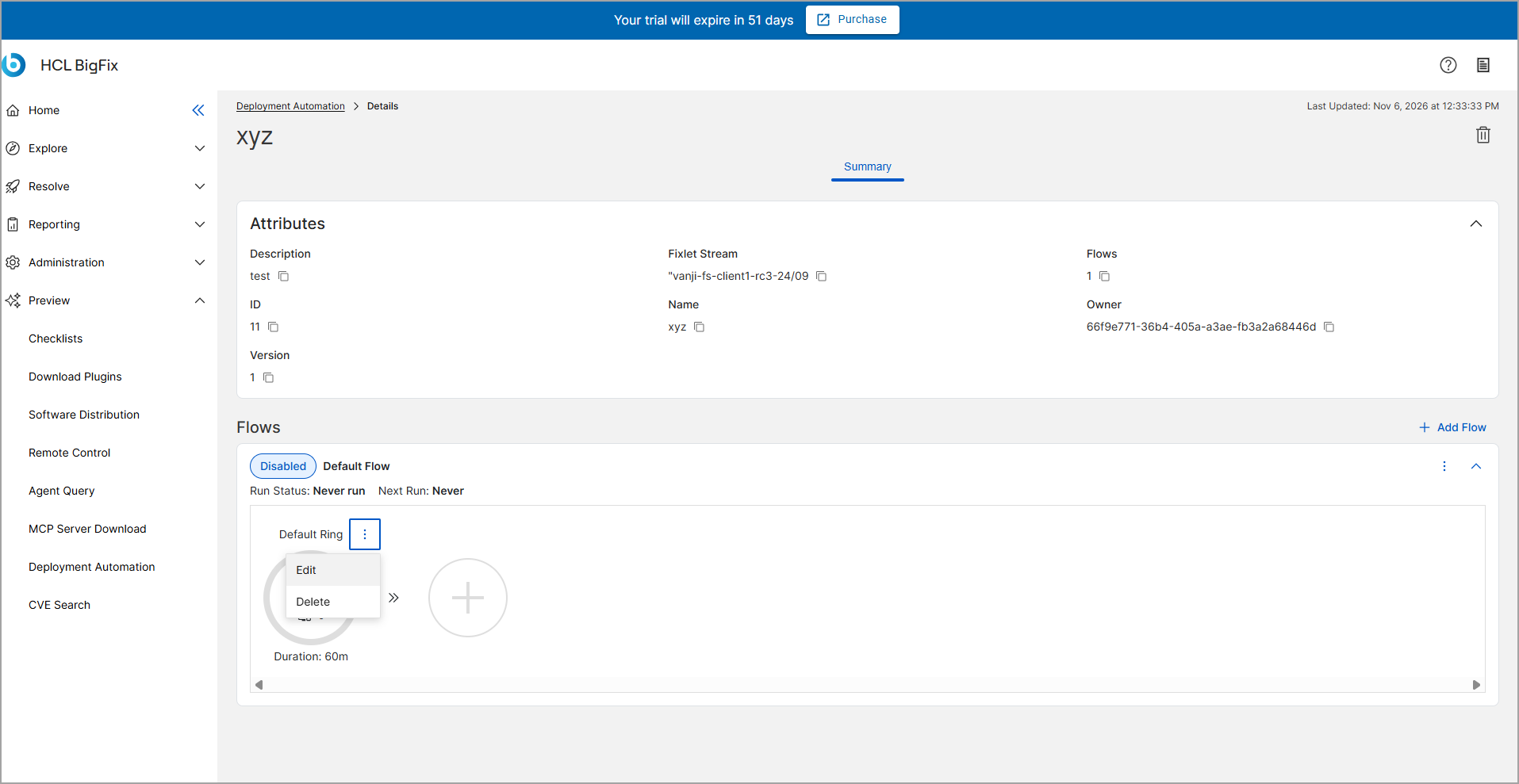
Edit the default Ring and add new Rings to configure a phased deployment sequence. As
a Flow runs, it evaluates strict criteria to determine if it can safely progress from one
Ring to the next.
About this task
To configure Deployment Rings, follow these steps:
Procedure
-
On the Flow details page, select Edit on an existing
Ring to modify it, or select the + icon to add a new Ring.
-
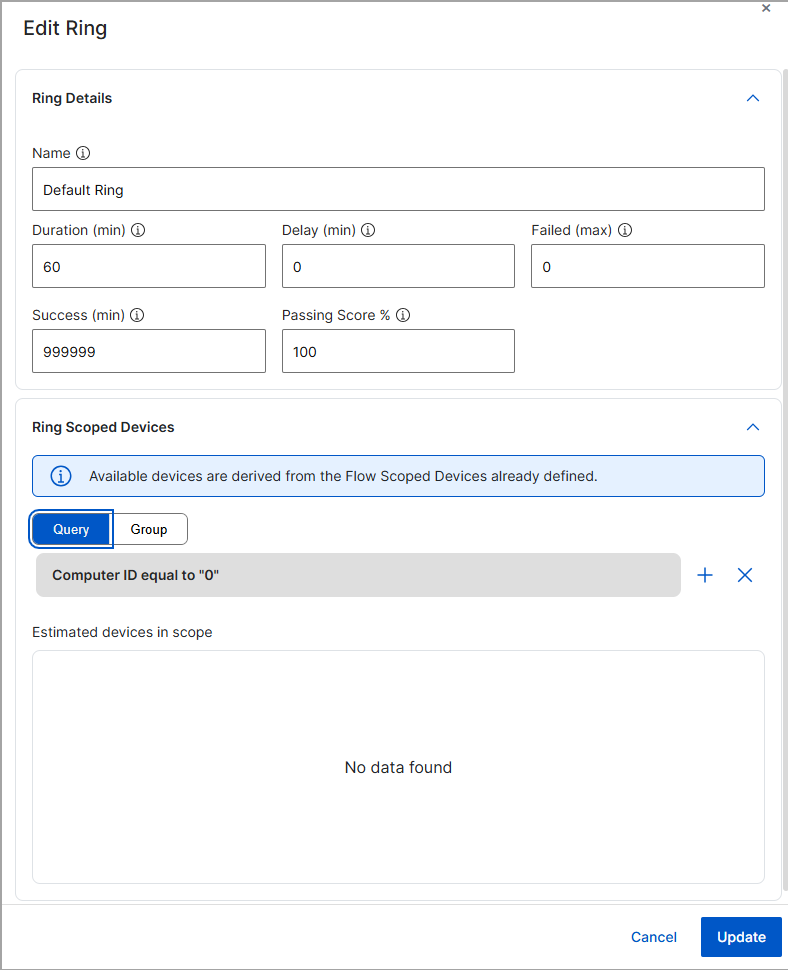
In the Name field, enter or update the name of the ring.
-
In the Duration (Min) field, enter the duration of the ring in minutes.
This defines how long the Ring action will run from start to finish.
-
In the Delay (Min) field, enter the delay time in minutes. This defines
the wait time between the successful completion of this Ring and the start of
the next Ring.
-
In the Failed (max) field, specify the absolute maximum
number of failed target devices allowed before halting the deployment.
-
In the Success (min) field, specify the absolute minimum number of
successful target devices required to allow progression to the next Ring.
-
In the Passing Score % field, specify the required percentage of
successful target devices required to allow progression to the next Ring.
-
In the Ring Scoped Devices section, select Query or Group
to define the specific subset of computers for this phase.
If you select Query, define your filter by selecting an Attribute and
Operator, and then entering a Value.
-
Click Apply to verify the device filter.
-
Click Update.