Fixlet Explorer
Fixlet Explorer enables users to view and manage Fixlets, which are sets of instructions for the BigFix agent to execute on devices. Users can filter and deploy Fixlets, access detailed information on CVEs, and navigate through a data table displaying relevant Fixlet details.
BigFix data is based upon Fixlets. A Fixlet is a set of instructions that the BigFix agent executes on an enrolled or onboarded device. Examples include updating installed software, remediating particular CVEs, or removing malware. These are only a very small sample of BigFix’s capabilities. BigFix customers benefit from end-to-end security, protection, monitoring, and management delivered through this out-of-the-box content. A Fixlet will also define what those actions are and specify the criteria that determine whether those actions are relevant for a specific device.
After installation, BigFix agents continuously evaluate the relevance criteria on the enrolled device. They then determine whether a Fixlet is relevant to that device, e.g., whether it is relevant or not.
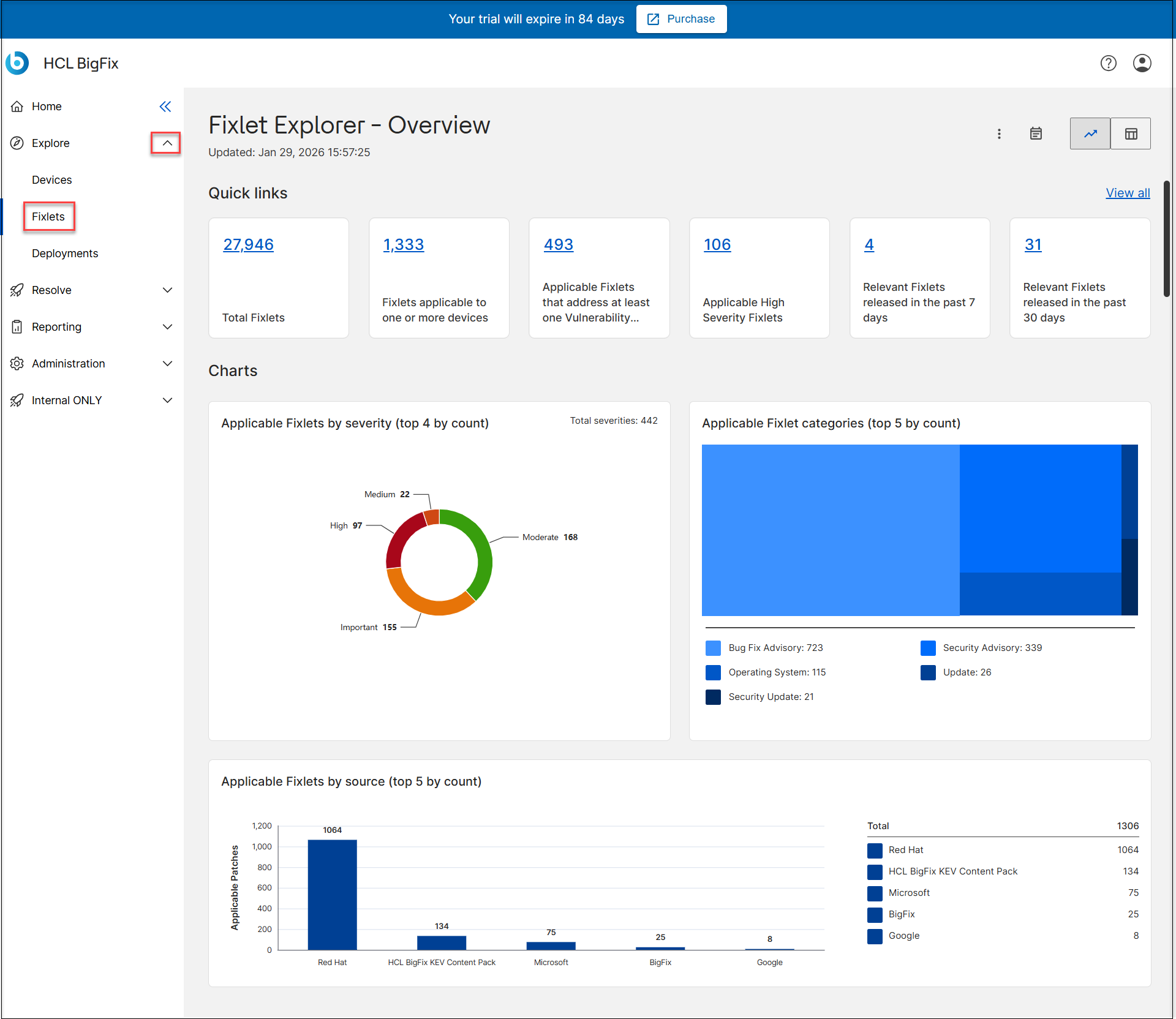
 to view the data in
a table.
to view the data in
a table.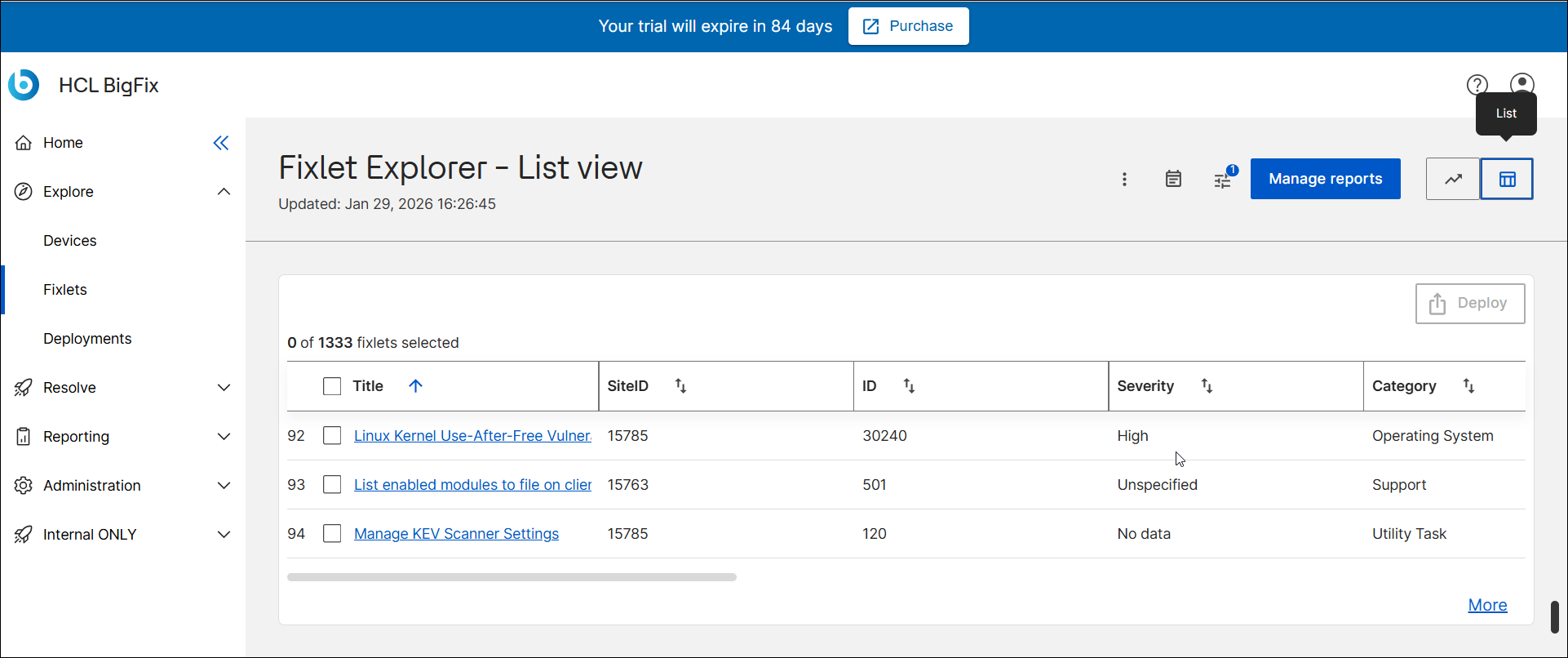
There can be thousands of Fixlets relevant to the devices associated with an account. The design focuses on filtering to enable customers to explore the Fixlets relevant to their account and specific associated devices.
The Fixlet Explorer data table contains the following fields:
- Title – Displays the title of the Fixlet.
- The Fixlet name is a clickable hyperlink. Selecting it opens the Fixlet Explorer – Detail Page, where you can view complete information about that Fixlet, including applicable devices, associated CVEs, and metadata.
- Site ID –
- ID – Shows the unique numeric identifier assigned to each Fixlet in the BigFix environment.
- Relevant Devices Count – Displays the number of devices currently relevant for that Fixlet, helping you quickly gauge its impact or applicability within your environment.
- CVE IDs – Lists any associated Common Vulnerabilities and
Exposures (CVE) identifiers linked to the Fixlet.
- If any CVE identifiers are linked to the Fixlet, each CVE ID is a clickable hyperlink. Selecting it opens the CVE IDs panel, which displays detailed vulnerability references related to that Fixlet.
- Severity – Indicates the severity level of the Fixlet as classified by the source (for example, Critical, Important, or Unspecified).
- Category – Describes the type or classification of the Fixlet, such as Update, Security Advisory, or Undo Workaround.
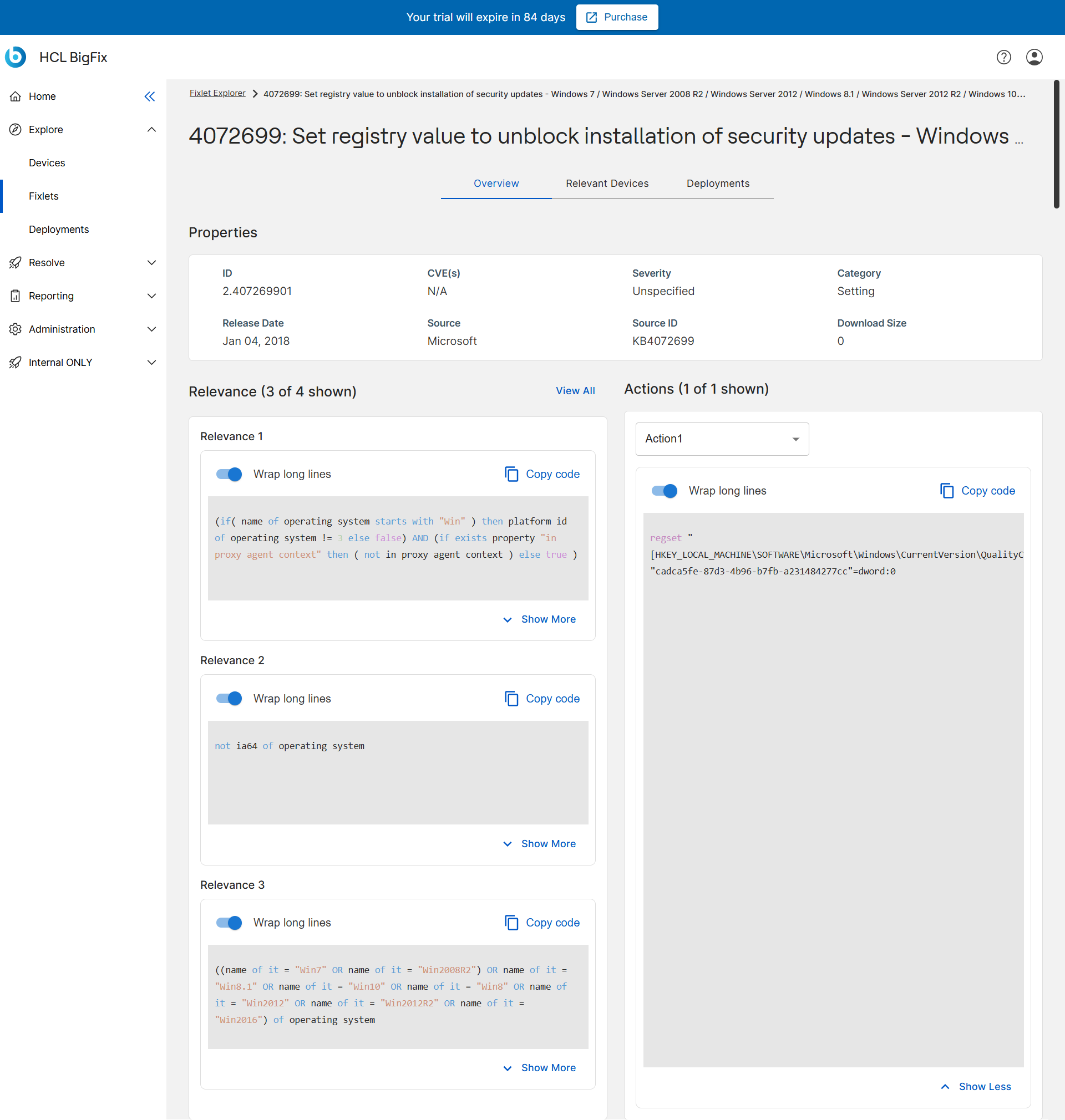
- Source Release Date – Displays the release date of the Fixlet as provided by its source, indicating when it became available.
- Source - Origin or vendor of the Fixlet (for example, Microsoft, Apache).
- Source ID - Vendor-specific reference number.
- Download Size - Size of any related patch or update file.
Let's go through the top row of the Fixlet Explorer table, from left to right:
- The Filter
 icon brings up
the filter sidebar. In this
sidebar, users can narrow down the displayed Fixlets using a variety of parameters.
icon brings up
the filter sidebar. In this
sidebar, users can narrow down the displayed Fixlets using a variety of parameters.
- The total number of Fixlets relevant to the devices enrolled in your account
- The number of Fixlets that have been selected in the data table. The
Deploy button brings up the deployment menu, which
enables users to turn Fixlets into deployments that will be run on relevant devices.
Users must select Fixlets by checking the box next to the Fixlet name in order to
access the deployment menu.Note:
By default, the Deploy button is disabled and can only be clicked when at least one Fixlet is selected in the data table. For users whose local administrators have not granted deployment rights, the Deploy button may remain permanently disabled.
- The Fixlet Explorer data table supports sorting by clicking a column header label. Click again to reverse sort.
- For more details about filtering, sorting, managing reports, and exporting, see Common Functionalities.
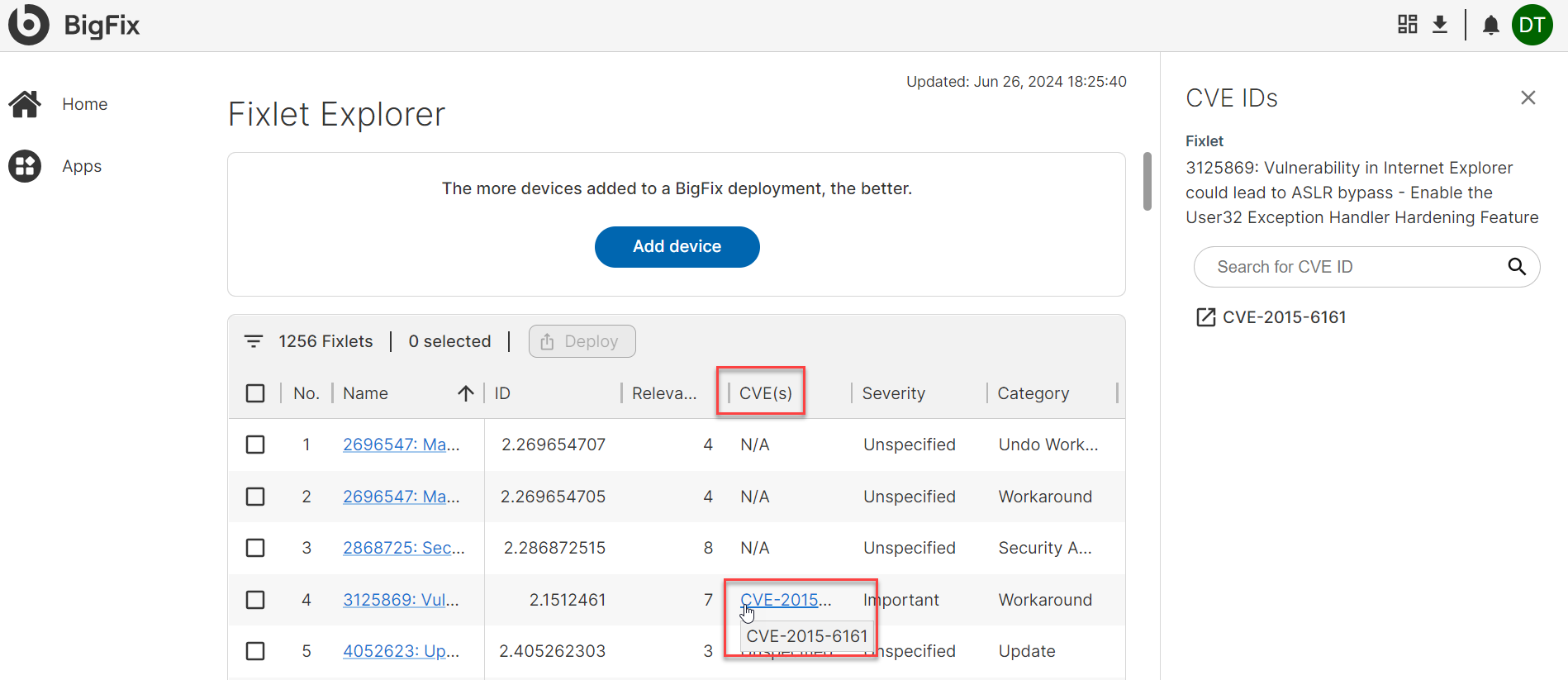
To learn more about the CVE(s) associated with a Fixlet, click the blue highlighted CVE number in the CVE column. This will cause the CVE panel to slide out from the right side of the screen, providing additional information about the CVE.