
My Dashboard
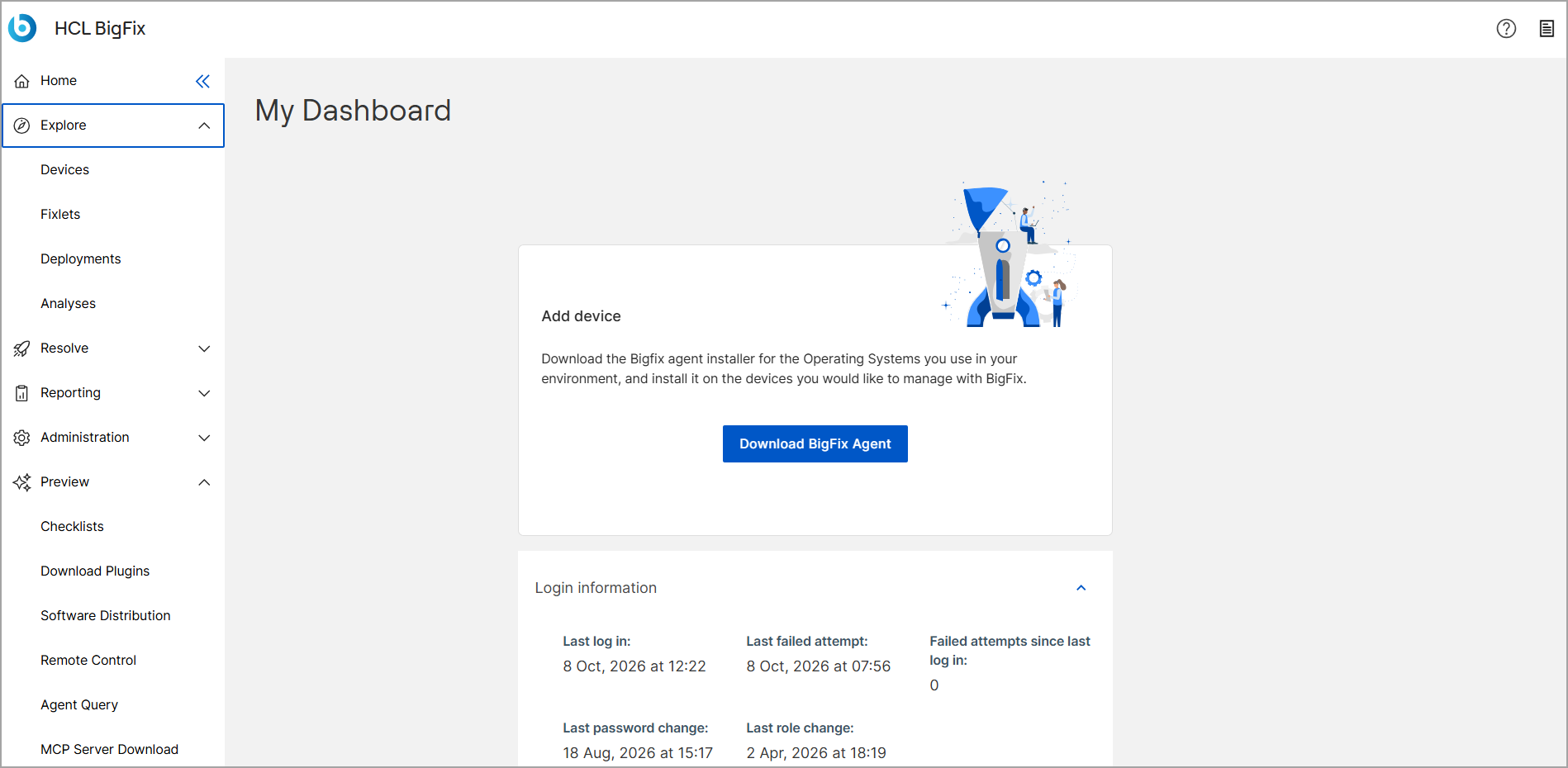
The My Dashboard page serves as the central landing page for managing your BigFix SaaS environment. From this page, you can download the BigFix Agent installer to add devices to your deployment. Use the top navigation bar to access documentation and support resources with the Help Center icon, or manage your personal profile settings, account activity, and display preferences with the Account icon.
- Help Center icon : Provides access to Documentation, Customer Support Portal, BigFix Forum, Colloborate on Product Ideas and What's New?
- Account icon : Displays User Profile information, Password management, Account Activity, display preferences and Log out options.
For users with multiple BigFix accounts, you can configure the display theme (light or dark mode) independently for each account.
Click the Account icon to access user account profile. Click the  switch to change the display theme.
BigFix currently supports the following apps:
- Deployment Manager
- Device Explorer
- Fixlet Explorer
- User Management
- Analyses
Information about BigFix applications and their features are provided in separate sections. To maximize the benefits of BigFix, add your organization’s devices to your system by clicking Add device and following the on-screen instructions.
Login information
The Login information section allows you to monitor your recent account access and security events.
- Last log in: Displays the date and time of your most recent successful login.
- Last failed attempt: Displays the date and time of the most recent unsuccessful login attempt.
- Failed attempts since last log in: Indicates the total number of unsuccessful login attempts that have occurred since your last successful login.
- Last password change: Displays the date and time when your account password was most recently updated.
- Last role change: Displays the date and time when your user role was most recently modified.