
Activate security benchmark checklists in Preview Apps to evaluate device compliance
across your environment and consolidate continuous assessment results in a single location.
Each checklist covers a specific benchmark and consists of individual checks, each with its
own set of applicable devices.
About this task
To activate a checklist, follow these steps:
Procedure
-
From the BigFix SaaS app, navigate to Preview, and then
click Checklists.
-
On the Compliance Analysis - Checklists page, click
Activate Checklists in the top right corner.
-
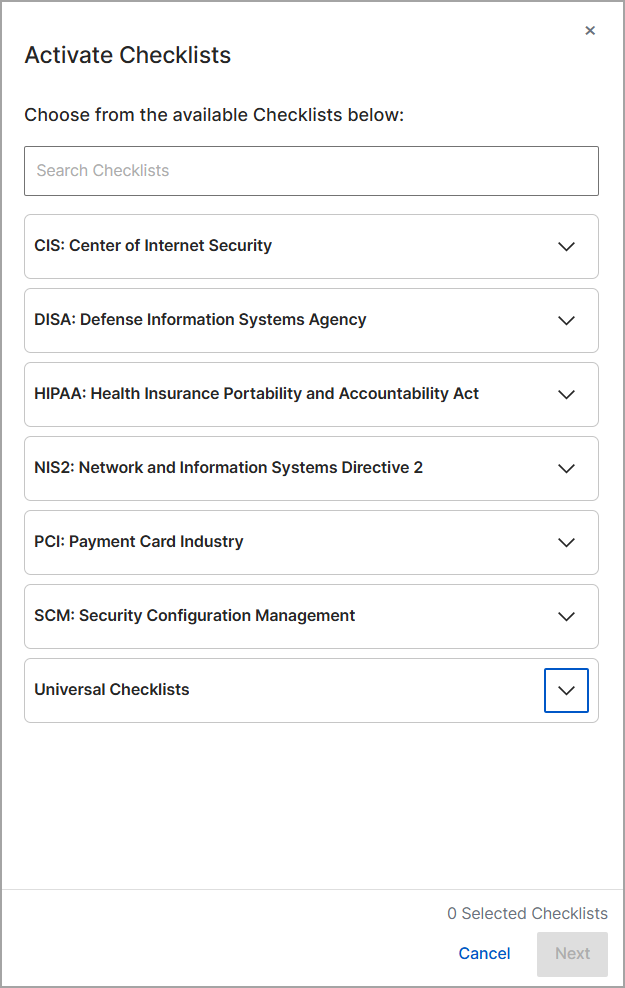
In the Activate Checklists side panel, expand the categories to browse the
available checklists. Available categories include:
- CIS: Center for Internet Security
- DISA: Defense Information Systems Agency STIG
- HIPAA: Health Insurance Portability and Accountability Act
- NIS2: Network and Information Systems Directive 2
- PCI: Payment Card Industry
- SCM: Security Configuration Management
- Universal Checklists
-
Select the checklists that you want to deploy to your environment. You can
select different options from any of the available categories.
-
Click Next.
-
On the Summary of selected Checklists screen, review
your selections (for example, CIS Checklist for Windows 11 or DISA Checklist for
Google Chrome) to ensure they are correct.
-
Click Apply to activate the selected checklists for
your environment.
Note: After you apply the configuration, the activated
checklists evaluate your endpoints based on the corresponding configuration
policies. Allow a few moments for the data to populate in the Compliance
Analysis dashboard.