
Edit Group
- Click on the edit icon next to the group to be edited as shown below:
- The form will appear prefilled with the saved data.
Figure 1. Edit Group 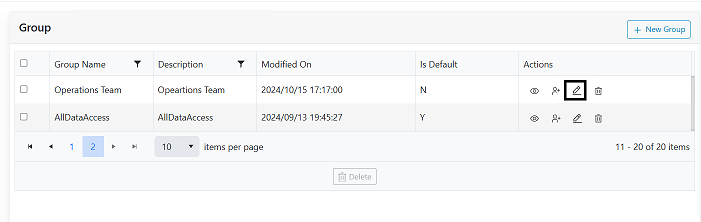
Figure 2. Edit Filter 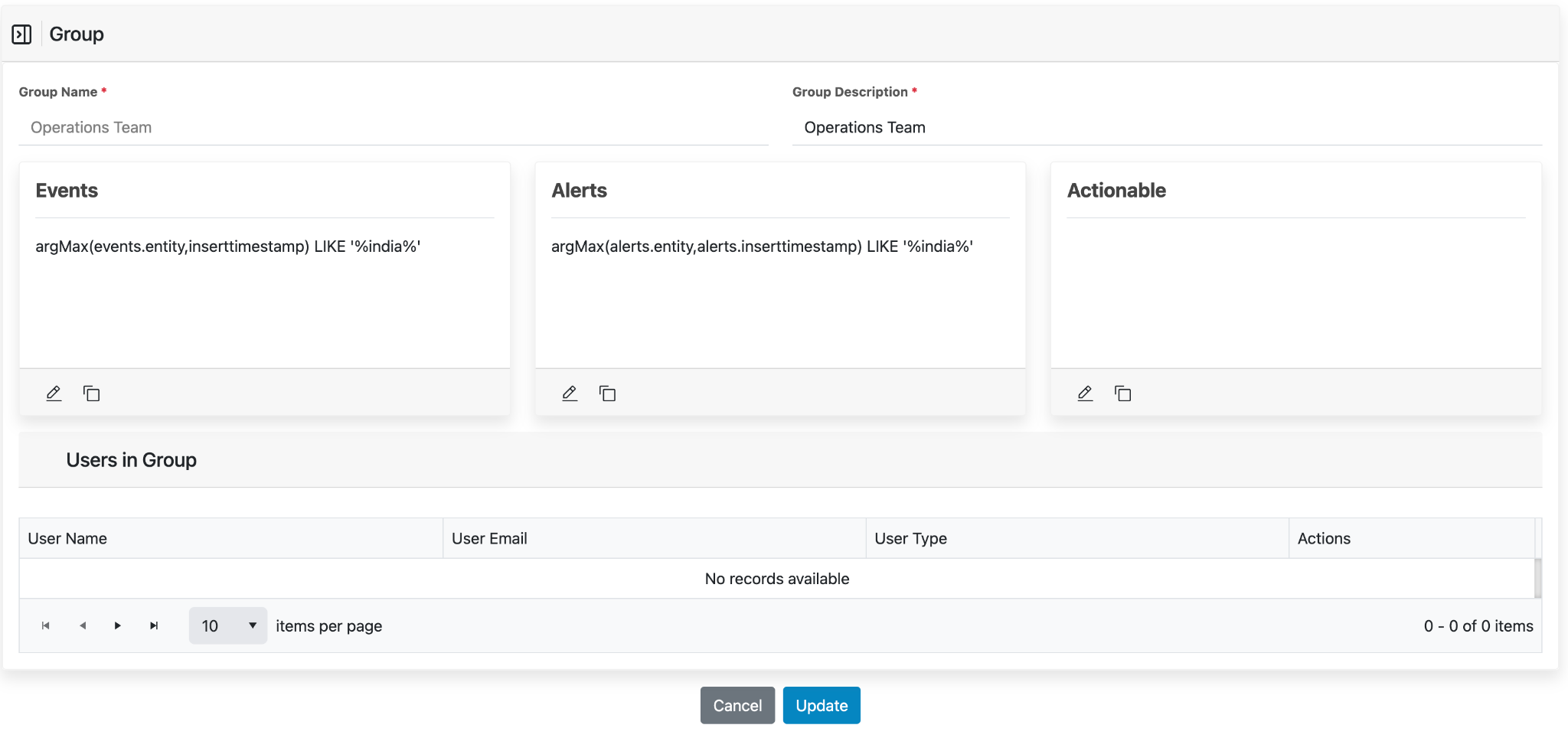
- Users can edit the description or update the filter criteria’s the way user did while
adding new group.
Figure 3. Update Group Name and Filter 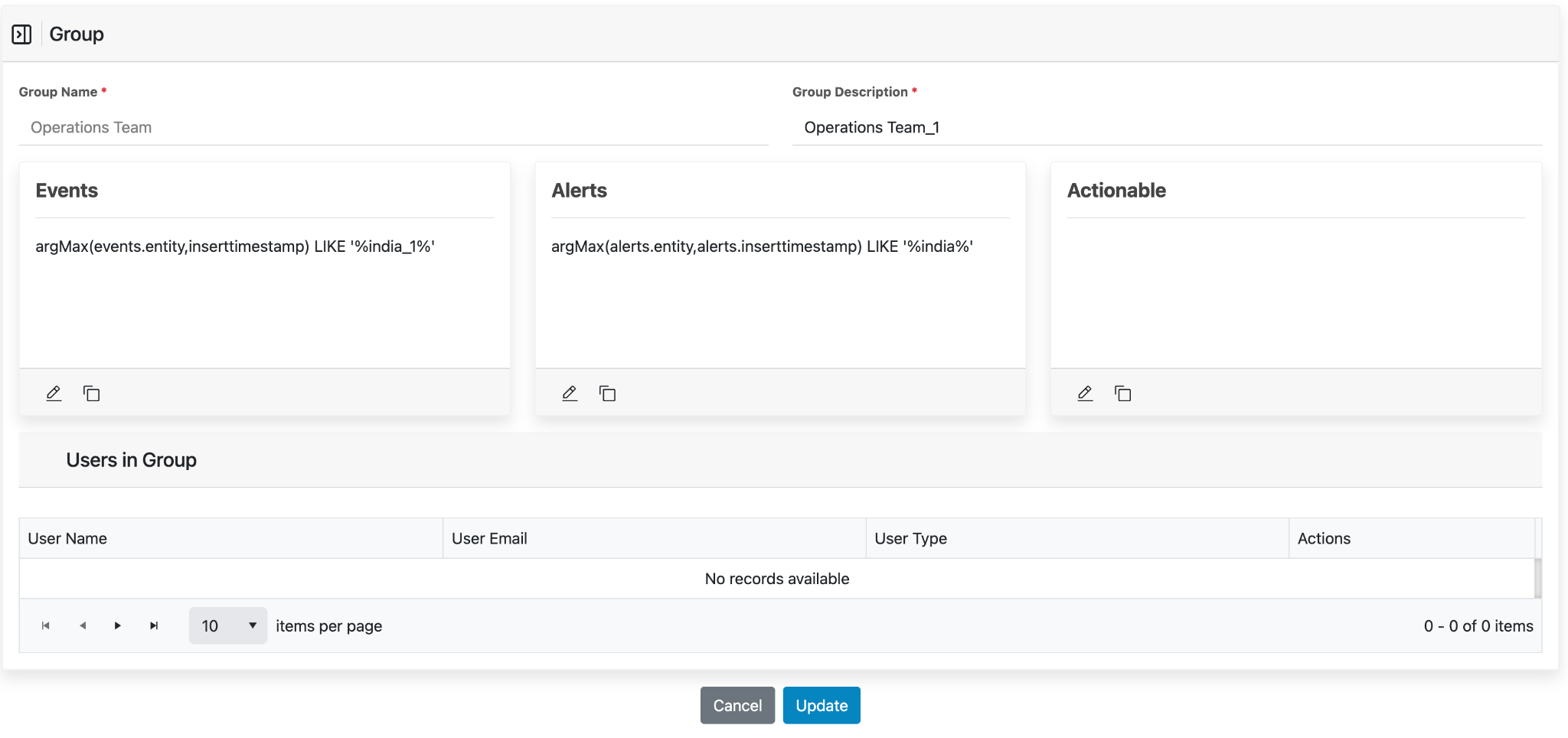
- In the above figure, the Group Description is updated to OperationsTeam_1. There is additional filter updated under Events filter from india to india_1.
- Once all the fields are updated, click on Update.
- On successful update, the following confirmation pop-up message is displayed.
Figure 4. Alert Message 
- Close the success message. The control will be redirected back to the grid view.