
Delete Group
Users can delete the group individually or use the bulk delete option. Let’s look at the individual delete option first.
- Click on the delete icon next to the group that is to be deleted.
Figure 1. Delete Group 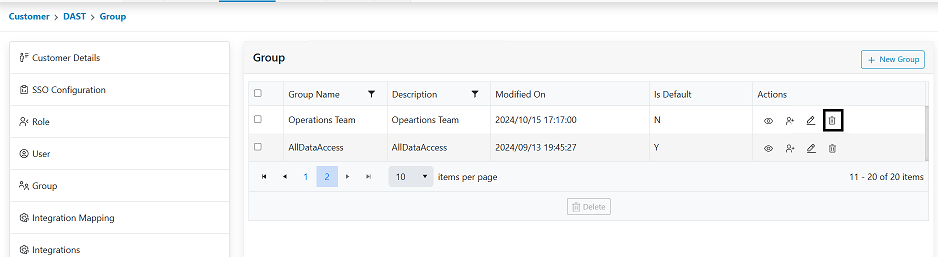
- Confirmation pop-up appears.
Figure 2. Confirmation pop-up. 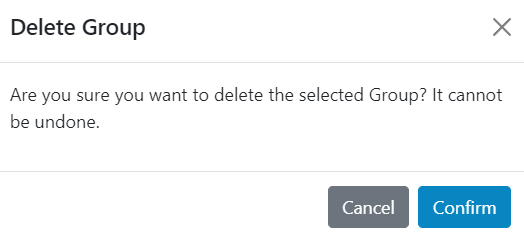
- Click Confirm. A confirmation pop-up is displayed. Refreshes the grid with the group
removed.
Figure 3. Alert Message 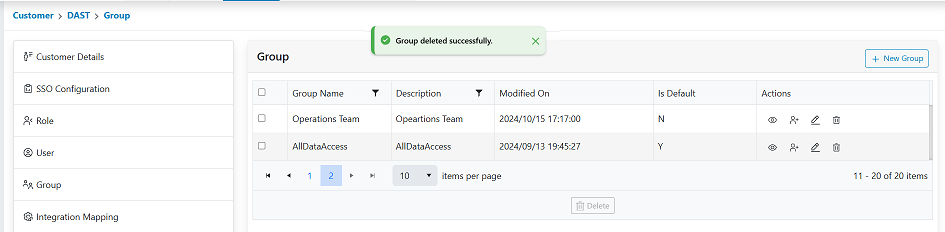
Below is the bulk deletion option.
- Select the groups that are to be deleted. As the groups are selected, the icons in the footer will be enabled.
- Click on the Delete icon. The steps will be same as in individual delete post that.
- Confirmation will be requested, Click Confirm. On successful deletion confirmation will be displayed and the grid will be refreshed with the groups no longer displayed.