
Leaderboard
This page helps the user to get the top 3 users with highest points, points earned by each user, its badges.
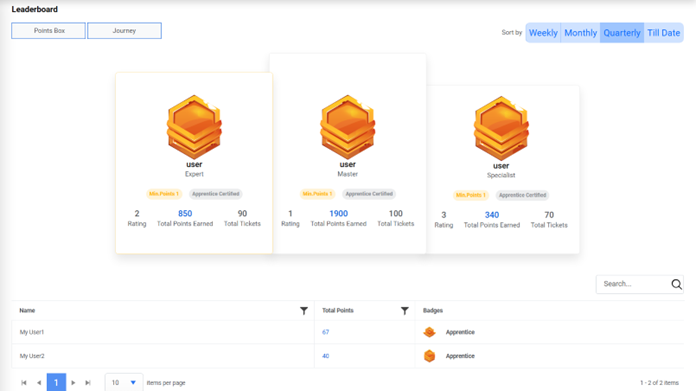
- The top 3 users are available on the cards with their rating, level, points earned and total tickets executed by them. Rest users are available in the grid.
- Click on Total points earned count to get the detailed description of tickets on
which user earned the points.
Figure 2. Leaderboard (Cont.) 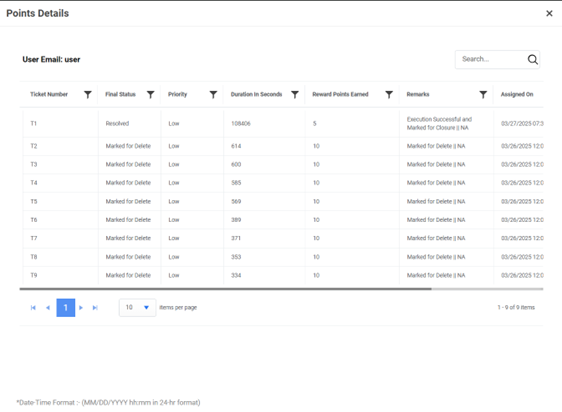
- Users can also sort the data based on duration wise i.e. Weekly, Monthly, Quarterly, or Till Date.
- The Points Box and Journey buttons help users to understand how points and badges are being calculated.