
Getting Started with iAutomate
Users can define multiple organizations to leverage iAutomate features and functionalities for various kinds of automation opportunities.
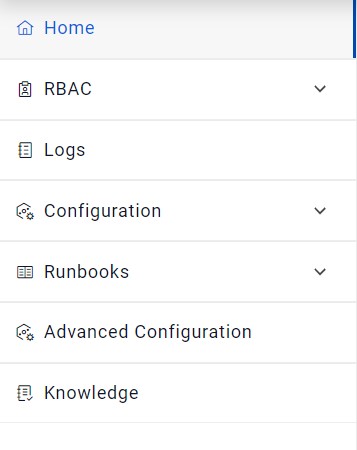
To manage an organization, on the side menu bar lists the following options:
- RBAC
- Logs
- Configuration
- Runbooks
- Dashboard
- Advance Configuration
- Analysis
- Knowledge
- Netbot Troubleshooting

Note:
Ensure you are logged on to iAutomate as super administrator or
organization admin to create and manage the organization parameters. Menus accessible to
Super Administrator and Organization Admin will be different.