Ticket Similarity Detector
Log into HCL BigFix Service Management as a support user and navigate to the Work Item Board from the application menu on the left-hand side.
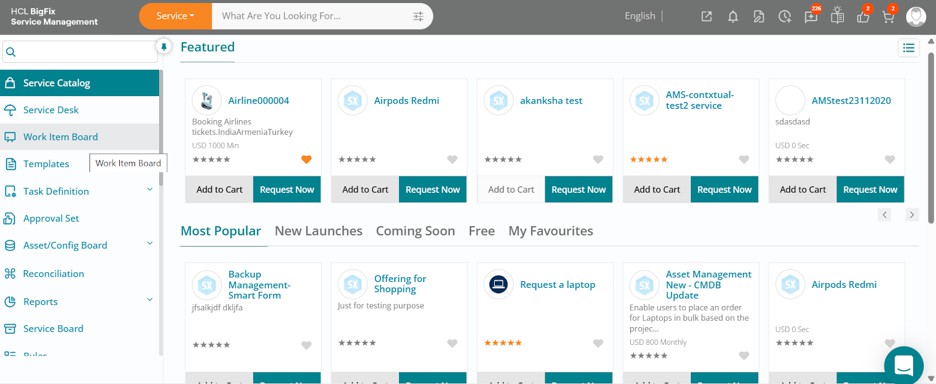
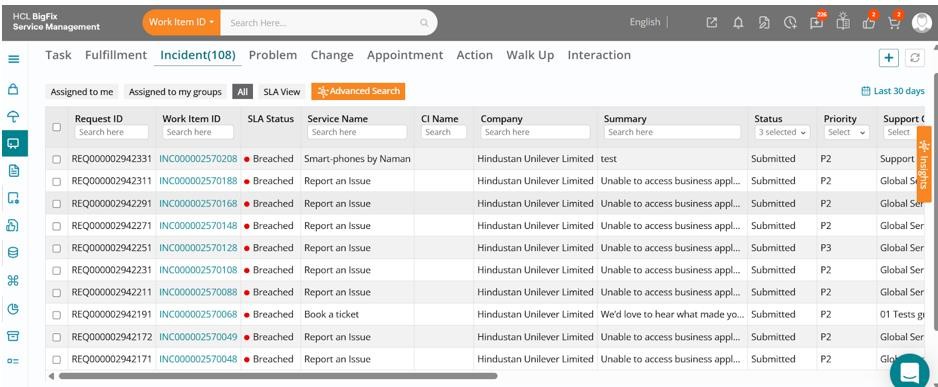
Click on the Work Item Board, then navigate to the Incident tab to view a list of all open incidents.
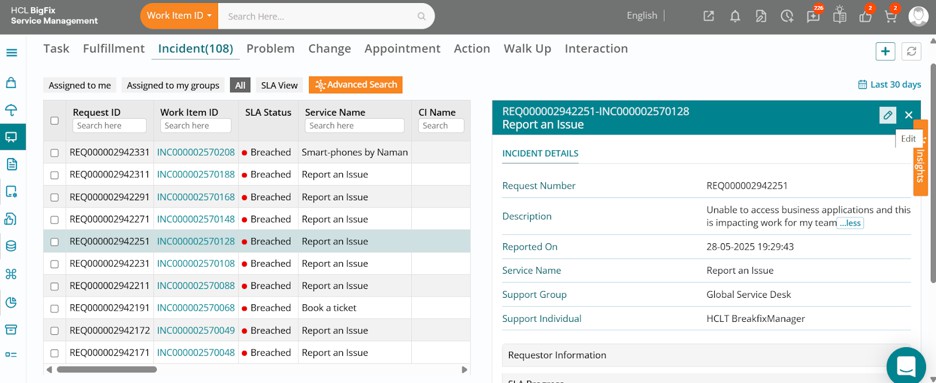
Click on one of the incidents, then click the Edit button in the drawer that opens on the right-hand side of your screen.
The full incident form will open, displaying the ticket details.
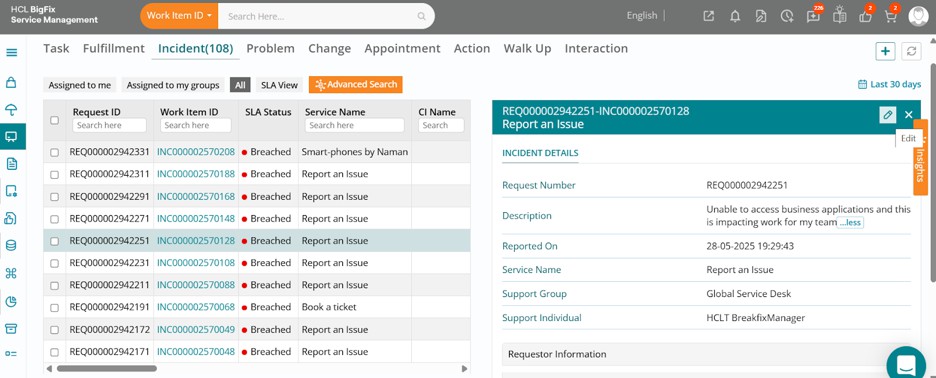
You can review the ticket details, then navigate to the right side of your screen and click on theorange-coloured Insights.
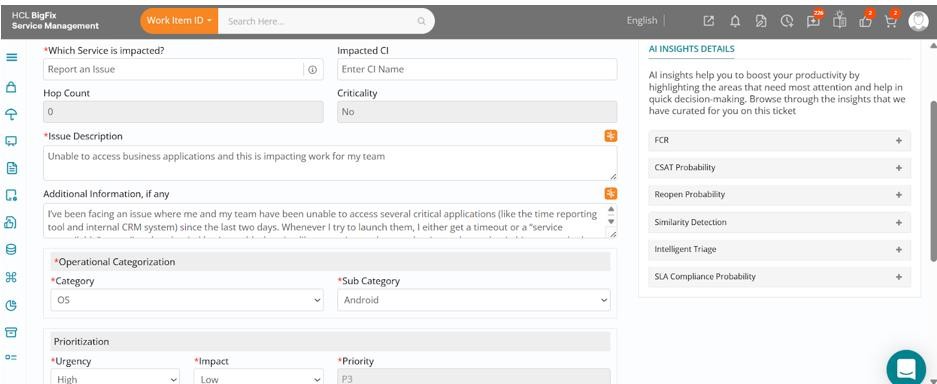
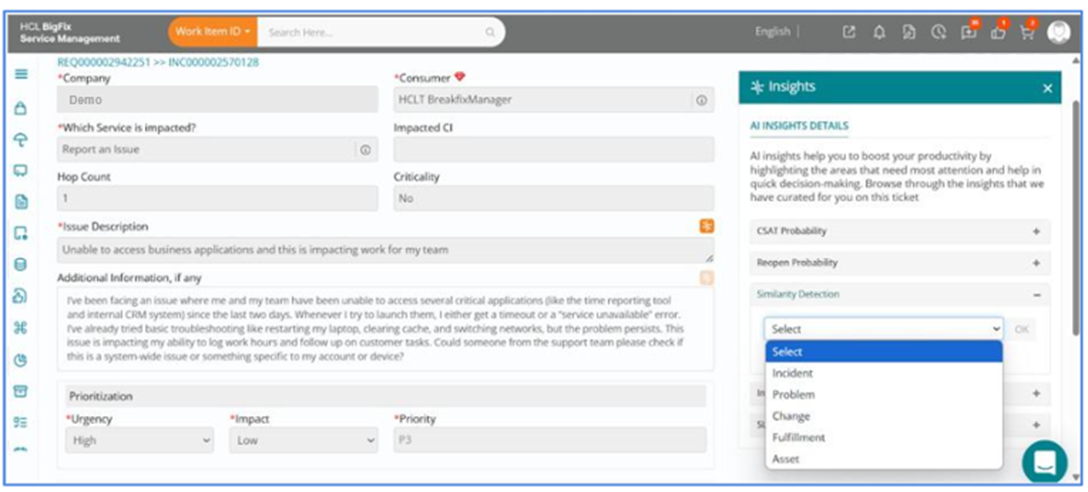
Expand the Similarity Detection section to view available options, namely, Incident, Problem, Change, Fulfillment, and Asset, from which you can make a selection.
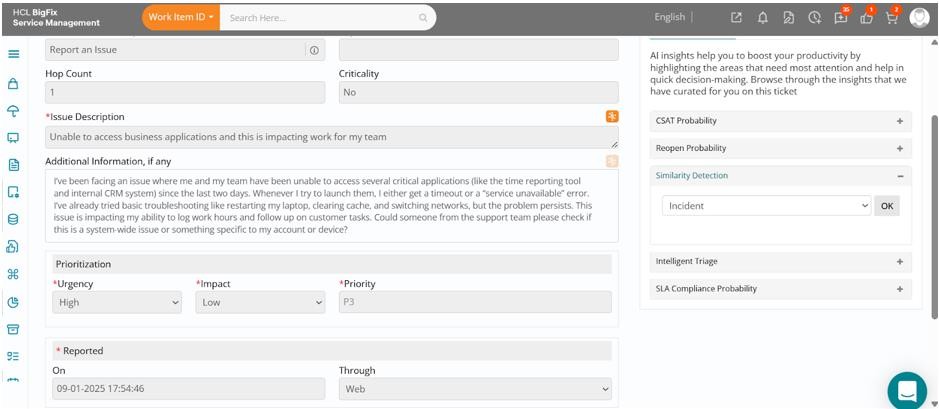
For this case, select Incident and then click OK to proceed.
A list of incidents like the current one, based on contextual and semantic similarity, will be displayed, with an option to relate them to this incident at the click of a button.
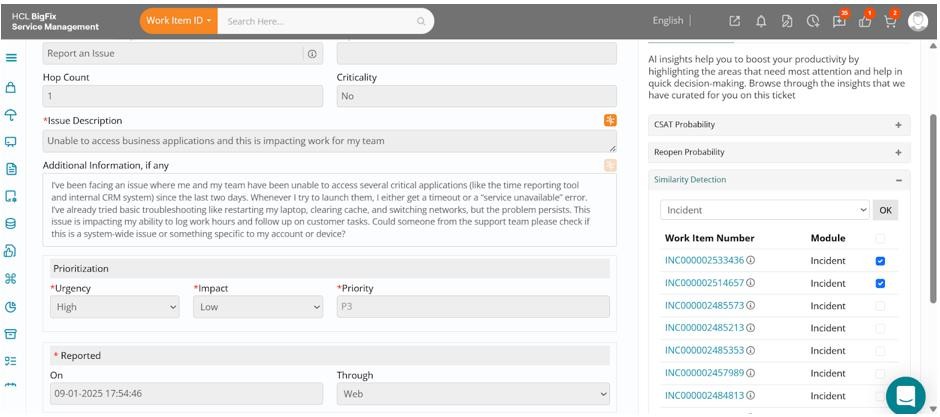
Click Relate after selecting the relevant incidents, either all at once or individually. You can review each incident’s details using the quick-view info icon or by opening the incident form via the ID. All selected incidents will then be linked to the current one.
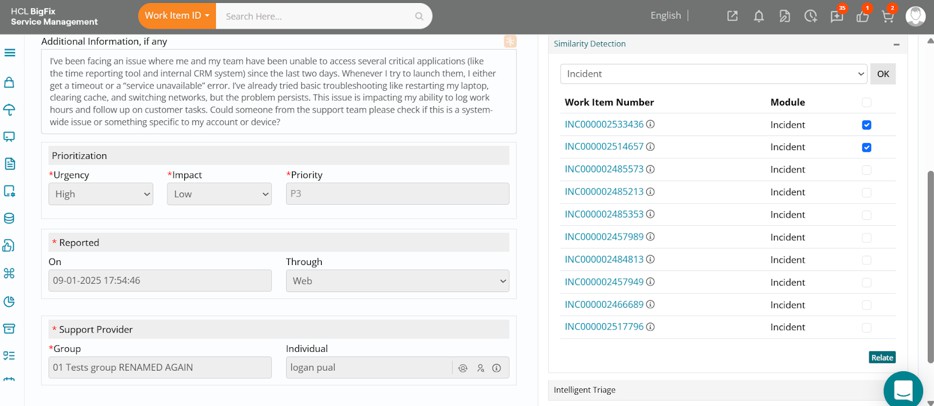
This helps reduce duplicate work, provides deeper insight into recurring issues, and speeds up resolution by leveraging past learnings.