First Contact Resolution (FCR) Predictor
Log into HCL BigFix Service Management as a support user and navigate to the Work Item Board from the application menu on the left-hand side.
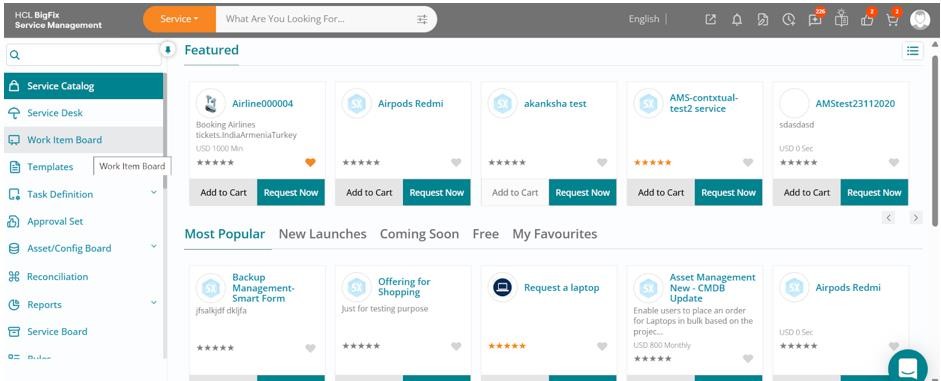
Click on the Work Item Board, then navigate to the Incident tab to view a list of all open incidents.
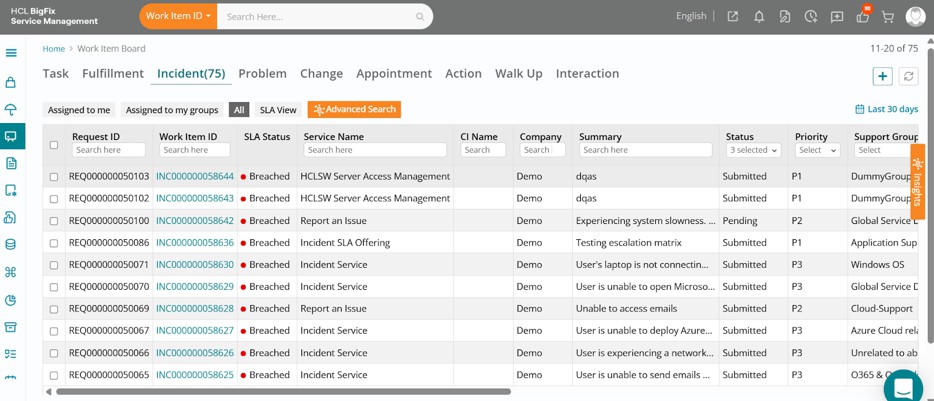
Click on one of the incidents, then click the Edit button in the drawer that opens on the right-hand side of your screen.
The full incident form will open, displaying the ticket details.
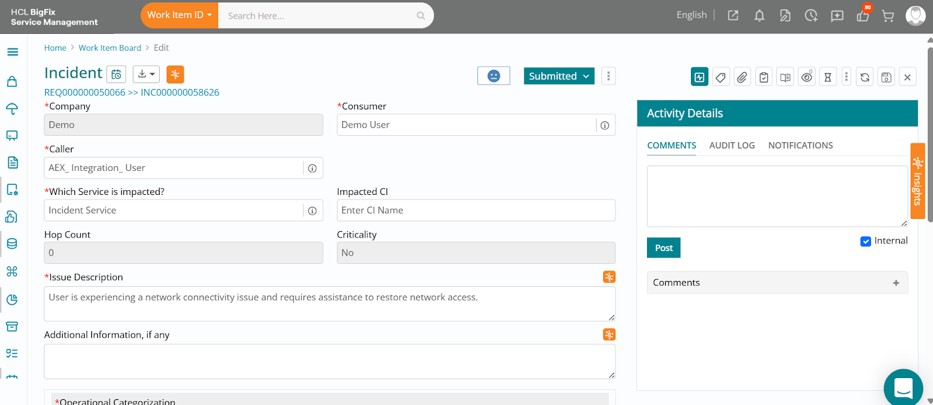
You can review the ticket details, then navigate to the right side of your screen and click on theorange-coloured Insights.
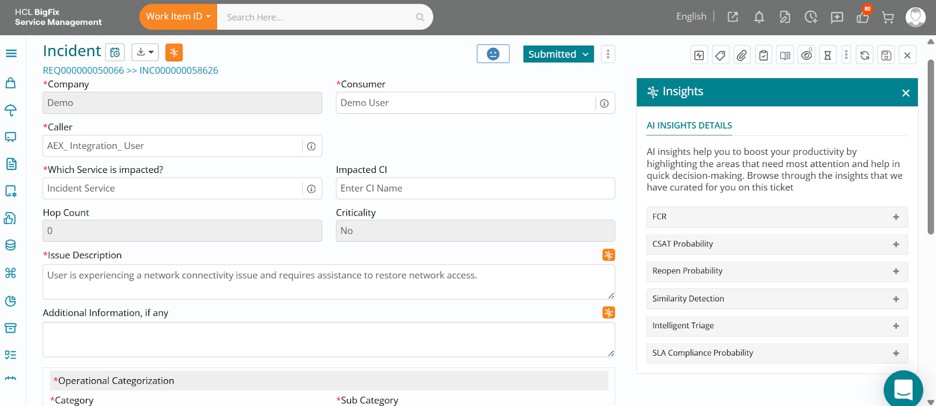
In this case, expanding the FCR (First Contact Resolution) section shows a 76% likelihood of the incident being resolved by the first support group it is assigned to.
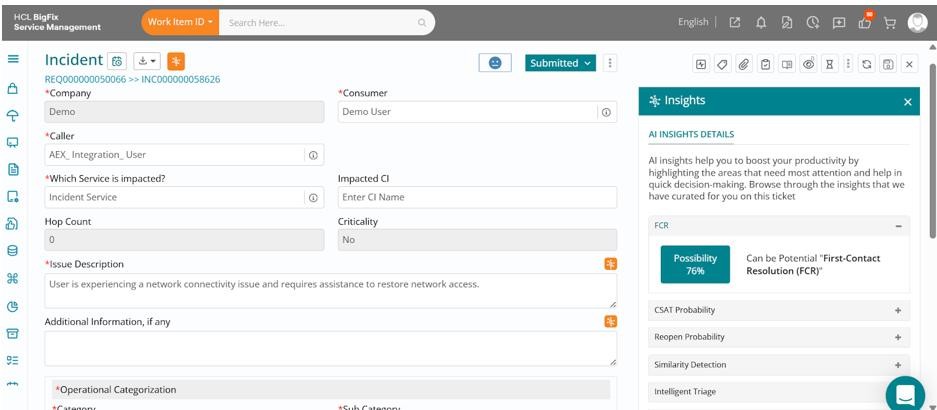
You could proactively analyze similar past tickets to ensure this one is resolved by the initial group, avoiding unnecessary reassignments. This not only speeds up resolution but also improves user satisfaction and boosts CSAT scores.