Standard Change Recommendation
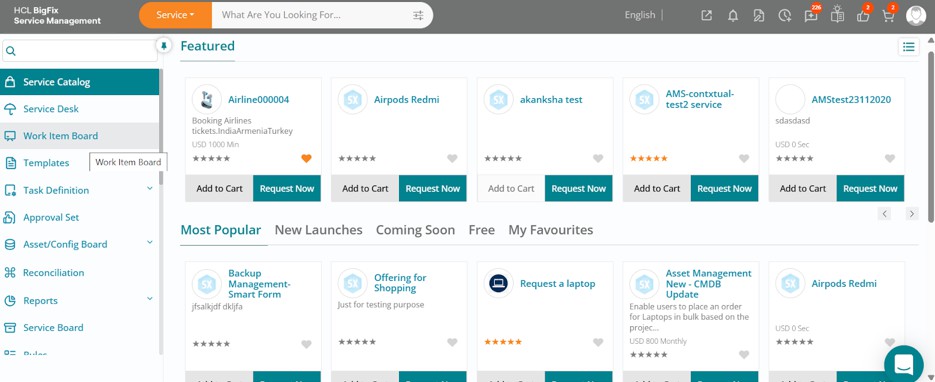
Log into HCL BigFix Service Management as a support user and navigate to the Work Item Board from the application menu on the left-hand side.
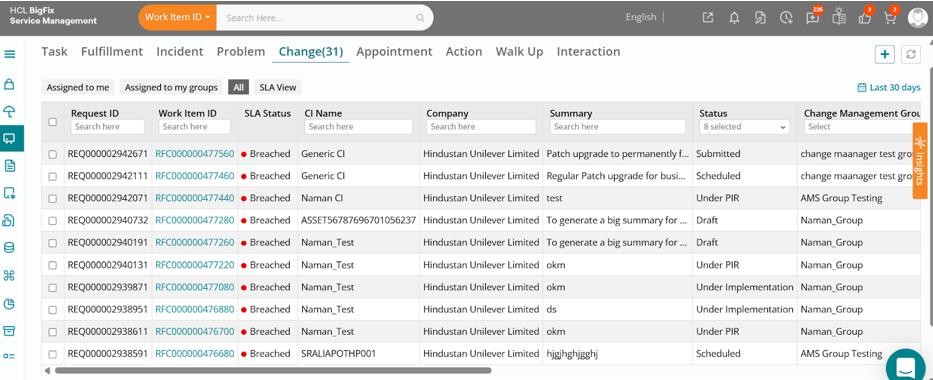
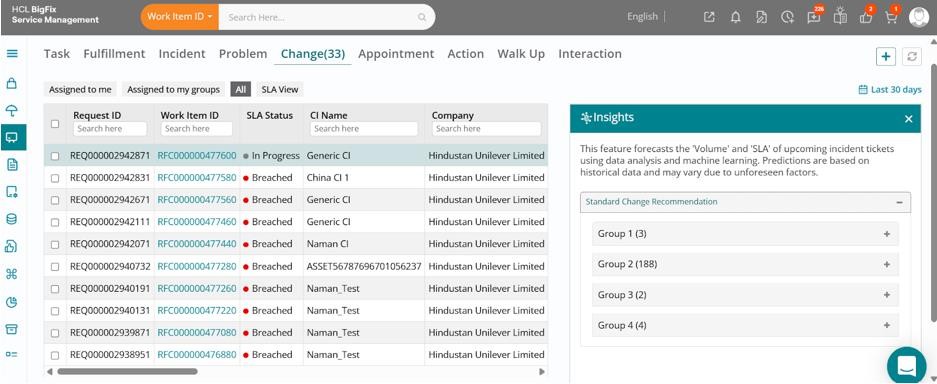
Click on the Work Item Board, then navigate to the Change tab to view the list of all change tickets. Click on the orange-colored Insights button located on the right of the list view.
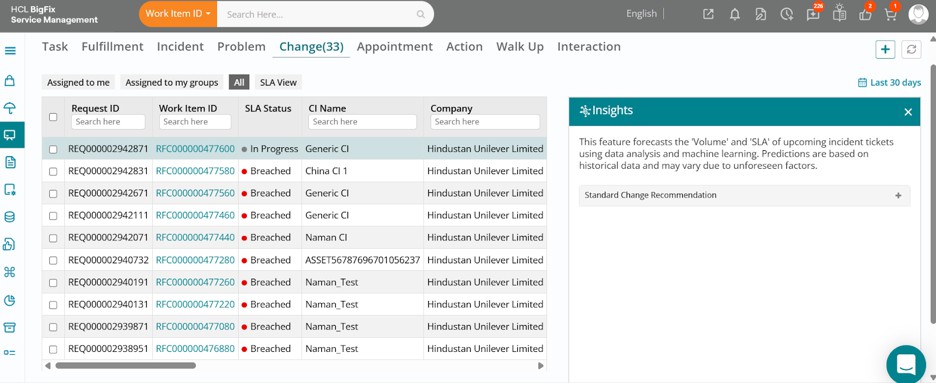
Expand the Standard Change Recommendation option. All data under the Insights section is AI-generated using machine learning models.
You will see groups of change tickets under the Standard Change Recommendation section, which are clusters of tickets that are contextually similar based on past trend analysis.
Based on the pattern of logged change tickets, these are identified as potential candidates that can be clubbed and converted into standard changes in the future using AI-powered case clustering analysis.
These changes can also be analyzed to track change dynamics and improve change management processes, etc.
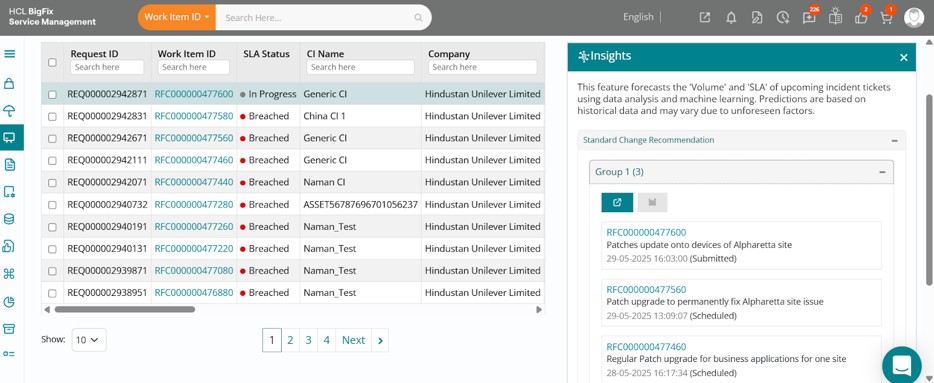
Click on one of the groups to expand it, and you can see the list of similar changes under that group, which in this case are all related to patch updates on devices of a common site, thereby indicating the need for analysis to potentially convert them into standard changes in the future.
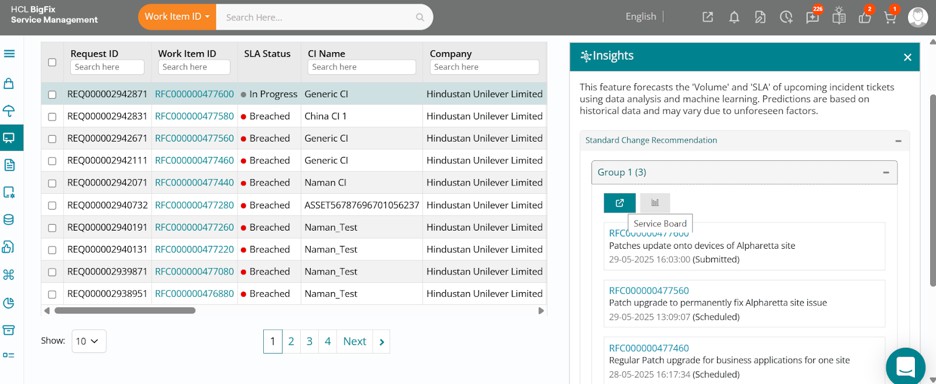
You can use the Service Board redirection button available to instantly get redirected to the service board and create a standard change template for such similar changes.
By clicking on the chart button under a group of changes, you also have an option to review the weekly and monthly change trends using a graphical view prior to deciding on creating a standard change template.
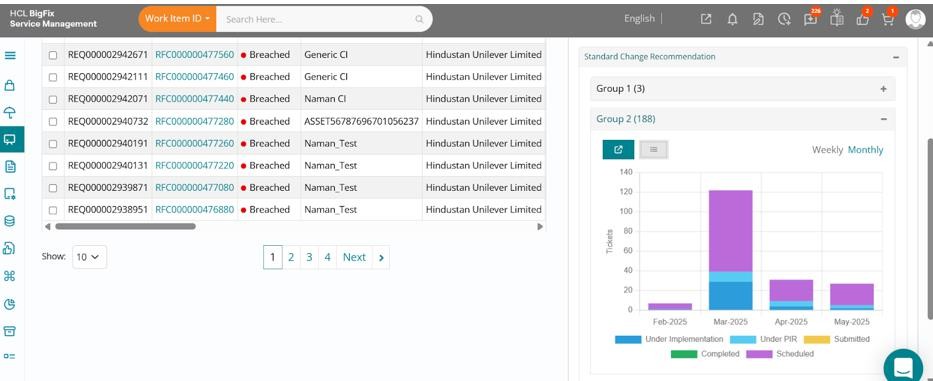
This feature utilizes AI-driven case clustering analysis for change optimization, helping support teams move more changes as standard ones, track change dynamics, and improve the change management process.