
AI Feature Enablement – Administration Settings
Log in to HCL BigFix Service Management as an administrator and navigate to the Administration section from the application menu on the left-hand side. Expand the section and click on Settings.
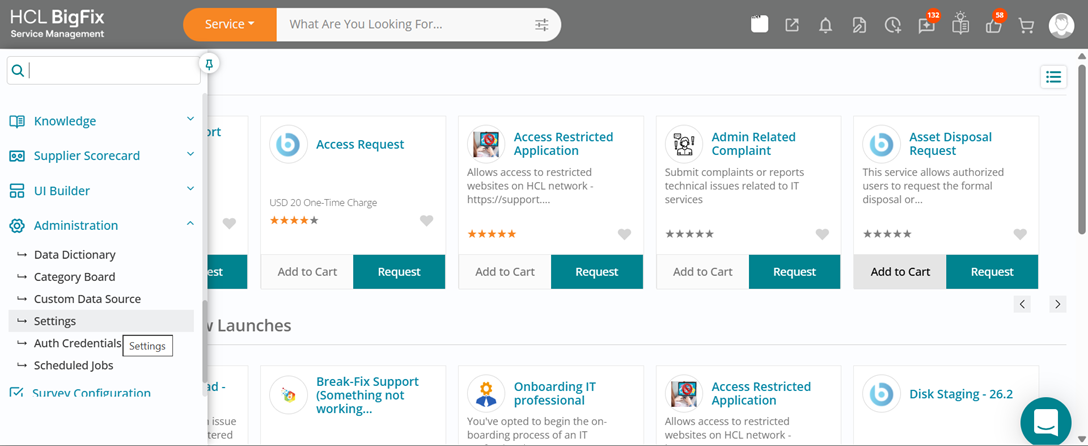
This will open the configuration page where you can enable or disable individual AI features
for a specific company or instance, depending on your authorization level.
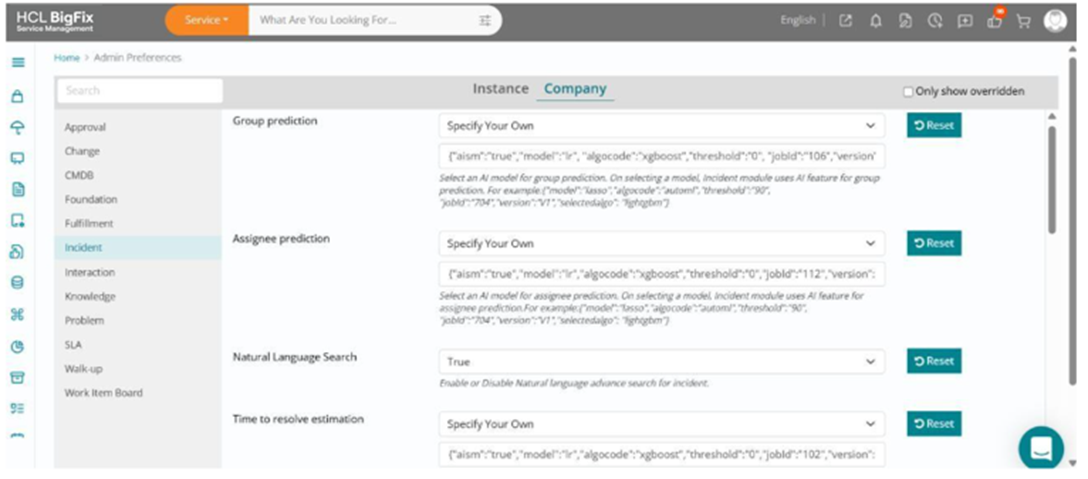
This allows administrators to tailor AI capabilities to organizational needs, ensuring the right level of automation, control, and compliance across different environments.