Intelligent Escalation - SLA Compliance Probability
Log into HCL BigFix Service Management as a support user and navigate to the Work Item Board from the application menu on the left-hand side.
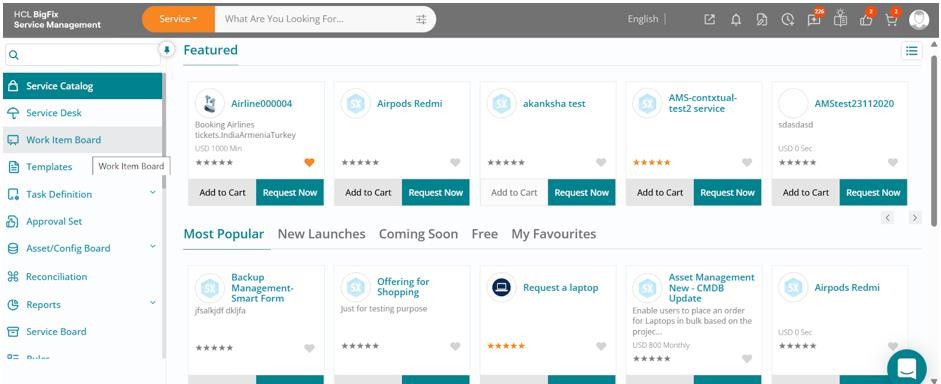
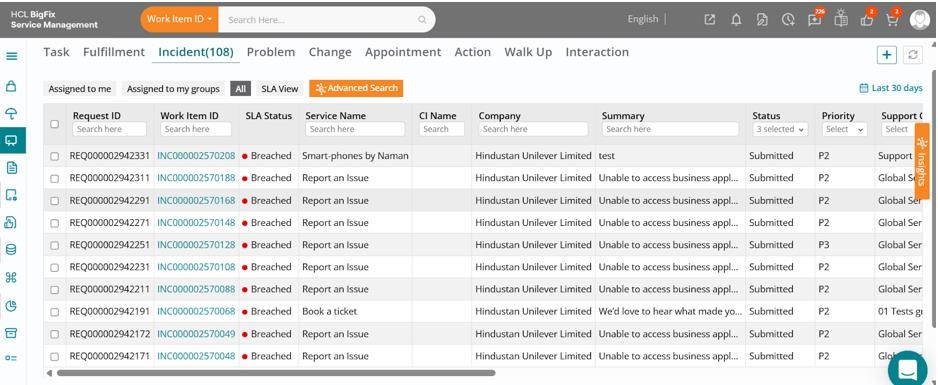
Click on the Work Item Board, then navigate to the Incident tab to view a list of all open incidents.
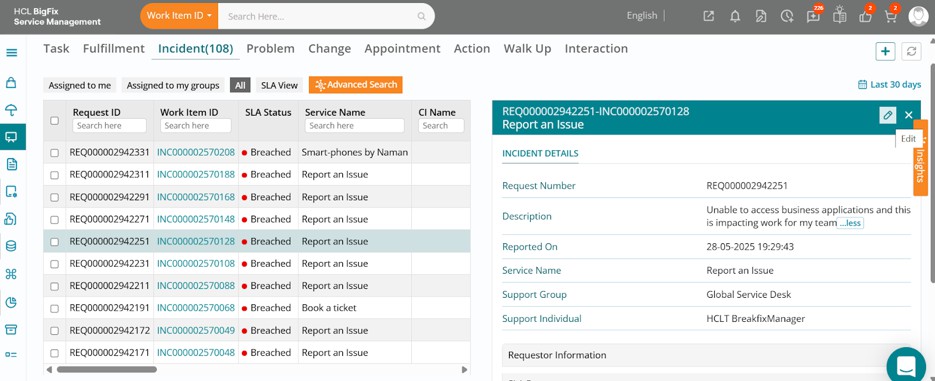
Click on one of the incidents, then click the Edit button in the drawer that opens on the right-hand side of your screen.
The full incident form will open, displaying the ticket details.
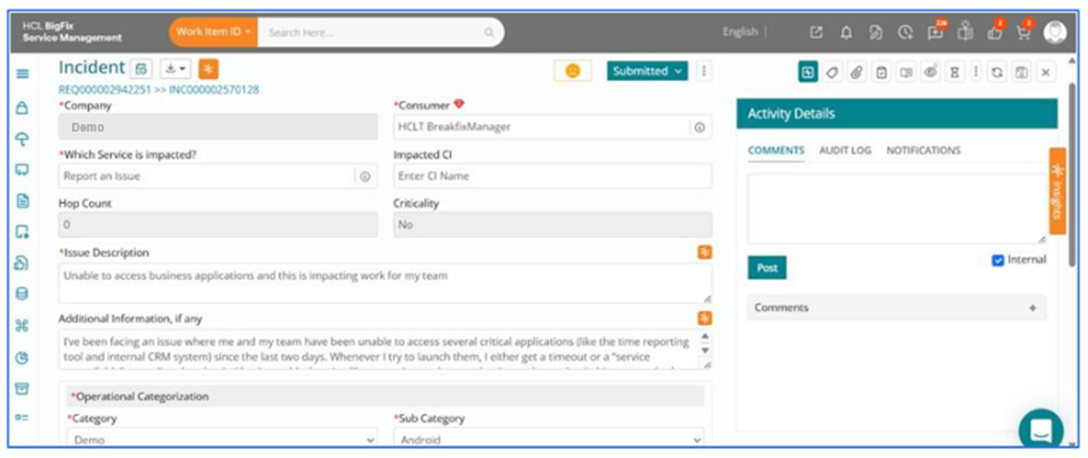
You can review the ticket details, then navigate to the right side of your screen and click on the orange-colored Insights button.
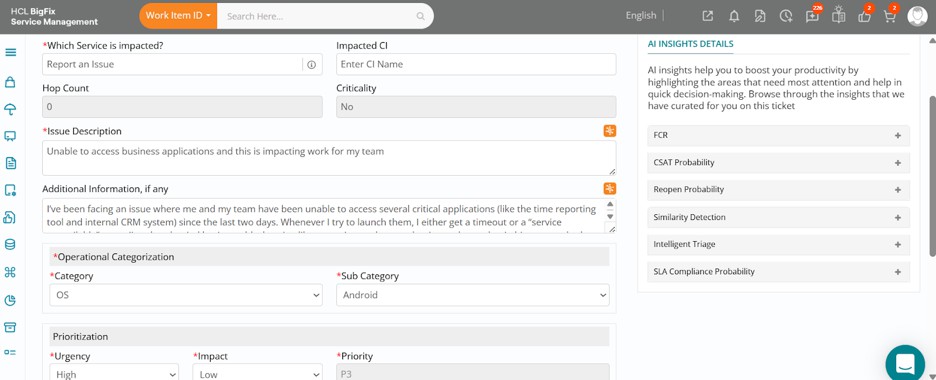
In this case, upon expanding the SLA Compliance Probability section, you can see there is a 93% probability of this incident breaching SLA. This indicates the ticket requires urgent attention from the support team and is a strong candidate for potential escalation.
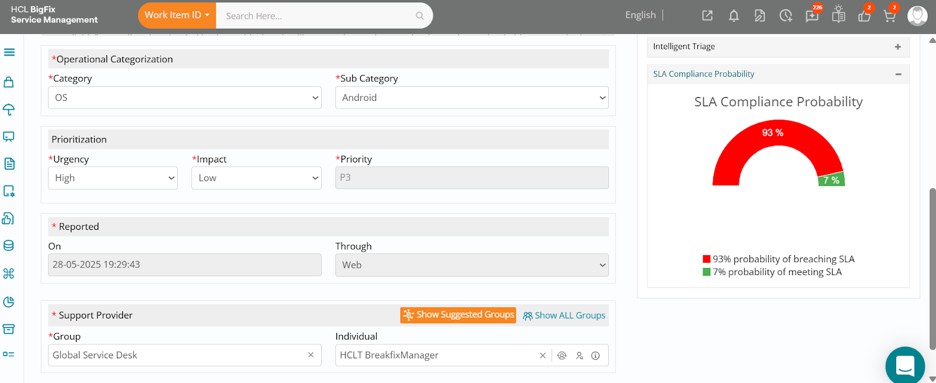
As a support user, you can now take several actions, such as escalating the incident, mobilizing the necessary teams immediately, and prioritizing resolution efforts to ensure the issue is addressed without further delay.
Another option provided within HCL BigFix Service Management is to navigate to the Work Item Board, click on the orange-colored Insights button on the right side of your screen, and then expand the Forecast SLA section.
Here, you can view SLA predictions for upcoming incident tickets using data analysis and machine learning. These predictions are based on historical patterns and past ticket behavior.
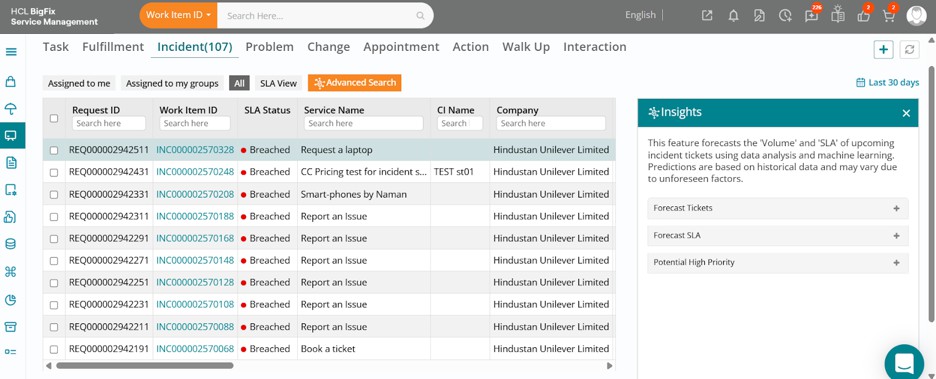
This feature enables real-time detection of at-risk incidents and provides broader insights into SLA compliance, allowing managers to proactively allocate resources and take preventive actions to uphold service quality.