
Problems with Similar RCA
Log into HCL BigFix Service Management as a support user and navigate to the Work Item Board from the application menu on the left-hand side.
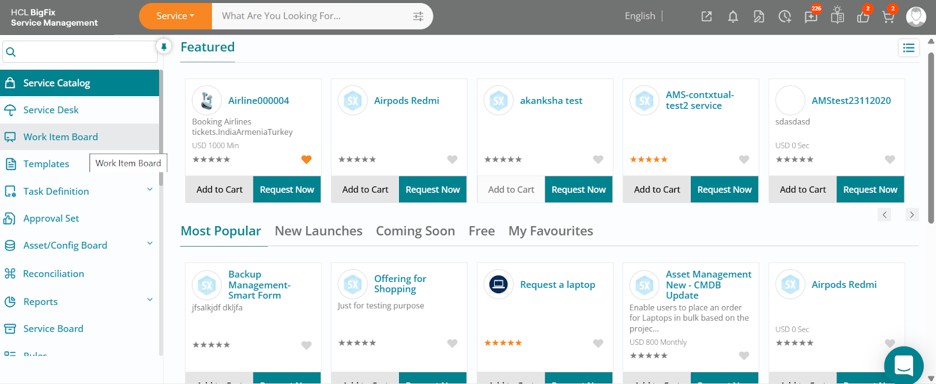
Click on the Work Item Board, then navigate to the Problem tab to view the list of all problem records. Click on the orange-colored Insights button located on the right of the list view.
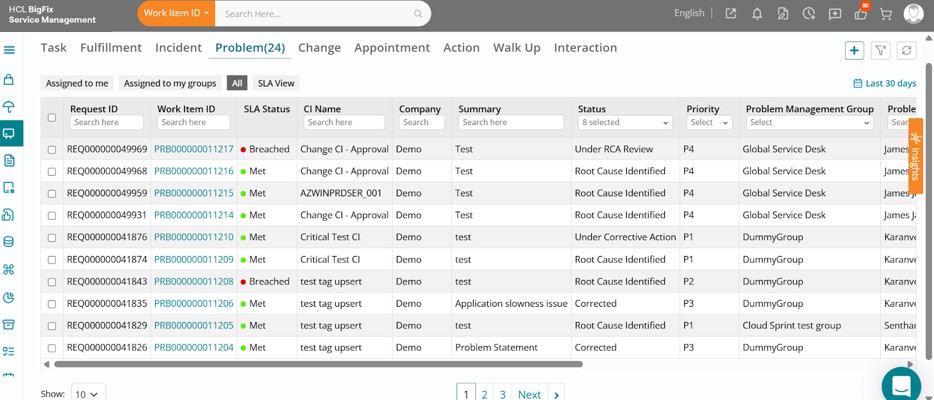
Expand the Problems with Similar RCA options. All data under the Insights section is AI- generated using machine learning models.
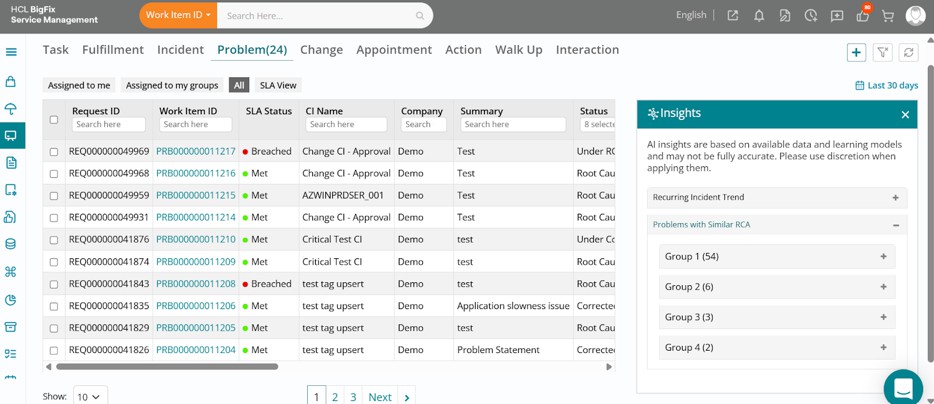
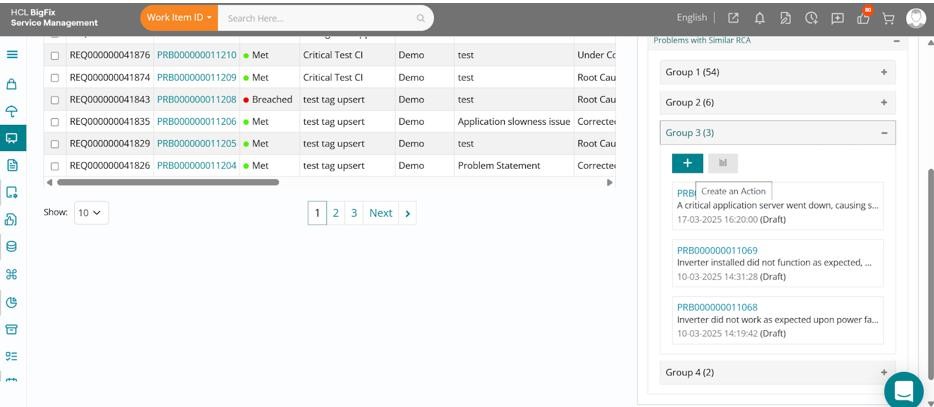
You will see groups of tickets under the Problems with Similar RCA section, which are clusters of tickets, regardless of their current priority, that are contextually similar or point to a common problem ticket. Click on one of the groups to expand it and view the list of problems within that cluster.
These have been identified through AI-powered case clustering based on patterns incoming tickets, indicating a potential common root cause.
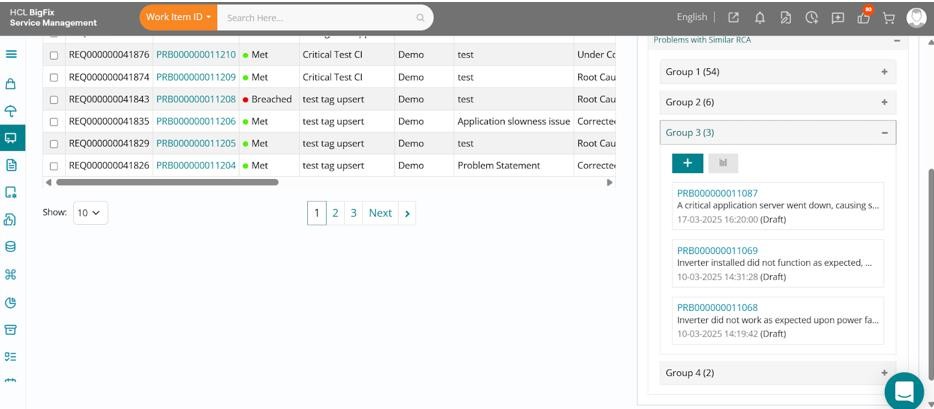
You can validate the issue and take appropriate actions such as raising a known error, implementing a permanent fix, or initiating a change request. Additionally, use the Create an Action (+) button to instantly create and assign an action item for further investigation or resolution.
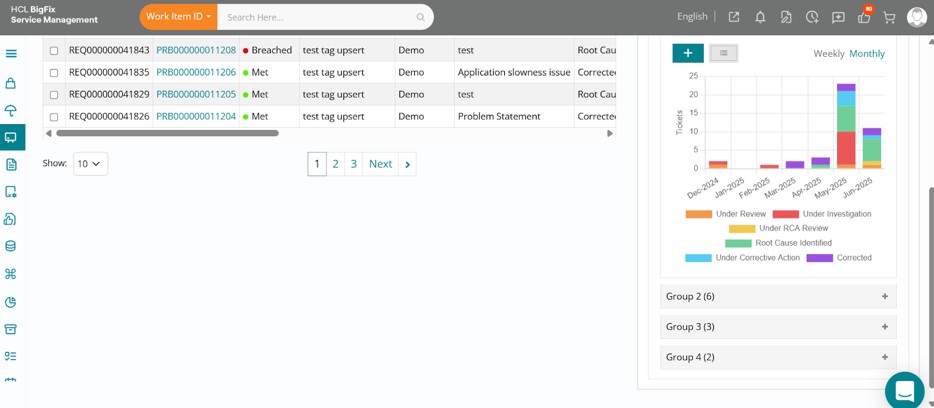
By clicking the chart button under a group of problems, you can view weekly and monthly similar problem trends in a graphical format. This helps you analyze patterns and gather insights before taking further action.
This feature highlights groups of problems that share similar root causes, enabling support teams to identify systemic issues, prioritize resolution efforts, and initiate coordinated corrective actions.