Generate a Custom WDAC XML Policy on the WDAC Management Node
Generate a custom WDAC XML policy directly on the WDAC Management Node by generating a raw XML or by editing an existing policy XML using the App Control Policy Wizard content into the Policy XML Content field and saving it to the <BES Client Installation Path>\BFAC\BAC_MGMT\Policies\Working directory with inline validation. Pre-existing policy binaries (.xml, .cip, .cip.p7) at the same path are automatically archived with timestamps before the new file is saved. Policy names must follow the Base_ prefix convention for base policies and the Supp_ prefix convention for supplemental policies.
About this task
- Naming Rules: Base policies must start with Base_ and the supplemental policies must start with Supp_.
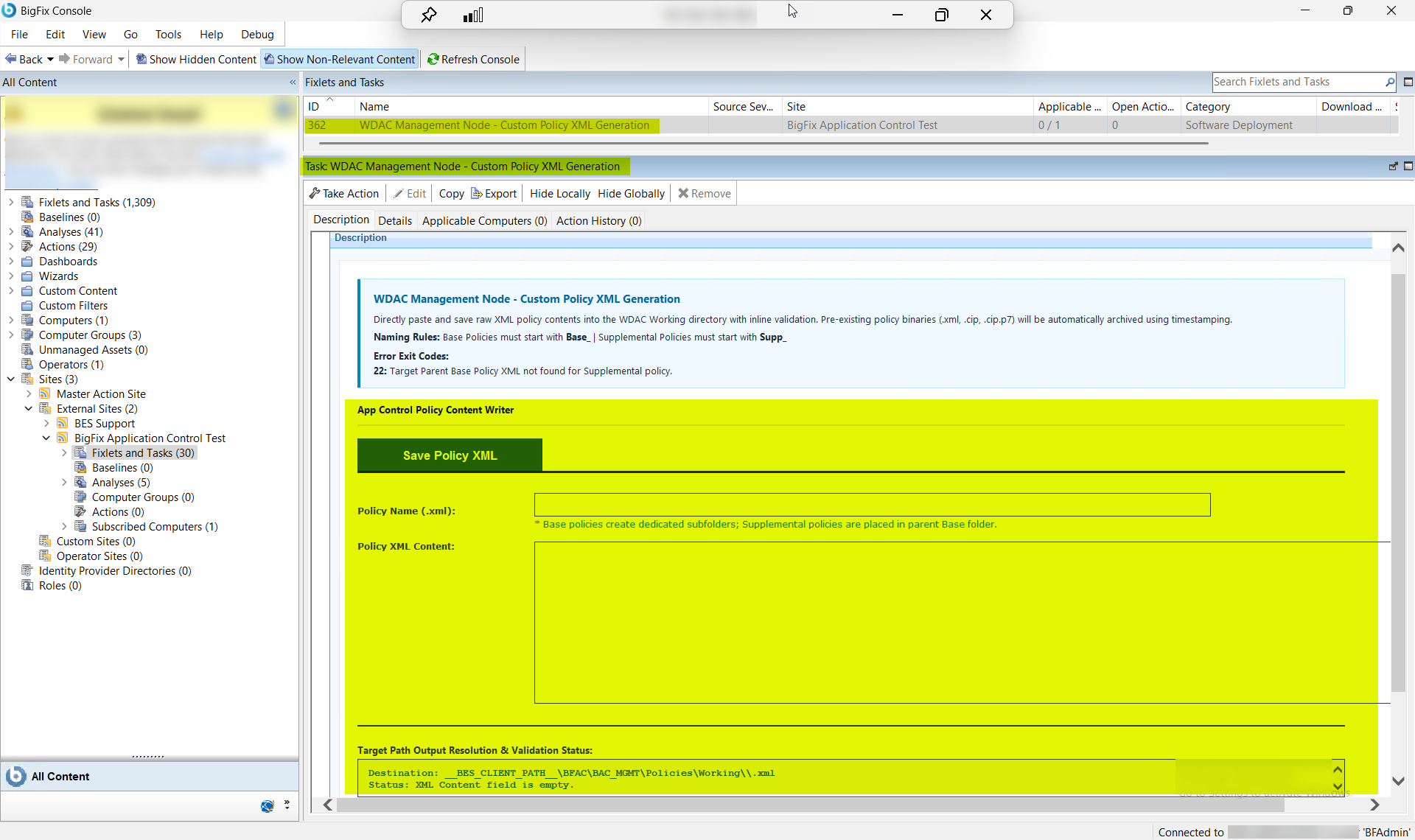
| Exit Code | Description |
|---|---|
| 22 | Target Parent Base Policy XML not found for Supplemental policy. |
Procedure
- In the BigFix® Console, navigate to .
- From the Fixlets and Tasks pane, select Task: WDAC Management Node - Custom Policy XML Generation.
-
From the Task: WDAC Management Node - Custom Policy XML
Generation pane, under Save Policy XML,
enter the following.
Figure 2. WDAC Management Node Custom Policy XML Generation — Configuration Options: Policy Name and Policy XML Content 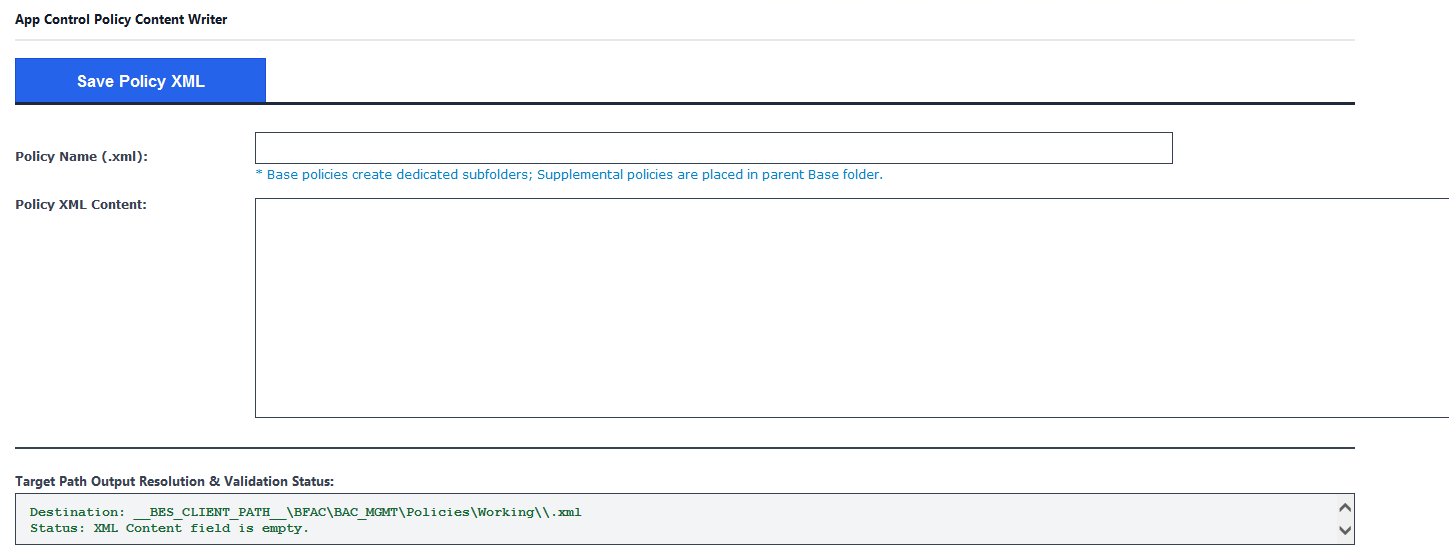
Table 2. Custom Policy XML Generation — Configuration Options Field Descriptions Field Name Description Policy Name (.xml) The file name for the new WDAC XML policy. Base policies must begin with Base_ (for example, Base_CorpPolicy); supplemental policies must begin with Supp_ followed by a name that identifies the supplemental scope (for example, Supp_Finance). The .xml extension is optional. If a policy file with the same name already exists in the Working directory, it is automatically archived with a timestamp before the new file is saved. If creating a supplemental policy, the parent base policy XML must already exist in the Working directory — otherwise the task exits with code 22. Policy XML Content The raw WDAC XML policy body to save to the Working directory. Paste the full XML content of the policy directly into this field. The task performs inline validation on the pasted XML before saving. If the file cannot be written to disk (for example, due to a permissions issue or disk error), the task exits with code 35. - From the Task: WDAC Management Node - Custom Policy XML Generation pane, click the Applicable Computers(n) tab and view the endpoints on which you want to run the task.
- Select the Take Actions tab and select the endpoints on which you want to apply this installer task.
- Click OK.
Results
A successful execution of this task produces the following outcomes on the WDAC Management Node:
- Custom policy XML file saved: The pasted XML content passes inline validation and is saved as a new <PolicyName>.xml file in the BAC_MGMT\Policies\Working directory. Base policies are saved directly in Working; supplemental policies are saved in a subdirectory named after the parent base policy.
- Pre-existing binaries archived: If a policy file with the same name already existed in the Working directory, the previous .xml, .cip, and .cip.p7 binaries are automatically archived with timestamps before the new file is written. No policy data is permanently overwritten without an archive copy.
- Policy ready for compile-sign-publish pipeline: The saved XML file is now available in the Working directory for Task ID 355 (Compile, Sign, and Publish) to process into a signed .cip.p7 binary and publish to the BigFix Custom Site.
- Policy available for review submission: The saved XML file can be submitted for policy review via Task ID 361 (Submit a WDAC XML Policy for Review) directly from the Working directory.