Compile, Sign, and Publish WDAC Policies from the WDAC Management Node
Compile an existing WDAC XML policy on the BAC_MGMT Management Node into binary CIP format using WdacManager.exe, digitally sign the compiled payload using the local TPM-bound certificate (wdacmgmt.cer by default), archive any previous version of the same Base policy, and publish all signed binaries and XML source files to the BigFix Custom Site for server-wide endpoint deployment. Base policy file names must start with Base_; Supplemental policy file names must start with Supp_; certificate files must use the .cer extension.
About this task
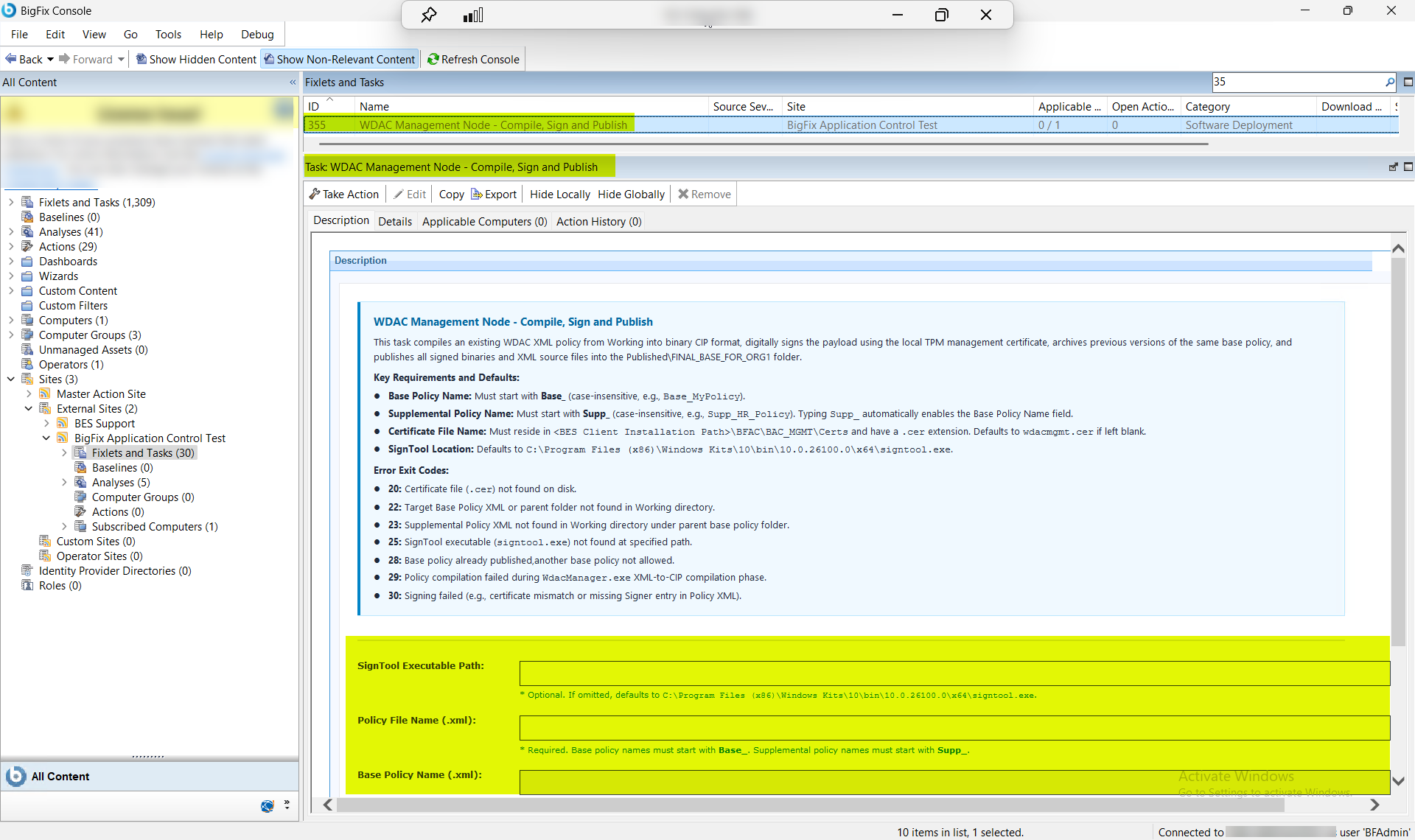
This task (ID 355) compiles an existing WDAC XML policy into binary CIP format, digitally signs the payload using the local TPM management certificate, archives previous versions of the same Base policy, and publishes all signed binaries and XML source files into the Published\FINAL_BASE_FOR_ORG1 folder.
- Base Policy Name: Must start with Base_ (case-insensitive, for example, Base_MyPolicy).
- Supplemental Policy Name: Must start with Supp_ (case-insensitive, for example, Supp_HR_Policy).
- Certificate File Name: Must reside in <BES Client Installation Path>\BFAC\BAC_MGMT\Certs and have a .cer extension. Defaults to wdacmgmt.cer if left blank.
- SignTool Location: Defaults to C:\Program Files (x86)\Windows Kits\10\bin\10.0.26100.0\x64\signtool.exe.
| Exit Code | Description |
|---|---|
| 20 | Certificate file (.cer) not found on disk. |
| 22 | Target Base Policy XML or parent folder not found in Working directory. |
| 23 | Supplemental Policy XML not found in Working directory under parent base policy folder. |
| 25 | SignTool executable (signtool.exe) not found at specified path. |
| 28 | Base policy already published,another base policy not allowed. |
| 29 | Policy compilation failed during WdacManager.exe XML-to-CIP compilation phase. |
| 30 | Signing failed (e.g., certificate mismatch or missing Signer entry in Policy XML). |
Procedure
- In the BigFix® Console, navigate to .
- From the Fixlets and Tasks pane, select Task: WDAC Management Node - Compile, Sign and Publish.
-
From the Task: WDAC Management Node - Compile, Sign and
Publish pane, enter the following.
Figure 2. WDAC Compile, Sign, and Publish — Configuration Options 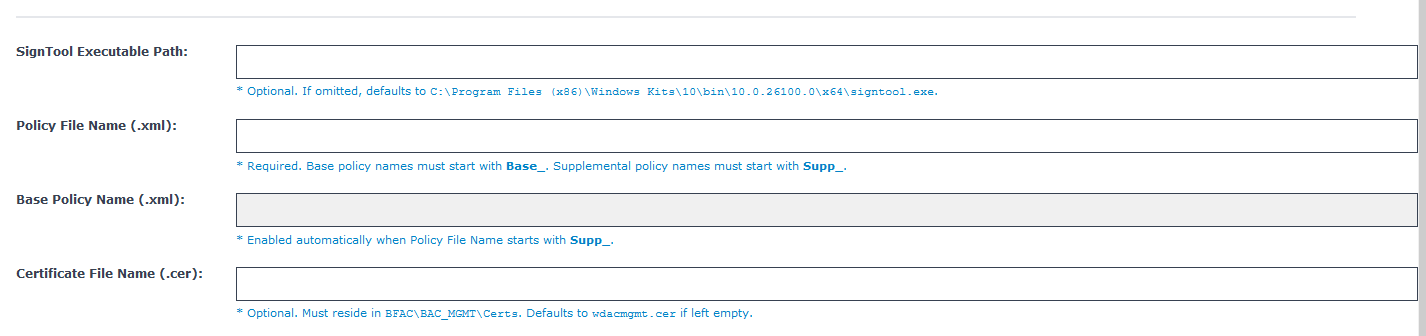
Table 2. Compile, Sign, and Publish — Configuration Options Field Descriptions Field Name Description SignTool Executable Path Full path to signtool.exe on the WDAC Management Node. Defaults to C:\Program Files (x86)\Windows Kits\10\bin\10.0.26100.0\x64\signtool.exe if left blank. Override this field if Windows Kits is installed to a non-default path or a different SDK version is installed. Base Policy Name (.xml) The filename of the parent Base Policy XML in the BAC_MGMT working directory, without the .xmlextension. Required when Is Supplemental Policy is Yes. The name must start with Base_ (case-insensitive). Leave blank when compiling a Base policy directly.Policy File Name (.xml) The filename of the WDAC XML policy to compile and sign, without the .xmlextension. For Base policies, the name must start with Base_; for Supplemental policies, it must start with Supp_. The file must exist in the BAC_MGMT working directory before running the task.Certificate File Name (.cer) The filename of the TPM-bound signing certificate in the BAC_MGMT\Certs directory, including the .cerextension. Defaults to wdacmgmt.cer if left blank. The certificate must have been provisioned by Task 353 before this task can run successfully. - From the Task: WDAC Management Node - Compile, Sign and Publish pane, click the Applicable Computers(n) tab and view the endpoints on which you want to run the task.
- Select the Take Actions tab and select the endpoints on which you want to apply this installer task.
- Click OK.
Results
A successful execution of this task produces the following outcomes on the WDAC Management Node:
- Binary CIP file compiled: The specified WDAC XML policy is converted to a binary .cip file in the BAC_MGMT working directory by WdacManager.exe. The CIP file is ready for signing and distribution.
- Policy digitally signed: The compiled CIP binary is signed with the TPM-bound management certificate (wdacmgmt.cer by default) using signtool.exe. The signed binary carries a verifiable digital signature that endpoints validate before applying the policy.
- Previous Base policy version archived: If a previously published version of the same Base policy exists in the Published\FINAL_BASE_FOR_ORG1 folder, it is moved to an archive subfolder before the new version is written. This preserves rollback capability without overwriting prior builds.
- Signed binaries and XML source published: The signed CIP binary and the original XML source file are copied to the Published\FINAL_BASE_FOR_ORG1 folder and uploaded to the BigFix Custom Site, making the policy available for server-wide deployment to managed endpoints.
- Deployment ready: The policy archive is now available in the BigFix Custom Site. Proceed to Set Up and Initialize WDAC on Target Endpoints (step 6) to begin endpoint-level WDAC deployment using the published policy.