Uninstall BigFix Application Control Configuration from the WDAC Management Node
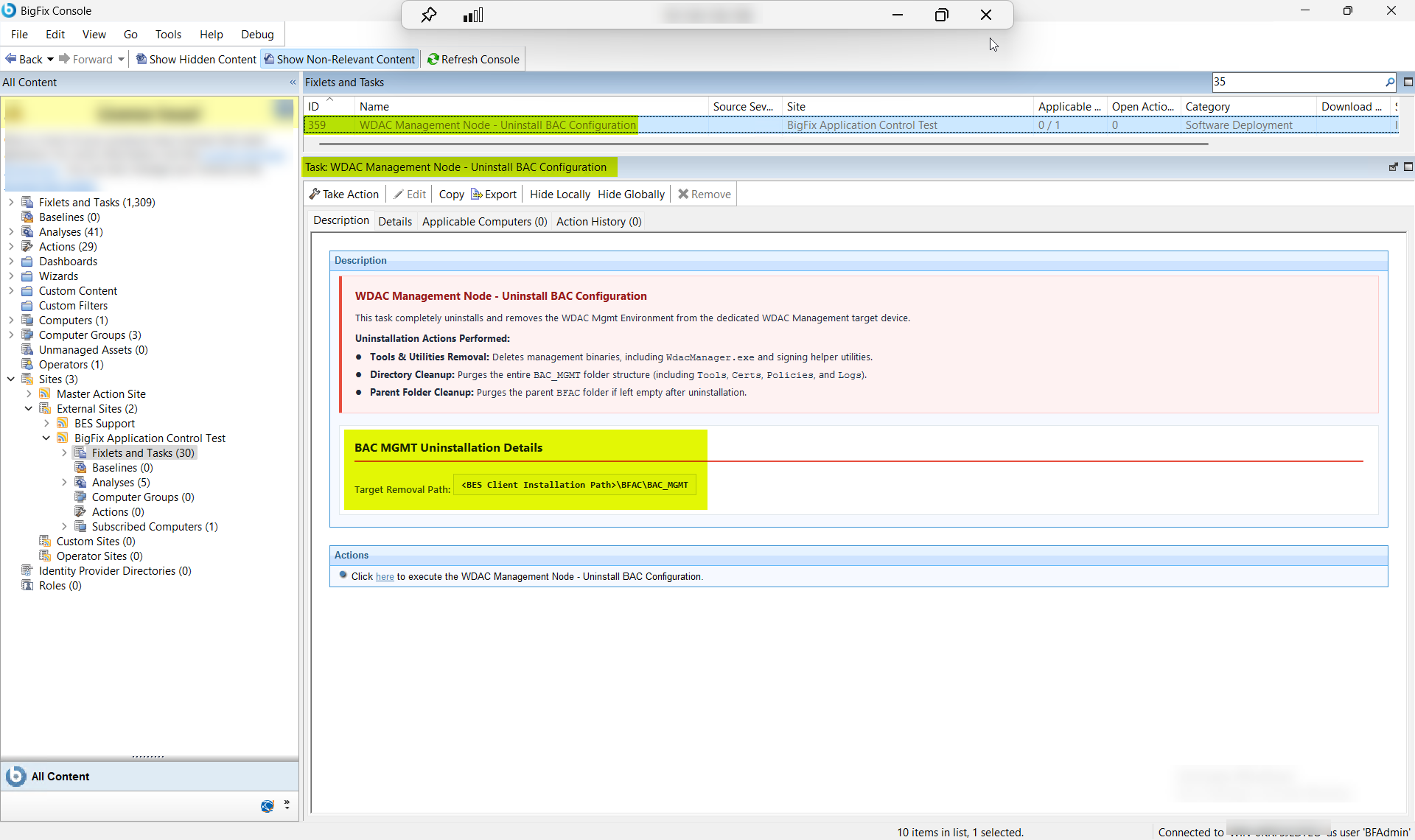
Remove the WDAC Management Environment from the dedicated WDAC Management Node by deleting management binaries including WdacManager.exe and signing helper utilities, purging the BAC_MGMT folder structure (Tools, Certs, Policies, and Logs — including the TPM-bound signing certificate stored in Certs), and removing the parent BFAC folder if left empty after uninstallation. Use Target Removal Path to specify the BAC_MGMT installation path, and select the Cleanup Option to choose between complete removal (all files and logs) or partial removal (preserving the Logs folder for audit retention).
About this task
- Tools & Utilities Removal: Deletes management binaries, including WdacManager.exe and signing helper utilities.
- Directory Cleanup: Purges the BAC_MGMT folder structure (Tools, Certs, Policies, and Logs).
- Parent Folder Cleanup: Purges the parent BFAC folder if left empty after uninstallation.
Procedure
- In the BigFix Console, navigate to .
- From the Fixlets and Tasks pane, select Task: WDAC Management Node - Uninstall BAC Configuration.
-
From the Task: WDAC Management Node - Uninstall BAC
Configuration pane, under BAC MGMT Uninstallation
Details, enter the following.
Figure 2. WDAC Management Node BAC Uninstall — Configuration Options: Target Removal Path and Cleanup Mode 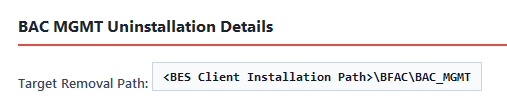
Table 1. WDAC Management Node BAC Uninstall — Configuration Options Field Descriptions Field Name Description Target Removal Path The full installation path of the BAC_MGMT folder on the WDAC Management Node — the directory specified when Task ID 352 (WDAC Management Node configuration) was installed. The task deletes the BAC_MGMT folder structure (Tools, Certs, Policies, and Logs subfolders), all binaries including WdacManager.exe, and the TPM-bound signing certificate stored in the Certs folder. The parent BFAC folder is also removed if left empty. Defaults to the standard BigFix Client installation path if left blank. - From the Task: WDAC Management Node - Uninstall BAC Configuration pane, click the Applicable Computers(n) tab and view the endpoints on which you want to run the task.
- Select the Take Actions tab and select the endpoints on which you want to apply this task.
- Click OK.
Results
A successful execution of this task produces the following outcomes on the WDAC Management Node:
- WdacManager.exe and signing utilities removed: The WdacManager.exe binary and all associated signing helper utilities are deleted from the BAC_MGMT\Tools folder. Policy compilation and signing operations are no longer available on this device.
- BAC_MGMT folder structure purged: The complete BAC_MGMT directory — including the Tools, Certs, Policies, and Logs subfolders — is removed from the path specified in Target Removal Path. The TPM-bound signing certificate stored in the Certs folder is permanently deleted. If reinstalling, Task ID 353 must be re-run to re-provision the signing certificate after Task ID 352 completes.
- BFAC parent folder conditionally removed: If the parent BFAC folder is empty after the BAC_MGMT folder is removed, the BFAC folder is also deleted. If other contents remain in the BFAC folder (for example, the BAC_SERVER folder from the Root Server component), the parent folder is left in place.
- WDAC Management Environment fully decommissioned: The policy authoring, signing, and publishing infrastructure is no longer present on the Management Node. To reinstate it, re-run Task ID 352 (Configure and Install the WDAC Management Node) followed by Task ID 353 (Provision the TPM-Enforced WDAC Policy Signing Certificate on the WDAC Management Node).