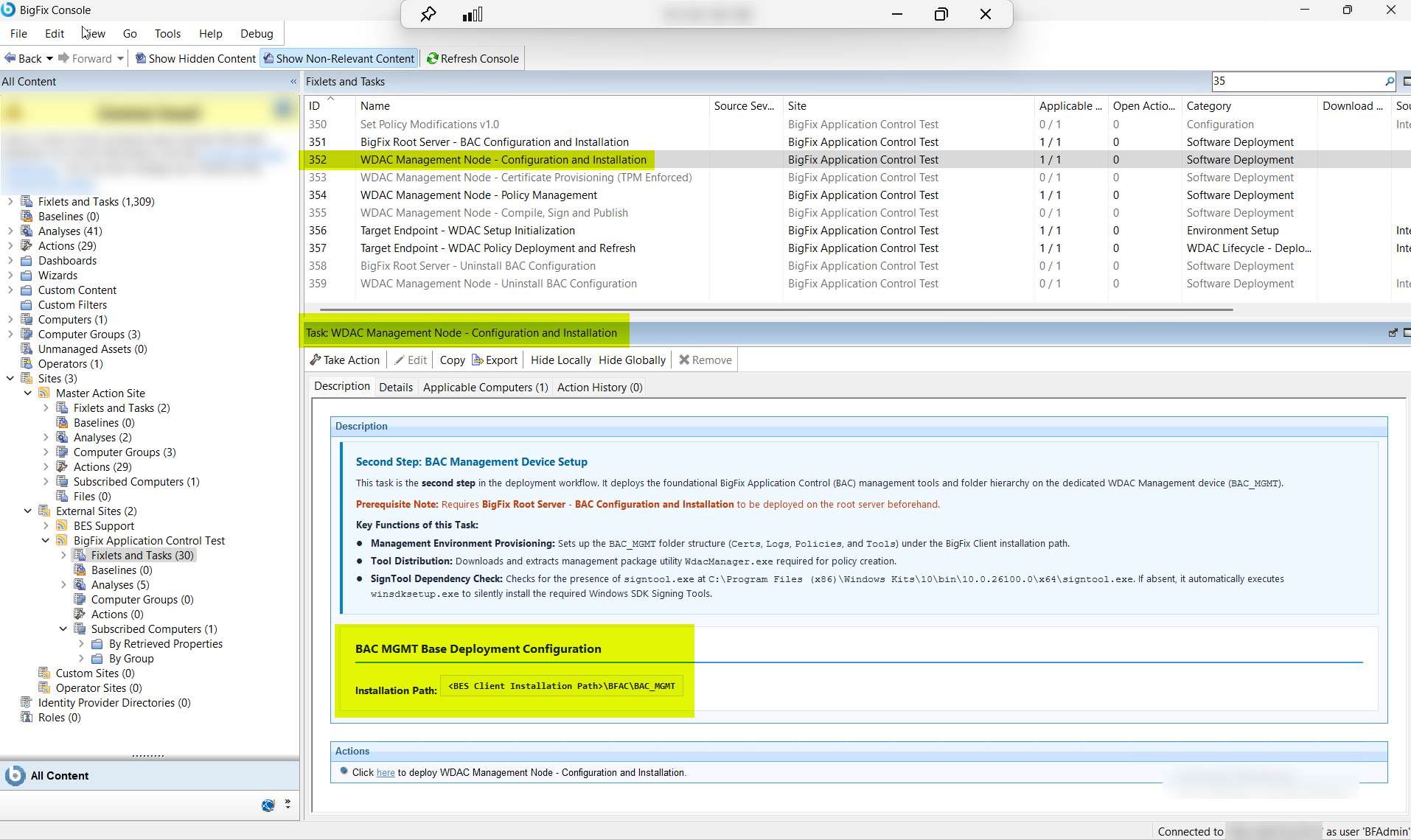
Task ID 352 is the second step in the BigFix Application Control deployment sequence,
requiring Task ID 351 (Root Server installation) to be completed first. It provisions the
dedicated WDAC Management Node (BAC_MGMT) by creating the required folder structure (Certs,
Logs, Policies, and Tools) under the BigFix Client installation path, and downloads and
extracts WdacManager.exe — the management utility required for WDAC
policy creation on the Management Node.
This task (ID 352) is the second step in the
deployment workflow. It deploys the foundational BigFix Application Control (BAC)
management tools and folder hierarchy on the dedicated WDAC Management device
(BAC_MGMT).
The task performs the following key functions:
Management Environment Provisioning: Sets up the
BAC_MGMT folder structure (Certs,
Logs, Policies, and Tools) under the BigFix Client
installation path.
Tool Distribution: Downloads and extracts management package utility
WdacManager.exe required for policy creation.
SignTool Dependency Check: Checks for the presence of
signtool.exe at C:\Program Files (x86)\Windows
Kits\10\bin\10.0.26100.0\x64\signtool.exe. If absent, it
automatically executes winsdksetup.exe to silently install
the required Windows SDK Signing Tools.
Figure 1. BigFix Console — WDAC Management Node Configuration and Installation Task
(ID 352) Overview
Procedure
In the BigFix Console, navigate to All Content > BigFix Application Control > Fixlets and Tasks.
From the Fixlets and Tasks pane, select WDAC
Management Node - Configuration and Installation.
From the Task: WDAC Management Node - Configuration and
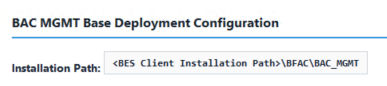
Installation pane, under BAC MGMT Base Deployment
Configuration select one of the following policy options:
The local file system path on the WDAC Management Node
where the BAC_MGMT folder structure will be created under
the BigFix Client installation directory (e.g.,
C:\Program Files (x86)\BigFix Enterprise\BES
Client\BAC_MGMT). This path must exist and be
writable by the executing account. The four required
subfolders (Certs, Logs, Policies, and
Tools) will be automatically created here during
installation.
From the Task: WDAC Management Node - Configuration and Installation
options pane, click the Applicable
Computers(n) tab and view the endpoints on which you want to run
the task.
Select the Take Actions tab and select the endpoints on
which you want to apply this installer task.
Click OK.
Results
A successful execution of this task results in the following
outcomes:
The BAC_MGMT folder structure is created under the BigFix Client installation
path with four required subfolders: Certs (for code-signing
certificates), Logs (for task logs and audit trails), Policies
(for WDAC policy source files), and Tools (for management
utilities).
WdacManager.exe (the management package utility for WDAC policy creation) is downloaded and extracted to the Tools subfolder, ready for policy authoring.
The Windows SDK Signing Tools (signtool.exe) are verified; if absent,
winsdksetup.exe is automatically executed to silently install the
required signing tools at C:\Program Files (x86)\Windows
Kits\10\bin\10.0.26100.0\x64\.
The WDAC Management Node is now fully provisioned and ready for TPM-backed code-signing certificate generation (Task ID 353).