Generate WDAC Code Integrity and AppLocker Blocked Events
Collect WDAC Code Integrity and AppLocker audit and blocked events from target
endpoints into ANSI text files, stored in the WDAC_Reports folder on each endpoint, for
review through BigFix® Web Reports or the Application Control reporting
mechanism.
About this task
This task (ID 365) collects WDAC Code Integrity and AppLocker audit
and blocked events into separate ANSI text files on target endpoints.
In the BigFix® Console, navigate to All Content > BigFix Application Control > Fixlets and Tasks.
From the Fixlets and Tasks pane, select Task:
Generate WDAC Code Integrity and AppLocker Blocked Events.
From the Task: Generate WDAC Code Integrity and AppLocker Blocked
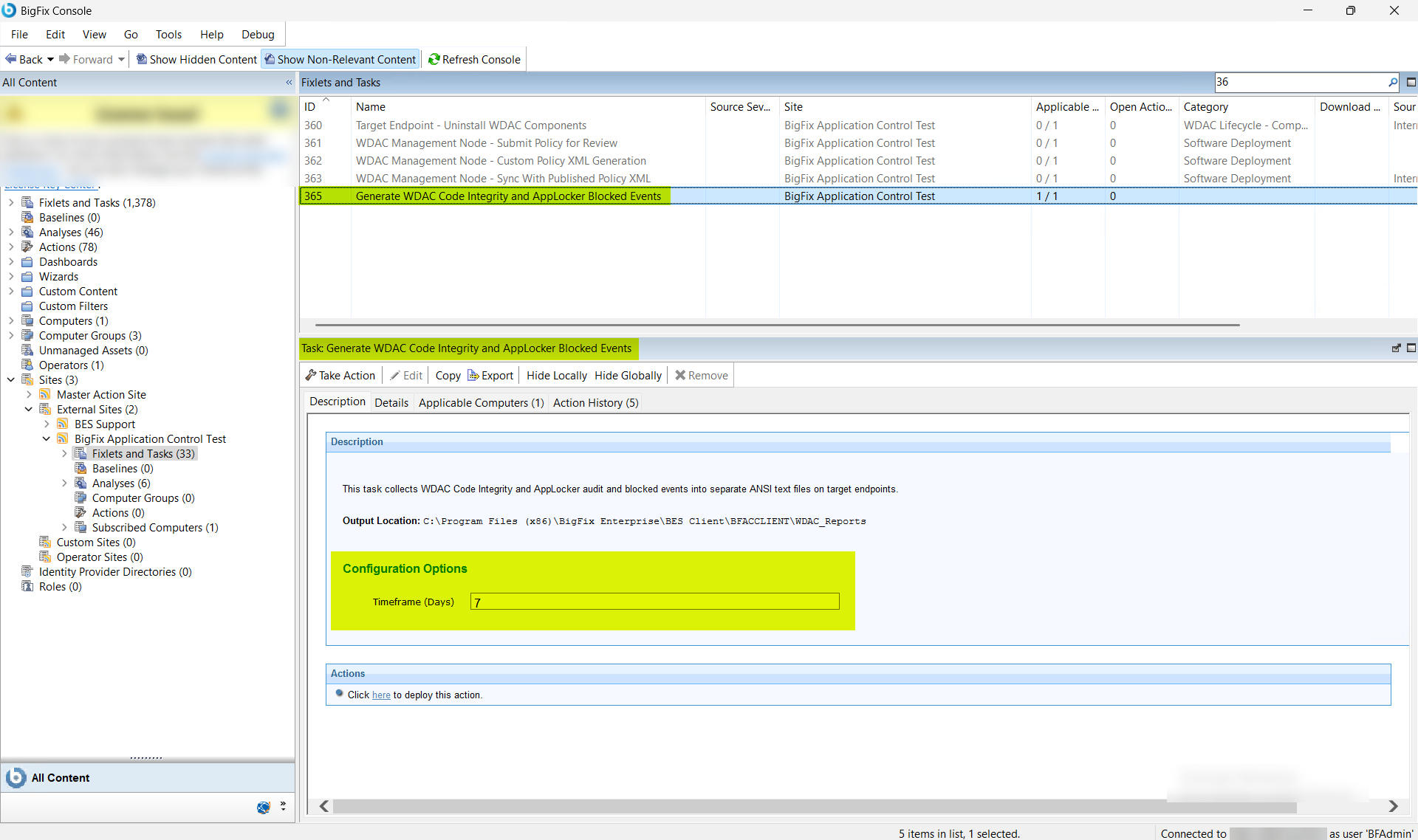
Events pane, under Configuration Options,
enter the following.
Figure 2. Generate WDAC Code Integrity and AppLocker Blocked Events (ID 365) —
Configuration Options
Table 1. Generate WDAC Code Integrity and AppLocker Blocked Events —
Configuration Options Field Descriptions
Field Name
Description
Timeframe (Days)
Number of days of event history to collect
from each target endpoint. The task queries the endpoint's
event log within this window and writes matching WDAC Code
Integrity and AppLocker events to the output files in the
WDAC_Reports folder.
From the Task: WDAC Management Node - Custom Policy XML
Generation pane, click the Applicable
Computers(n) tab and view the endpoints on which you want to run
the task.
Select the Take Actions tab and select the endpoints on
which you want to apply this installer task.
Click OK.
Results
WDAC Code Integrity and AppLocker audit and blocked events are collected from each
target endpoint and written to separate ANSI text files in the
WDAC_Reports folder. The report files are available for
review through BigFix® Web Reports or the applicable
Application Control reporting mechanism.
Use the collected event data to identify application files or components that
are audited or blocked, and to determine the appropriate WDAC rule type for
those components.
If the collected events indicate that a policy adjustment is required, update
the WDAC policy on the WDAC Management Node and redeploy to the affected
endpoints.