
Add New Execution Scope
Users can add a new execution scope for a data source in an organization by performing the following steps.
- On the Manage Execution Scope page, toggle the button under Execution
Scope column and click Add New.
Figure 1. Add Scope of Execution 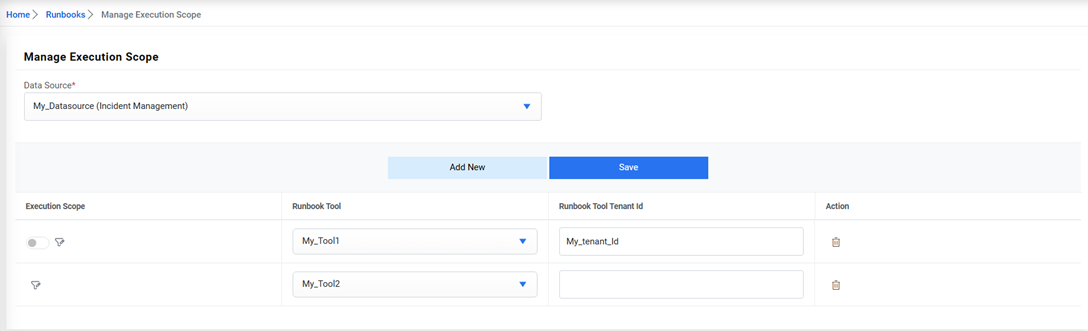 Note:Before the user configures the execution scope, ensure the execution scope is set to Filter. In case of selecting All Data, all the runbook tools remain assigned to a single organization and the Add New button remains disabled. To assign a new runbook tool, set the Execution Scope from All Data to Filter, which enables the Add New button.
 - It lists the existing execution scope for the selected organization.
- To define a new scope for execution, click Add New and add a new row below the existing execution scope.
- Select a Runbook Tool in a new row and then type the Runbook Tool Tenant ID, assigned to a
runbook tool for identification.
Figure 2. Add Scope of Execution (Cont.) 
- Click Save. A confirmation dialog box appears.
Figure 3. Add Scope of Execution (Cont.) 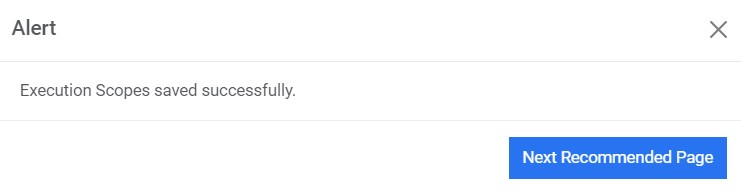
The new execution scope is defined and listed in a tabular view.
To delete an execution scope, click  corresponding
to the execution scope that you want to delete.
corresponding
to the execution scope that you want to delete.