Ticket Flow
This module helps with testing, ensuring that the relevant Runbook is being recommended using the current model and correct information is being parsed and extracted from the tickets as input parameters for the Runbook.
To test the ticket flow, perform the following steps:
- On the main menu bar, click Runbooks and then Ticket Flow. The
Ticket Flow screen appears.
Figure 1. Ticket Flow 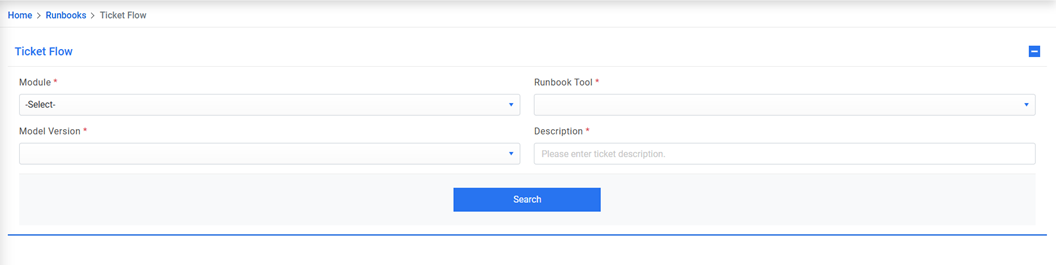
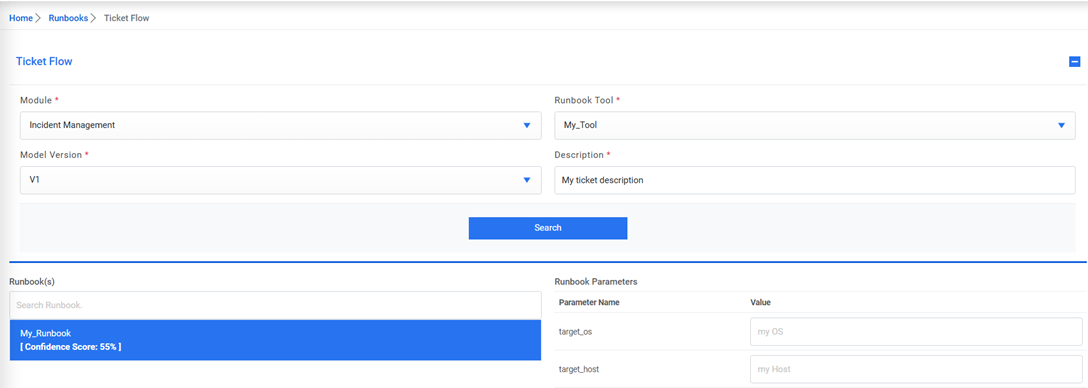
- Select Module, Runbook Tool, and Model Version.
- Enter the description of the event / ticket for which you would like to test the runbook
recommendations and the extracted input parameter values. Click Search to view the
results.
Figure 2. Ticket Flow (cont.)