
Create Static Device Group
Static device groups allow you to manually organize devices by explicitly adding or removing individual devices. Membership in a static group does not change automatically and remains exactly as defined by the user.
In BigFix UI, you can create a static device group directly from a device’s details page or add the device to an existing static group. This approach is useful when you want precise control over which devices are included for administrative actions, testing, or targeted operations.
How Static Device Groups Work
- A static group contains only the devices that you manually add.
- Devices remain members of the group until they are explicitly removed.
- From a device’s details page, you can:
- Create a new static group and add the current device to it.
- Add the device to one or more existing static groups that it is not already part of.
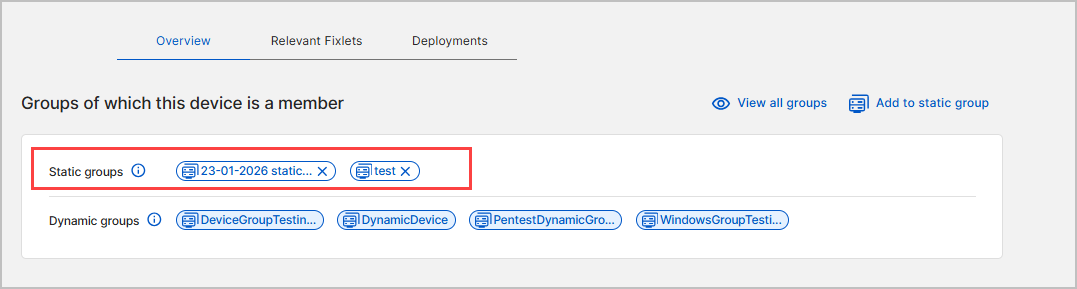
- All static groups associated with a device are displayed in the Groups of which this device is a member section on the device details page.
- Static groups can be managed centrally from the Groups view.
Create a New Static Device Group from a Device
Use this procedure when you want to create a new static group and immediately include the selected device.
- From the BigFix UI navigation, open Devices.
- Select a device to open the device details page.
- In the Groups of which this device is a member section, click Add to
static group.
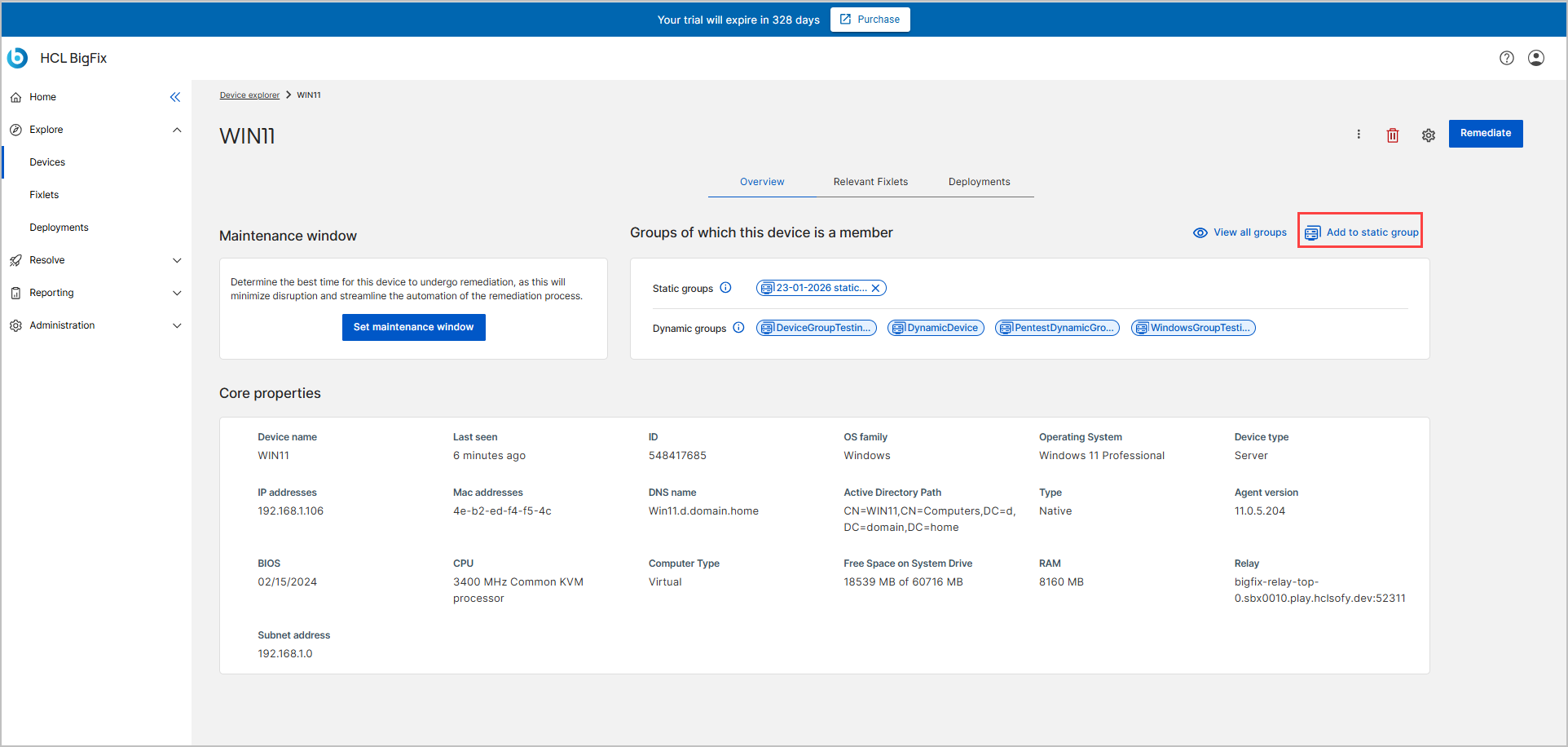
- In the Add to static group dialog:

- Enter a name for the new static group.
- Click Create group.
The group appears in the static groups membership list.
Add a Device to an Existing Static Device Group
Use this procedure to add the device to one or more static groups that already exist.
- Open the device details page from device list.
- Click Add to static group from the devices detail page.
- In the dialog, select one or more static groups from the list.
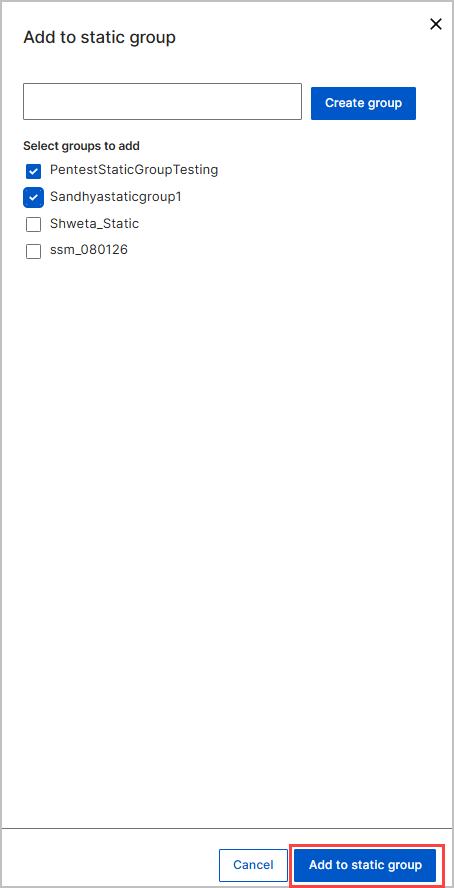
Only static groups that the device is not already a member of are available.
- Click Add to static group.
The device is added to the selected static groups.
The updated group membership is reflected on the device details page.
Remove a Device from a Static Device Group
You can remove a device from a static group without affecting other devices in the same group.
- Open the device details page.
- In the Groups of which this device is a member section, locate the static group.
- Remove the device from the static groups.

The device is no longer a member of the static group.
The static group itself remains available for use.