Remove WDAC Components from Endpoint v2.x
This deprecated task performs a complete WDAC infrastructure cleanup on the endpoint: it mounts the EFI system partition and removes the AllowAll base policy, uninstalls the Windows SDK including SignTool.exe, and deletes the entire BAC folder and its contents — fully decommissioning Windows Defender Application Control (WDAC) enforcement on the endpoint. A system reboot is required for changes to take effect.
About this task
Important:
The task performs the following actions:This task is deprecated and will be
removed from BigFix Application Control
v2.x in near future.
- Mounts the EFI system partition to access the boot-level WDAC policies.
- Removes the AllowAll base policy from the endpoint (EFI).
- Uninstalls the SDK, including SignTool.exe.
- Deletes the BAC folder from the endpoint.
- Logs all operations (success, warning, failure) to the BAC\Logs\WDAC_Cleanup.log file.
Refer to the table below to know more about the task's exit code.
| Exit Code | Meaning |
|---|---|
| 0 | Success |
| 30 | EFI mount failure |
| 40 | Policy removal failure |
| 50 | WDAC_AllowAll.xml file not found. |
| 60 | Refresh failure |
| 70 | SDK un-installation failure |
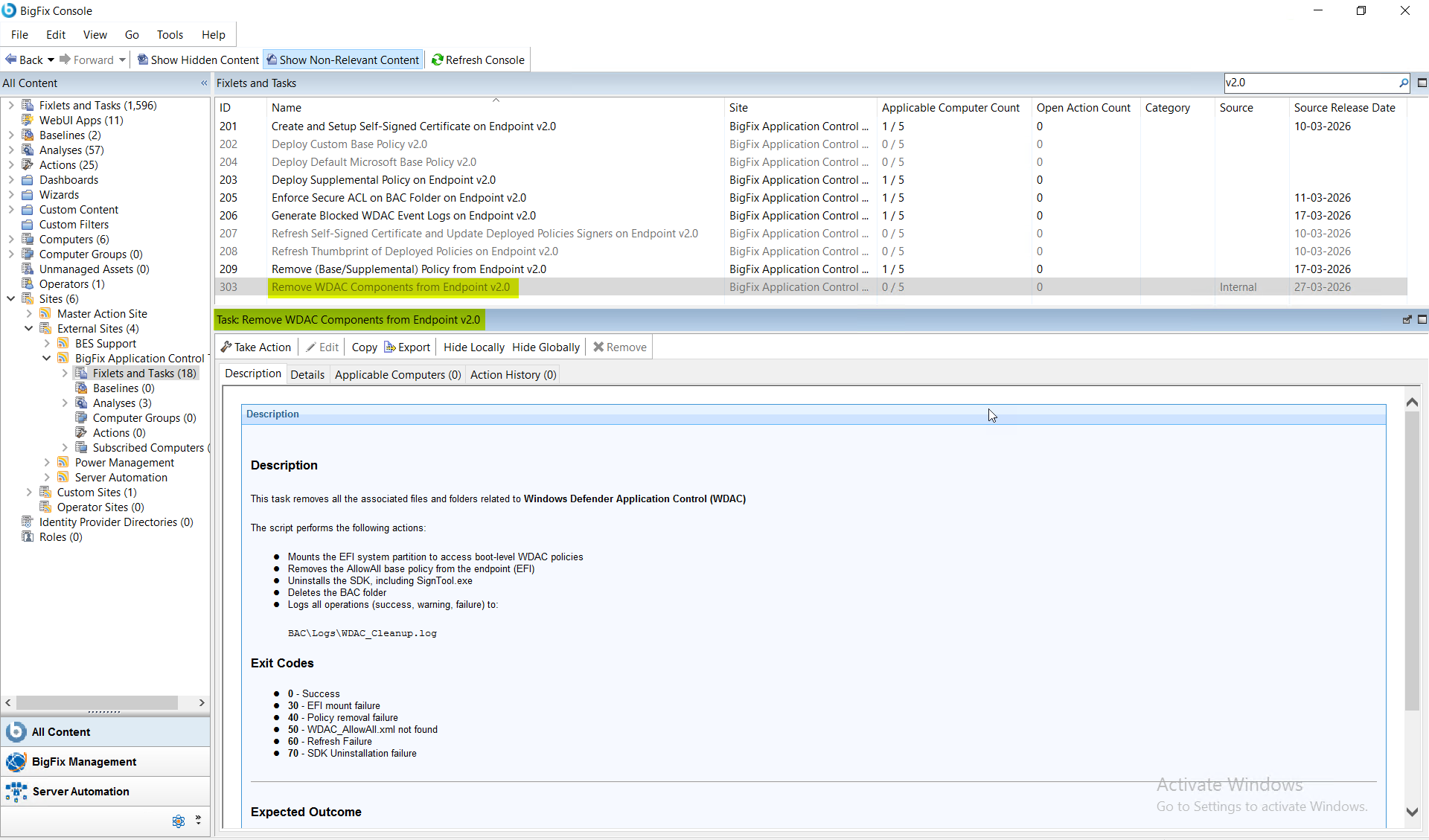
Procedure
- In the BigFix Console, navigate to .
- From the Fixlets and Tasks pane, select Task: Remove WDAC Components from Endpoint v2.0.
- From the Task: Remove WDAC Components from Endpoint v2.0 pane, click the Applicable Computers(n) tab and view the endpoints on which you want to run the task.
- Select the Take Actions tab and select the endpoints on which you want to apply this installer task.
- Click OK.
Results
- Removes all the associated Application Control files and folders from the endpoint.
- A system reboot is required for the changes to take effect.