Generate Blocked WDAC Event Logs on Endpoint v2.x
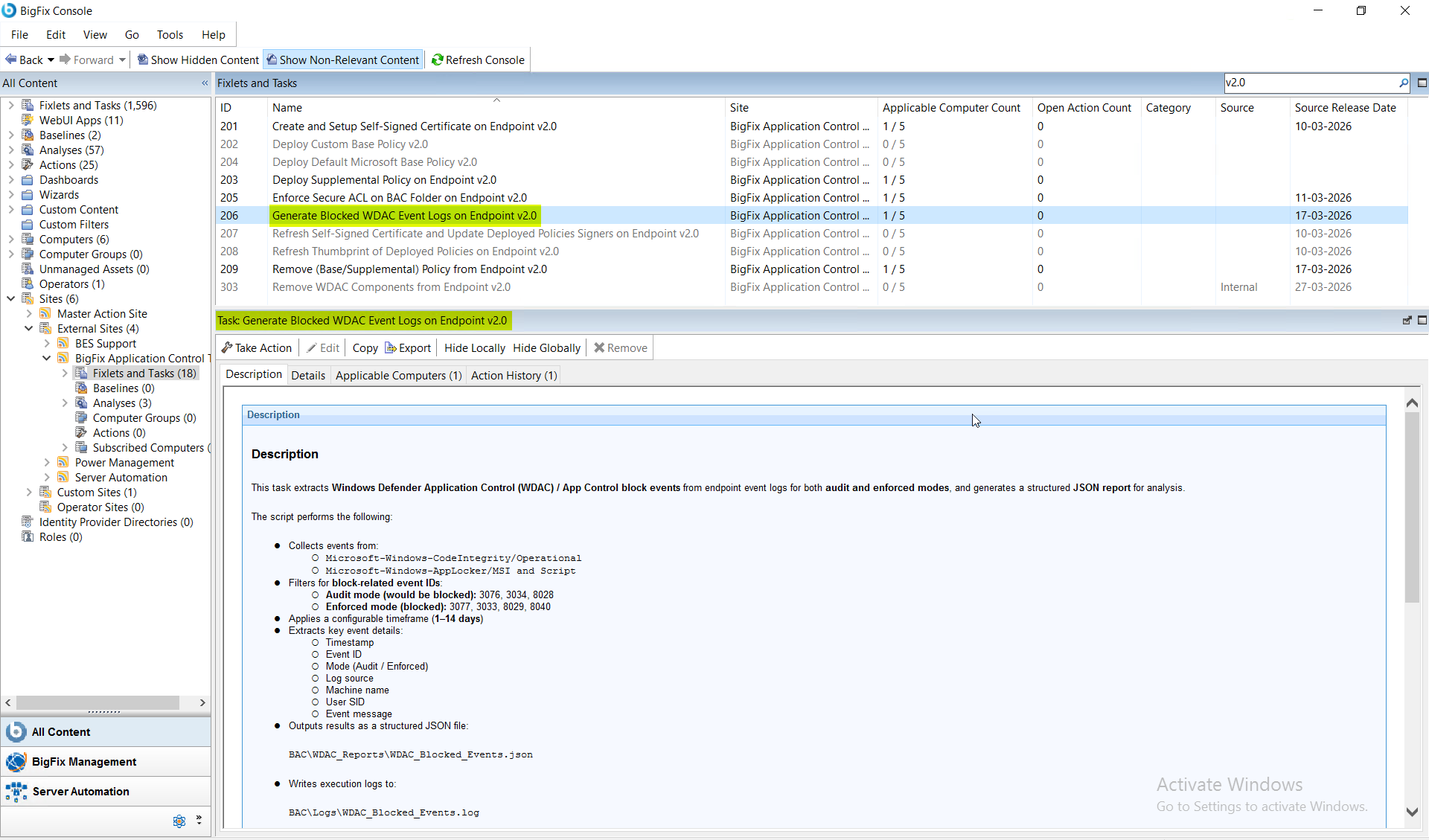
This deprecated task extracts Windows Defender Application Control (WDAC) block events from two Windows event log sources — Microsoft-Windows-CodeIntegrity/Operational and Microsoft-Windows-AppLocker/MSI and Script — for a configurable timeframe of 1 to 14 days. It filters audit-mode event IDs 3076, 3034, and 8028 ("would be blocked") and enforced-mode event IDs 3077, 3033, 8029, and 8040 ("blocked"), then outputs a structured JSON report to BAC\WDAC_Reports\WDAC_Blocked_Events.json for dashboard ingestion, policy analysis, or BigFix Web Reports.
About this task
Important:
The task performs the following actions:This task is deprecated and will be
removed from BigFix Application Control
v2.x in near future.
- Collects events from:
- Microsoft-Windows-CodeIntegrity/Operational
- Microsoft-Windows-AppLocker/MSI and Script
- Filters for block-related event IDs:
- Audit mode (would be blocked): 3076, 3034, 8028
- Enforced mode (blocked): 3077, 3033, 8029, 8040
- Applies a configurable time frame of 1 to 14 days.
- Extracts the following key event details:
- Timestamp
- Event ID
- Mode (Audit / Enforced)
- Log source
- Machine name
- User SID
- Event message
- Outputs the results as a structured JSON file to BAC\WDAC_Reports\WDAC_Blocked_Events.json file.
- Writes the execution logs to the BAC\Logs\WDAC_Blocked_Events.log file.
Refer to the table below to know more about the task's exit code.
| Exit Code | Meaning |
|---|---|
| 0 | Success |
| 10 | Invalid time frame |
| 20 | BAC path not found |
| 30 | Event query failure |
| 40 | No events found |
| 50 | Report generation failure |
Procedure
- In the BigFix Console, navigate to .
- From the Fixlets and Tasks pane, select Task: Generate Blocked WDAC Event Logs on Endpoint v2.0.
-
From the Task: Generate Blocked WDAC Event Logs on Endpoint
v2.0 pane, under Configuration Options,
enter the following information:
Figure 2. BigFix Console — Generate Blocked WDAC Event Logs v2.0: Configuration Options Panel Showing Timeframe Days Input 
Table 2. Generate Blocked WDAC Event Logs v2.0: Configuration Options Parameter Descriptions Field Name Description Timeframe (Days) Number of days for which the event logs will be generated. - From the Task: Generate Blocked WDAC Event Logs on Endpoint v2.0 pane, click the Applicable Computers(n) tab and view the endpoints on which you want to run the task.
- Select the Take Actions tab and select the endpoints on which you want to apply this installer task.
- Click OK.
Results
- WDAC block events, both audit and enforced are extracted.
- Clean, structured JSON report is generated in the BAC folder.
- Data ready for ingestion into dashboards, analysis, or for BigFix® reporting.