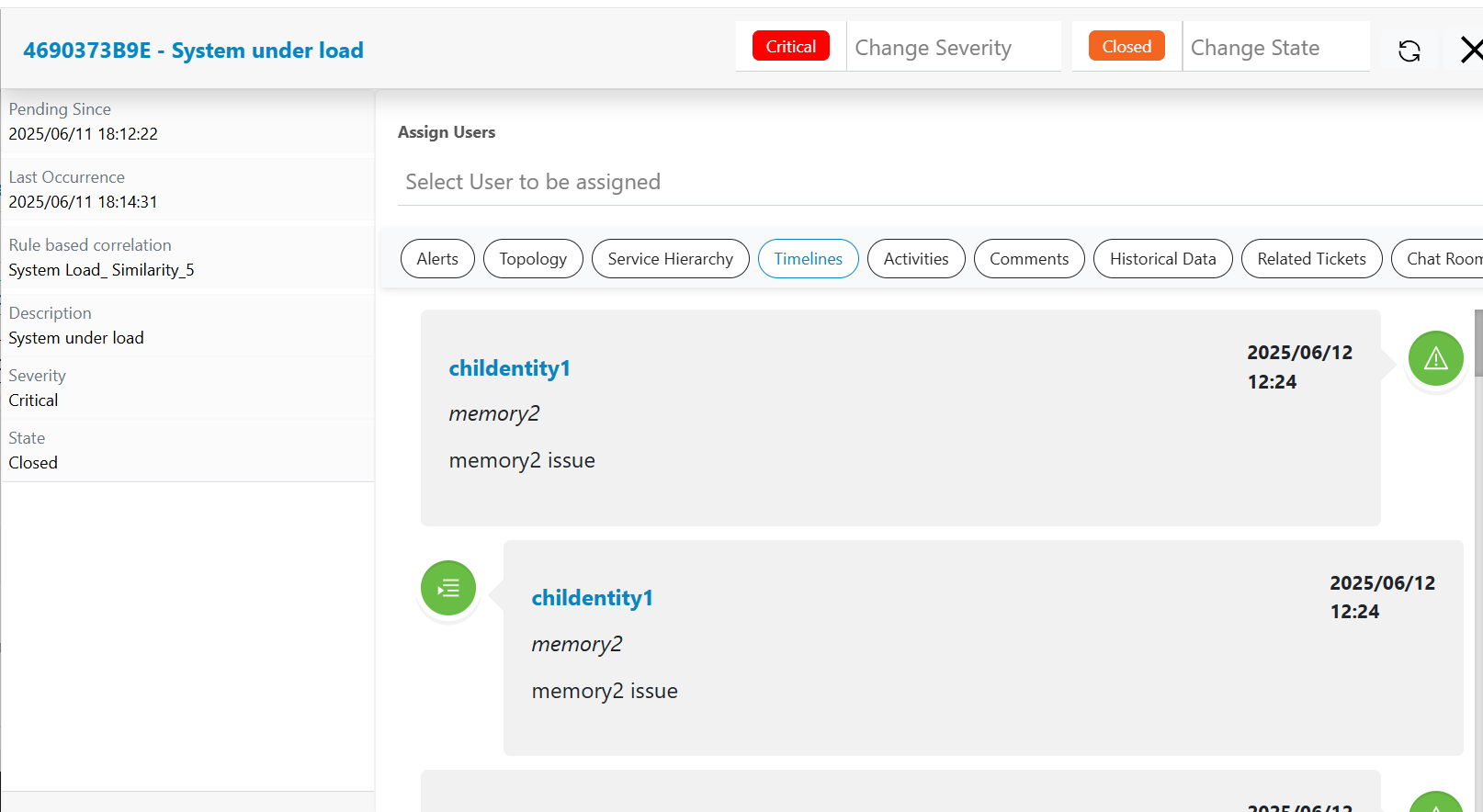
TimeLine
Visualizing the complete timeline when event came in, when alert got created and how actionable got combined is very difficult to understand. HCL IEM provides a way to present this information in a timeline where events, alerts and associated actionable will be shown over time scale. Please follow the steps below to assess the timeline view:
- Click on a particular actionable on Data View-Actionable screen, then go to pop up open for the actionable.
- Click on the Timelines header present in the actionable popup.
- The timeline view will be visible under the header, and details can be seen while scrolling from top to bottom to check the timestamp of events and alerts for that actionable.
- Entity, Parameter, Description and Timestamp are displayed for Event/Alert/ Actionable in the timeline view.
- There are different icons for differentiating between events, alerts and actionable, and
different color codes as per severity.
Figure 1. Timelines