Change Severity
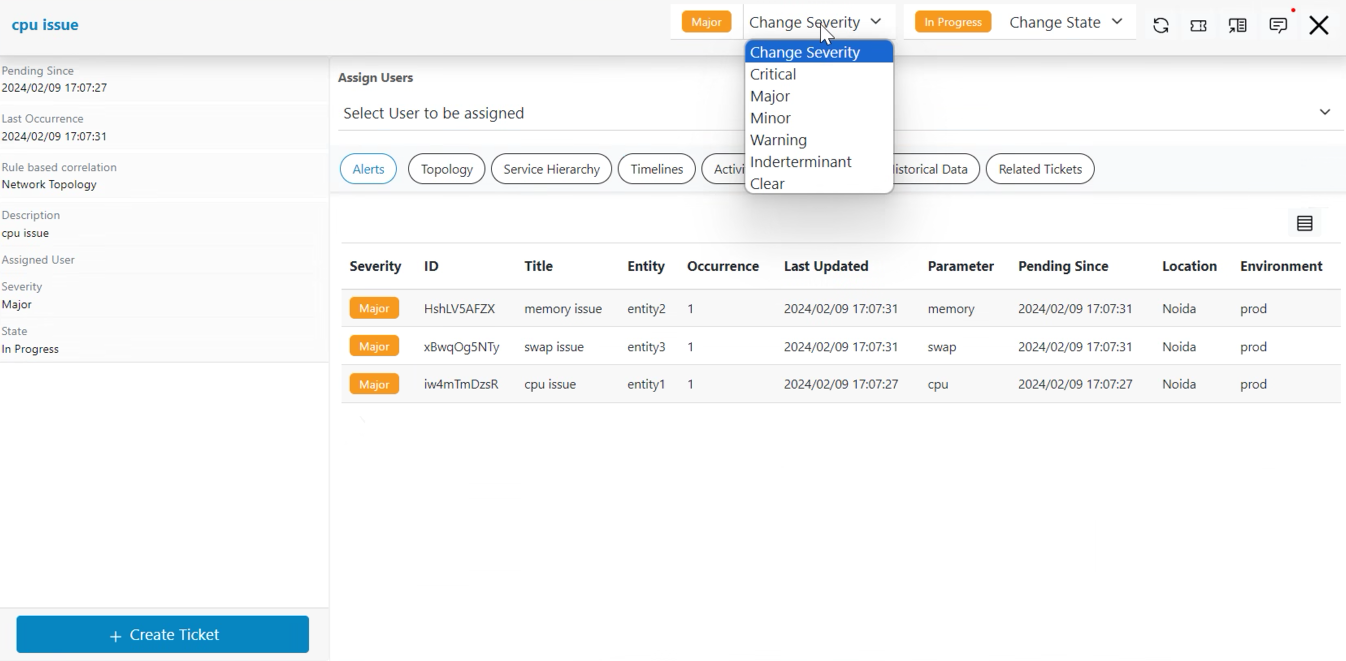
Operators can modify the severity of Actionable based on their understanding. Please follow the steps below to change the severity of actionable.
- Click on a particular actionable on Data View-Actionable screen, then go to pop up open for the actionable.
- Click on the severity Clear/Indeterminate/Warning/Minor/Major/Critical as shown.
- A dialog box would appear for confirmation.
Figure 1. To Change Severity of Actionable