Related Alerts
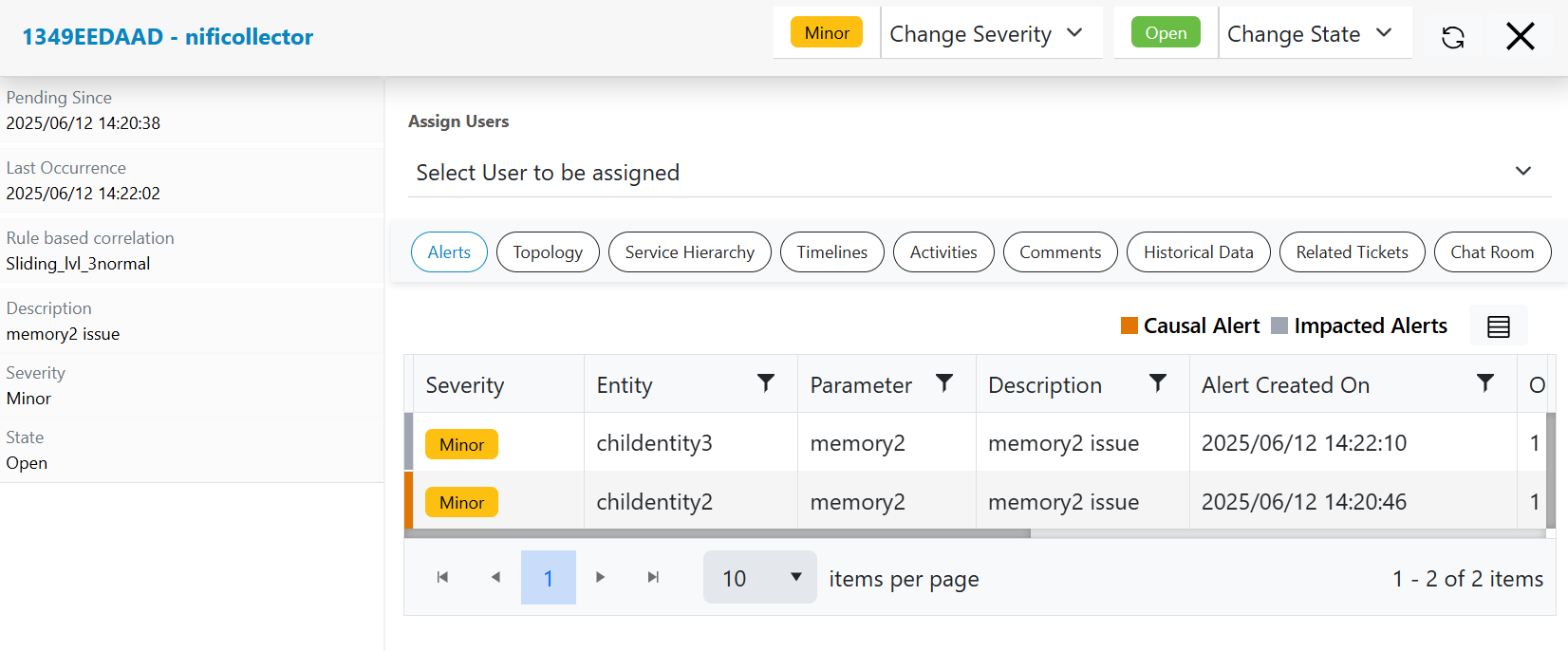
This option will enable user to see related alerts for selected actionable to see what all alerts have been combined to create an actionable.
- In the top navigation bar, click on Data View and click on actionable.
- Click on a particular actionable on Data View-Alert screen, then it will populate list of related alerts as shown below in figure.
- Segregated the alerts with causal alerts and impacted alerts type by showing a highlighter
with different colors.
Figure 1. Actionable Related Alerts