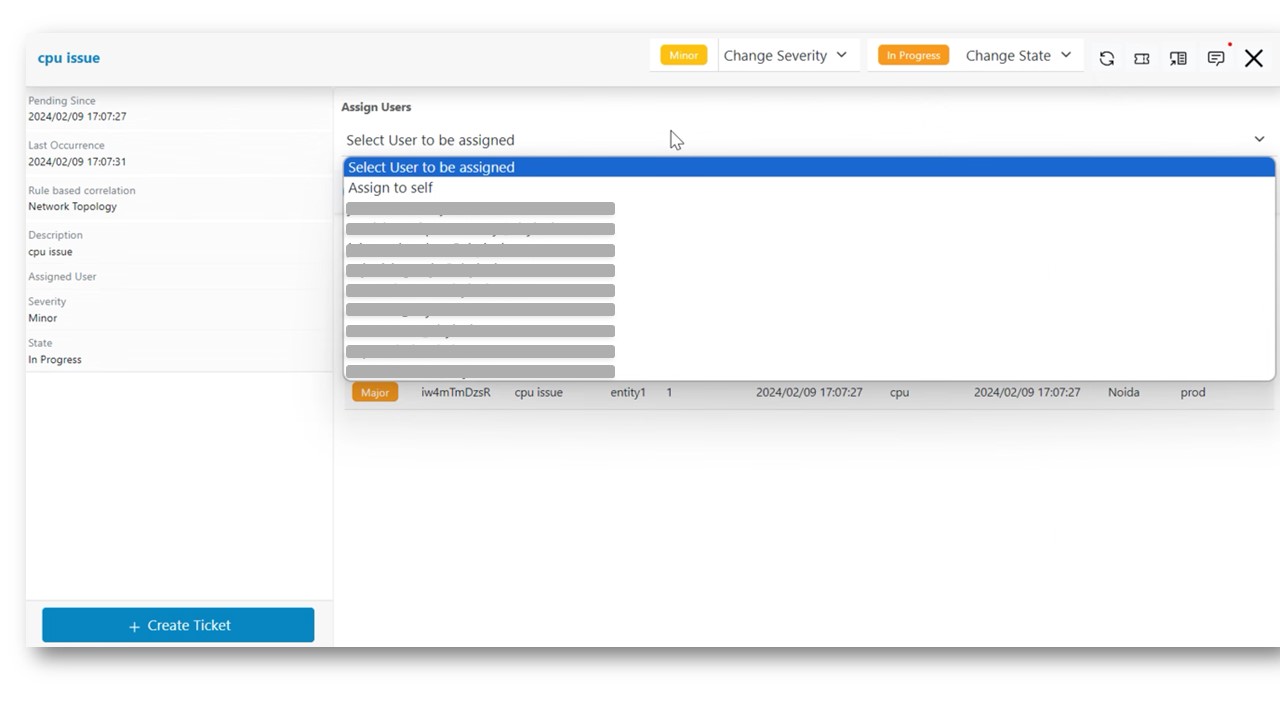
Assign Actionable to Another User
Users with tenant admin role can assign Actionable to their team members based on their availability. Please follow the steps below to assign actionable to user.
- Click on a particular actionable on Data View-Actionable screen, then go to pop up open for the actionable.
- Click on Assign to header present in the actionable popup. The drop-down list of users configured in the environment will be displayed.
- Click on the user assigned for that actionable as shown.
- Notification will be sent to the user after the Actionable is assigned.
- Notification will be sent to the user even when the assigned actionable will be released
from the user.
Figure 1. Assign Actionable to Another User