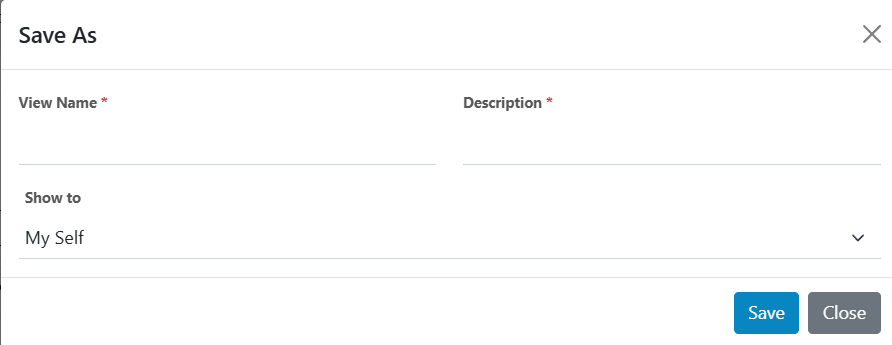
Save As Actionable
This option will enable users to save currently opened view with columns populated in data grid so that same view can be shown to any other user in an organization. It is very helpful for admins to configure this kind of view for other users in an organization by creating a different view other than the current view. For example, the view to list actionable with critical severity only. Please follow the steps below to save as actionable:
- In the top navigation bar, click on Data View and click on actionable.
- Once the user can click the save as button, a pop-up will open to provide the following
information:
- View Name: name of view like critical actionable
- Description: description of view like list all critical actionable
- Show to: Either it will be visible to user who is saving it or to other users.
- View with name “Critical Actionable” is created.
Figure 1. Save As Actionable