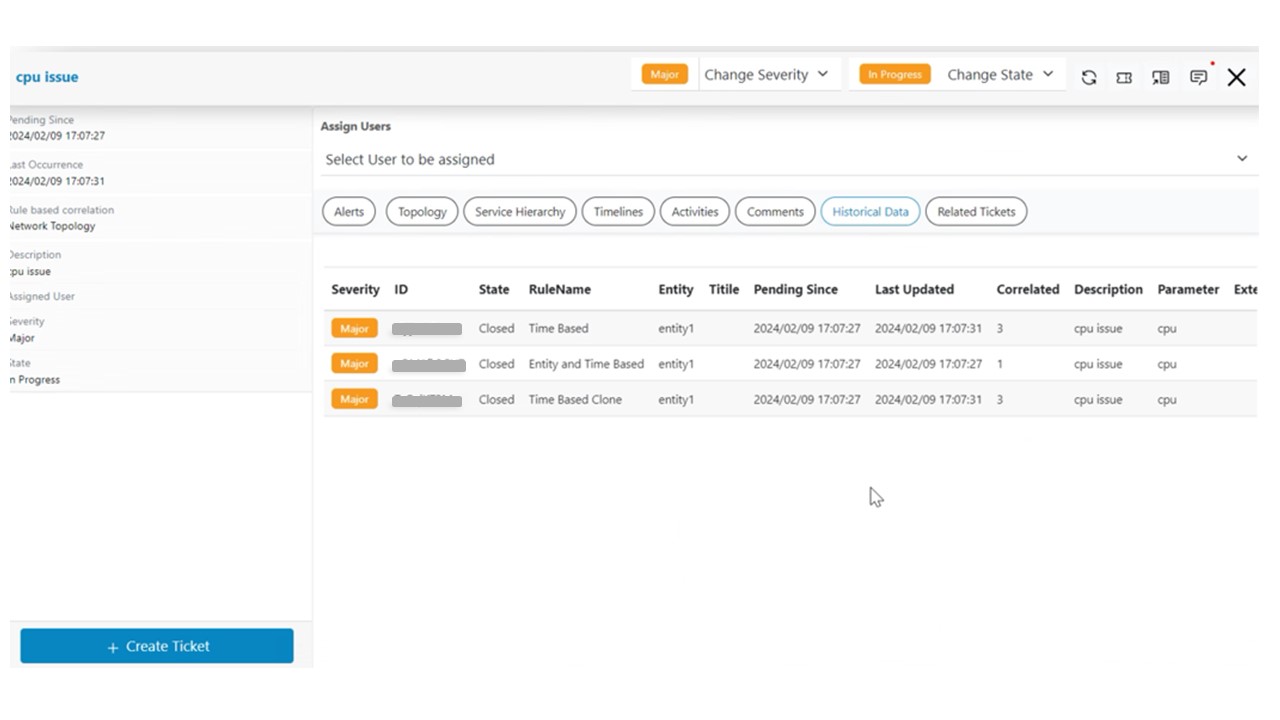
Historical Data
HCL IEM enables operators to view similar actionable related to current actionable. This works by comparing entity+parameter combinations for current actionable and compare with historical Actionable to identify and populate matching Actionable. Please follow steps to view similar Actionable.
- Click on a particular actionable on Data View-Actionable screen, a pop-up window will open that will show all information like related alerts, related changes, related problems, timeline view, topology view, service topology view etc.
- Click on the Historical Data header present in the actionable popup.
- Historical Data containing details of similar actionable will be displayed and details can
be seen while scrolling from left to right for similar actionable.
Figure 1. Similar Actionable