
Manage Existing Groups
For an individual group, this section provides the following information as shown in the following figure.
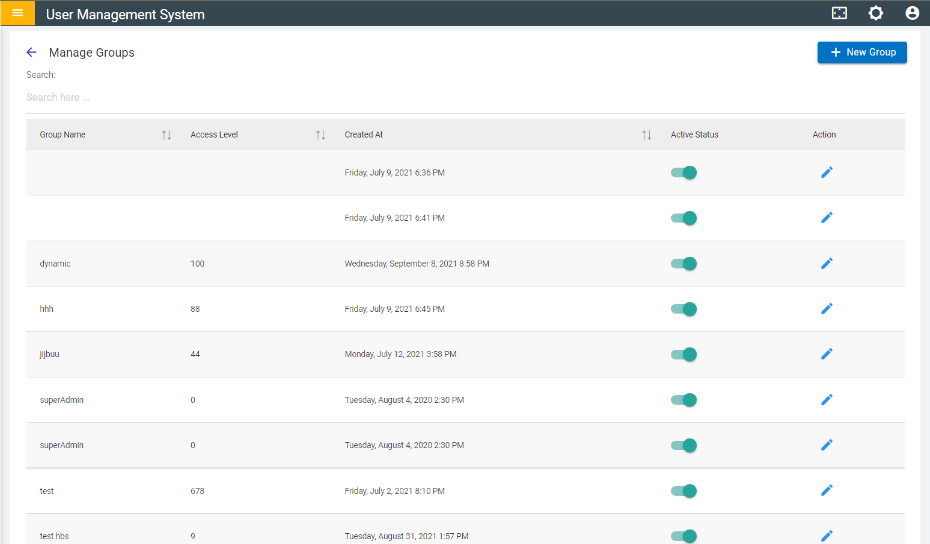
- Group Name - Name of the group.
- Access Level - Access level the users in that group will have.
- Created At - Date when the group was created.
- Action - Edit group details.
- Status - whether the group and the users in that group are active or not.
Follow the set of instructions mentioned below to edit the details of existing group:
- Click on Edit (
.png) ) button to
edit the details of the corresponding group.
) button to
edit the details of the corresponding group. - To delete a group member, click on
 icon corresponding to the group
member.
icon corresponding to the group
member. - To add a user, search for the user and click on Add User button
 .
. Figure 2. Edit Group 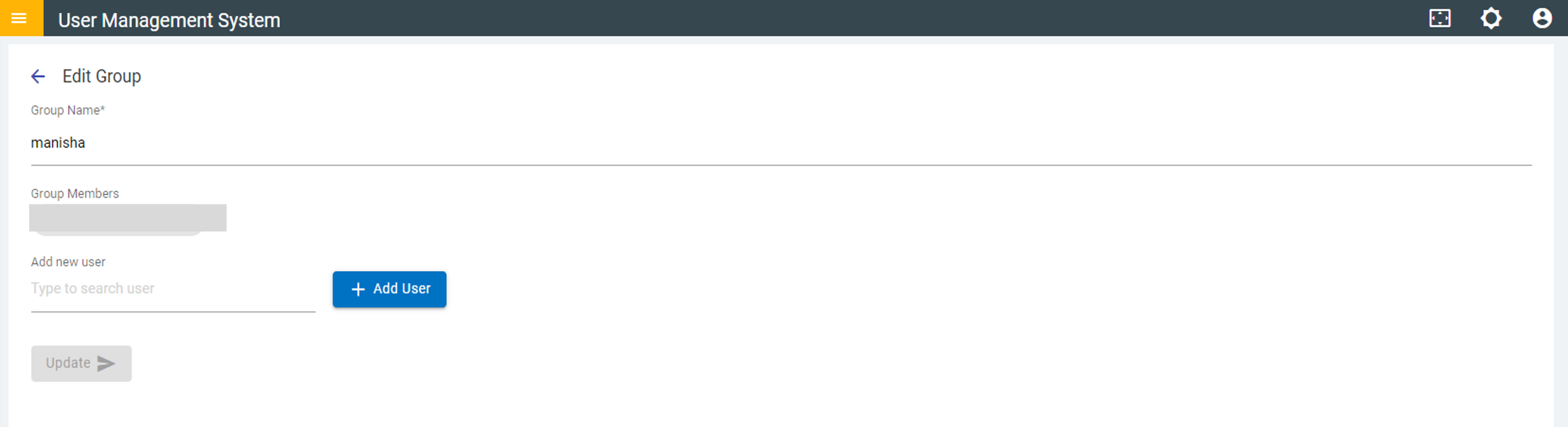
- Use the toggle button (
.png) ) next to a group to
change the status to active/inactive.
) next to a group to
change the status to active/inactive. Figure 3. Edit Group: Deactivation Successful 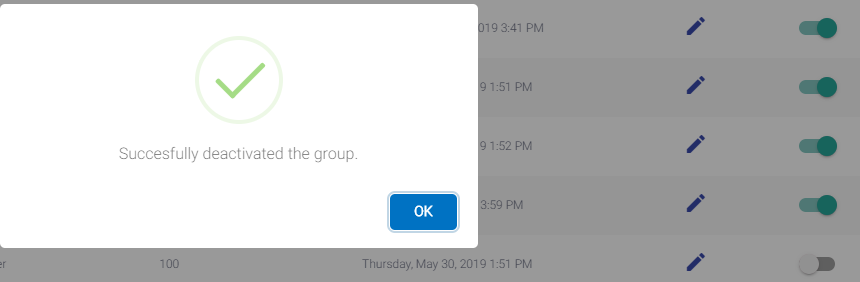
- Add a New Group (For detailed step by step instructions on how to add a group, click Add New Group.