
Groups Dashboard
To navigate to the Groups dashboard, click UMS Dashboard under the User Management section on the left navigation panel.
Note:
Groups are applicable for any authentication type. User is uniquely identified by Email ID for all the authentication type.
This redirects the user to the User Management System dashboard as shown in User Management System Dashboard.
- On this page, click Groups (
 ) and you are redirected to the Manage
Groups page.
) and you are redirected to the Manage
Groups page. Figure 1. Manage Groups 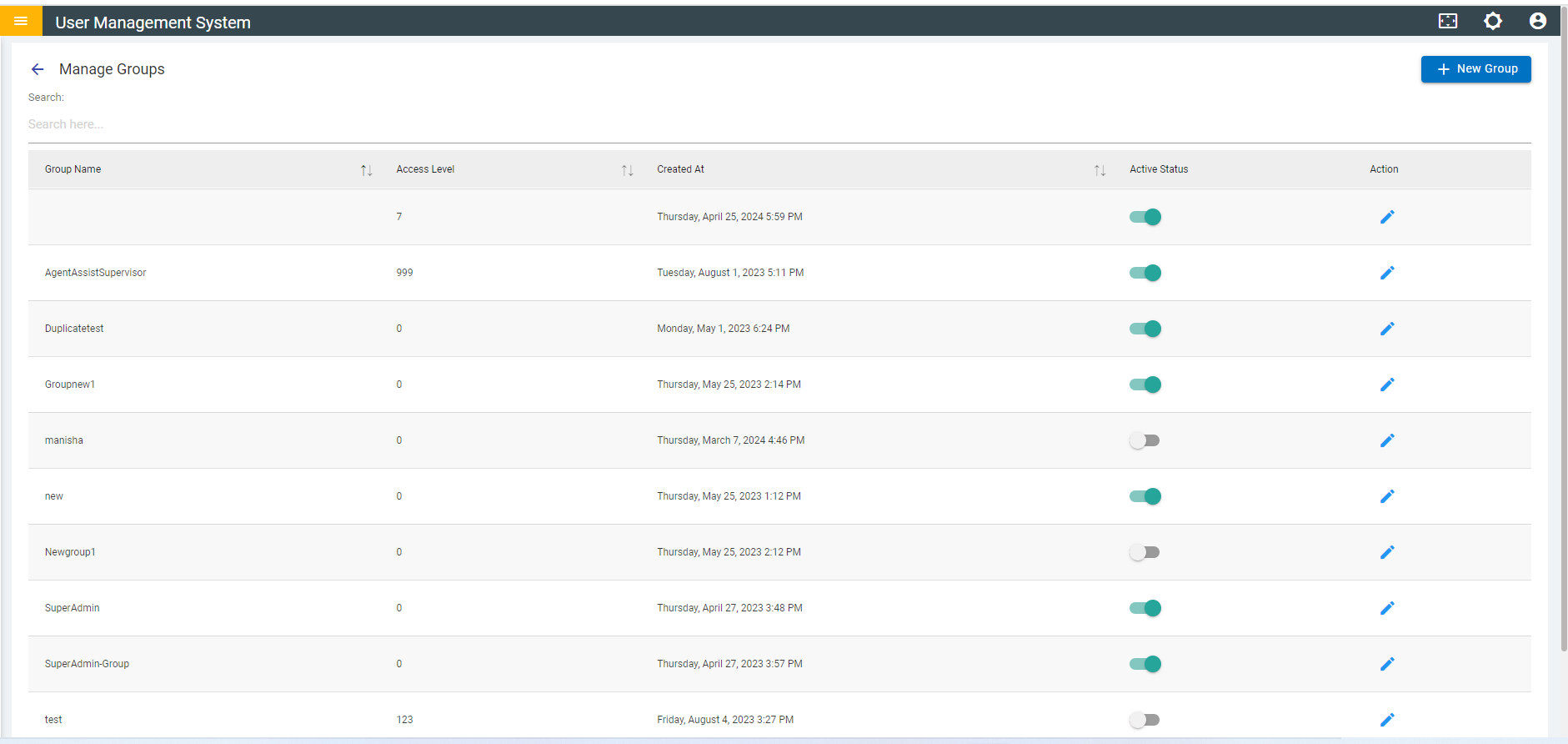
- Like the User Dashboard, the Group Dashboard provides you with an option to add a new group and manage existing groups as shown in Manage Group.