Enabling buyers
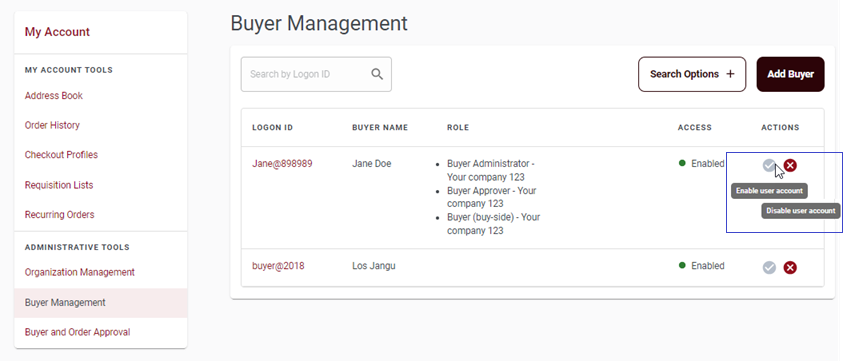
Buyer Administrators for a B2B organization can use the ACTIONS to enable or disable a buyer.
About this task
- Enable user account: This action grants the selected buyer authority to sign in to the store.
- Disable user account This action prevents the selected buyer from signing in to the store.